







Question: Using Python, Associative arrays are arrays in which each array field contains a key and a value. In Python they are called Dictionaries. in Java
Using Python, 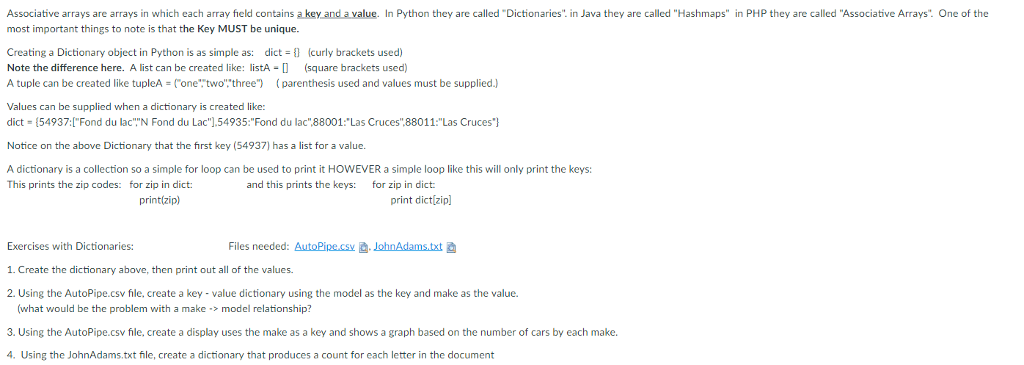
Associative arrays are arrays in which each array field contains a key and a value. In Python they are called "Dictionaries. in Java they are called "Hashmaps" in PHP they are called "Associative Arrays. One of the most important things to note is that the Key MUST be unique Creating a Dictionary object in Python is as simple as: dict (curly brackets used) Note the difference here. A list can be created like: listA (square brackets used) A tuple can be created like tupleA onetwo three") parenthesis used and values must be supplied.) Values can be supplied when a dictionary is created like: dict = {54937: ["Fond du lac"'N Fond du Lac"].54935:"Fond du lac"88001:"Las Cruces".880 11:"Las Cruces"} Notice on the above Dictionary that the first key (54937) has a list for a value A dictionary is a collection so a simple for loop can be used to print it HOWEVER a simple loop like this will only print the keys: This prints the zip codes: for zip in dict: and this prints the keys: for zip in dict: print(zip) print dictizip] Files needed: AutoPine.cs. JohnAdams.txt Exercises with Dictionaries: 1. Create the dictionary above, then print out all of the values. 2. Using the AutoPipe.csv file, create a key- value dictionary using the model as the key and make as the value. (what would be the problem with a make > model relationship? 3. Using the AutoPipe.csv file, create a display uses the make as a key and shows a graph based on the number of cars by each make. 4. Using the JohnAdams.txt fnle, create a dictionary that produces a count for each letter in the document
Step by Step Solution
There are 3 Steps involved in it

Get step-by-step solutions from verified subject matter experts
 Study Help