







Question: Using Python, create a password evaluator with the following functions and critera: Please Please PLEASE read the requirements correctly. Your program should include the following
Using Python, create a password evaluator with the following functions and critera:
Please Please PLEASE read the requirements correctly.
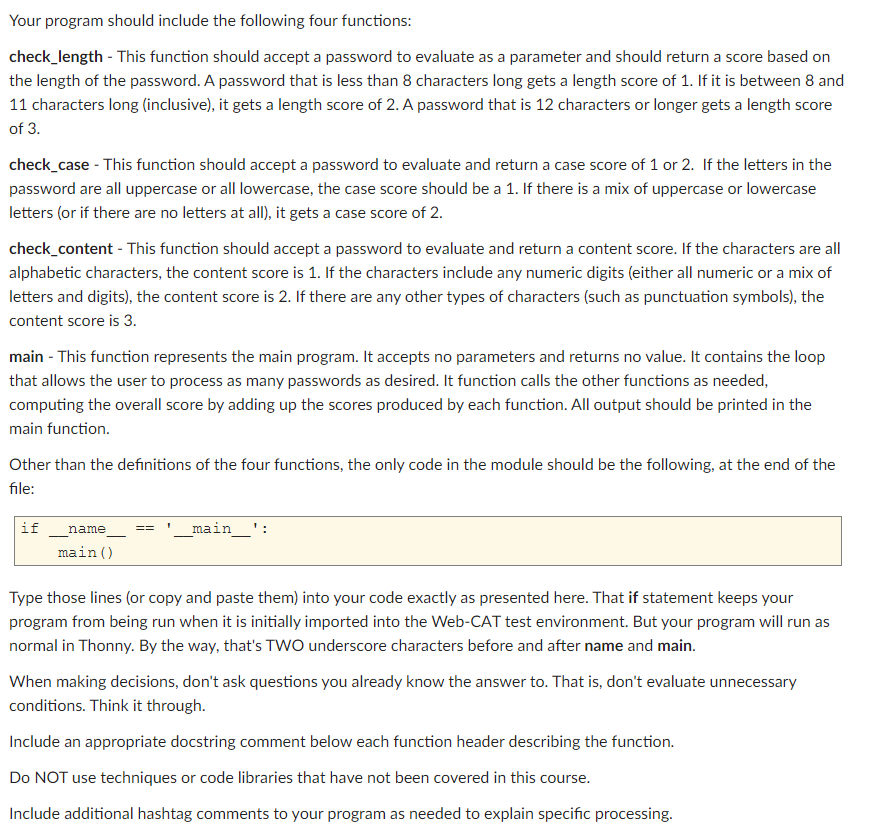
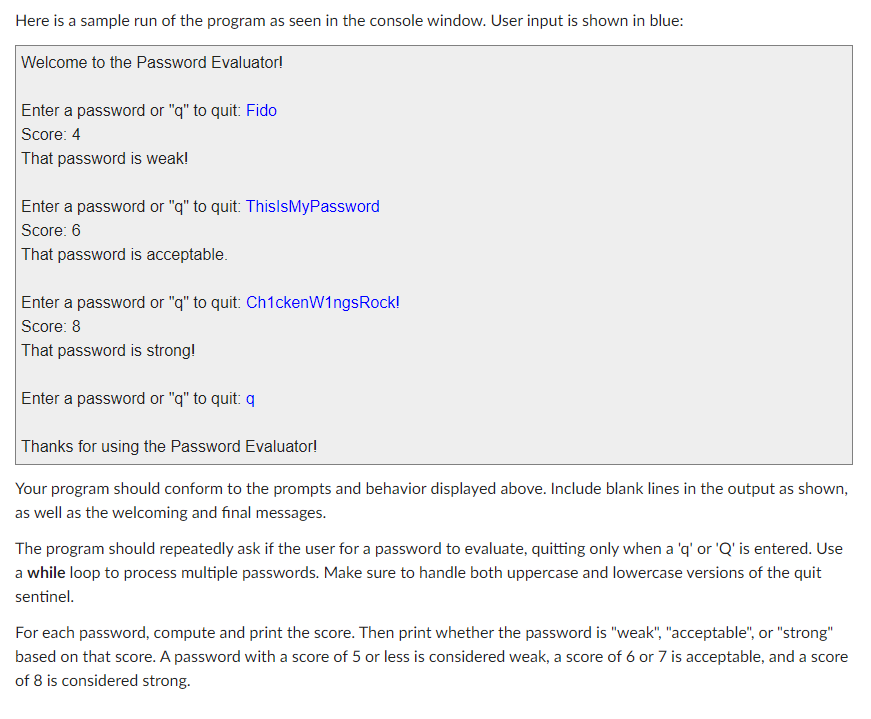
Your program should include the following four functions: check_length - This function should accept a password to evaluate as a parameter and should return a score based on the length of the password. A password that is less than 8 characters long gets a length score of 1. If it is between 8 and 11 characters long (inclusive), it gets a length score of 2. A password that is 12 characters or longer gets a length score of 3. check_case - This function should accept a password to evaluate and return a case score of 1 or 2. If the letters in the password are all uppercase or all lowercase, the case score should be a 1. If there is a mix of uppercase or lowercase letters (or if there are no letters at all), it gets a case score of 2. check_content - This function should accept a password to evaluate and return a content score. If the characters are all alphabetic characters, the content score is 1. If the characters include any numeric digits (either all numeric or a mix of letters and digits), the content score is 2. If there are any other types of characters (such as punctuation symbols), the content score is 3. main - This function represents the main program. It accepts no parameters and returns no value. It contains the loop that allows the user to process as many passwords as desired. It function calls the other functions as needed, computing the overall score by adding up the scores produced by each function. All output should be printed in the main function. Other than the definitions of the four functions, the only code in the module should be the following, at the end of the file: if name _main__': main() Type those lines (or copy and paste them) into your code exactly as presented here. That if statement keeps your program from being run when it is initially imported into the Web-CAT test environment. But your program will run as normal in Thonny. By the way, that's TWO underscore characters before and after name and main. When making decisions, don't ask questions you already know the answer to. That is, don't evaluate unnecessary conditions. Think it through. Include an appropriate docstring comment below each function header describing the function. Do NOT use techniques or code libraries that have not been covered in this course. Include additional hashtag comments to your program as needed to explain specific processing. Here is a sample run of the program as seen in the console window. User input is shown in blue: Welcome to the Password Evaluator! Enter a password or "q" to quit: Fido Score: 4 That password is weak! Enter a password or "q" to quit: ThisIsMyPassword Score: 6 That password is acceptable. Enter a password or "q" to quit: ChickenWingsRock! Score: 8 That password is strong! Enter a password or "q" to quit:q Thanks for using the Password Evaluator! Your program should conform to the prompts and behavior displayed above. Include blank lines in the output as shown, as well as the welcoming and final messages. The program should repeatedly ask if the user for a password to evaluate, quitting only when a 'q' or 'Q' is entered. Use a while loop to process multiple passwords. Make sure to handle both uppercase and lowercase versions of the quit sentinel. For each password, compute and print the score. Then print whether the password is "weak", "acceptable", or "strong" based on that score. A password with a score of 5 or less is considered weak, a score of 6 or 7 is acceptable, and a score of 8 is considered strong
Step by Step Solution
There are 3 Steps involved in it
Heres a Python program that meets the re... View full answer

Get step-by-step solutions from verified subject matter experts
 Study Help