







Question: Using Python threads and the module hashlib, write an MD5 Cracker. Your script must read the file hash.txt (this file contains a single hash that
Using Python threads and the module hashlib, write an MD5 Cracker. Your script must read the file hash.txt (this file contains a single hash that needs to be cracked) and the file wordlist.txt (this file contains a list of possible words that could be the hash) to try and break the hash. Hashing is the process of converting a given key into another value. A hash function is used to generate the new value according to a mathematical algorithm. The result of a hash function is known as a hash value or simply, a hash. Example of an MD5 Hash is cc03e747a6afbbcbf8be7668acfebee5 which is the Student Name Student Univ. ID Total Mark / 10 word test123 To generate the MD5 hash of a string, you can use the following code: # Import module import hashlib # The string STRING = test123 # Generate Hash hash = hashlib.md5(STRING.encode()).hexdigest() # Print hash print (hash) #This will output cc03e747a6afbbcbf8be7668acfebee5
hash file c9d28030e4289bb69d89e7e5537dd7f2
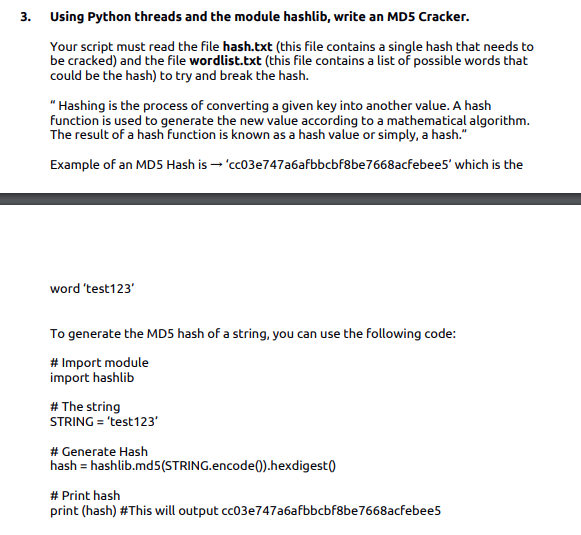
3. Using Python threads and the module hashlib, write an MD5 Cracker. Your script must read the file hash.txt (this file contains a single hash that needs to be cracked) and the file wordlist.txt (this file contains a list of possible words that could be the hash) to try and break the hash. "Hashing is the process of converting a given key into another value. A hash function is used to generate the new value according to a mathematical algorithm. The result of a hash function is known as a hash value or simply, a hash." Example of an MD5 Hash is '03e747a6afbbcbf8be7668acfebee5' which is the word 'test123 To generate the MD5 hash of a string, you can use the following code: #Import module import hashlib # The string STRING = 'test123 # Generate Hash hash = hashlib.md5(STRING.encode().hexdigest # Print hash print (hash) #This will output cc03e747a6afbbcbf8be7668acfebee5
Step by Step Solution
There are 3 Steps involved in it

Get step-by-step solutions from verified subject matter experts
 Study Help