







Question: using python to answer this question. This part is an application of all the tools we have covered so far, to the problem of creating
 using python to answer this question.
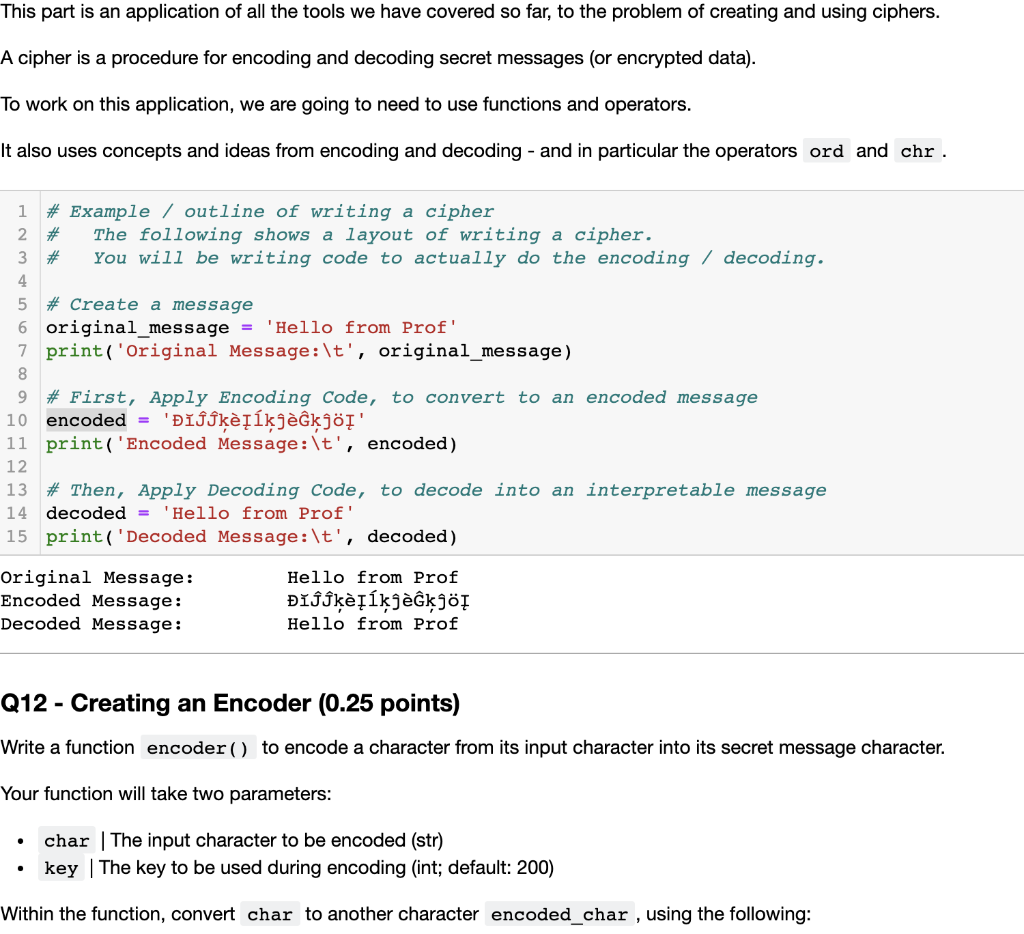
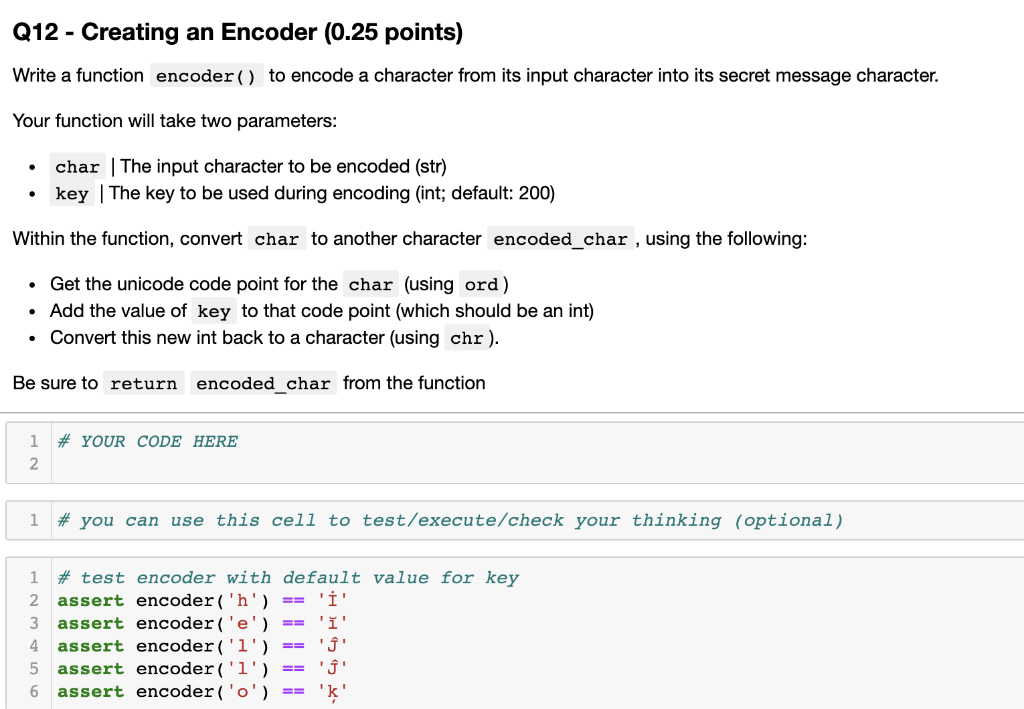
This part is an application of all the tools we have covered so far, to the problem of creating and using ciphers. A cipher is a procedure for encoding and decoding secret messages (or encrypted data). To work on this application, we are going to need to use functions and operators. It also uses concepts and ideas from encoding and decoding - and in particular the operators ord and chr. 1 2 # Example / outline of writing a cipher # The following shows a layout of writing a cipher. 3 # You will be writing code to actually do the encoding / decoding. 4 5 # Create a message 6 original_message = 'Hello from Prof' 7 print('original Message: \t', original_message) 8 9 # First, Apply Encoding Code, to convert to an encoded message 10 encoded = 'kjkj' 11 print('Encoded Message:\t', encoded) 12 13 # Then, Apply Decoding Code, to decode into an interpretable message 14 decoded = 'Hello from Prof' 15 print('Decoded Message:\t', decoded) Original Message: Encoded Message: Decoded Message: Hello from Prof Ijkj Hello from Prof Q12 - Creating an Encoder (0.25 points) Write a function encoder() to encode a character from its input character into its secret message character. Your function will take two parameters: char | The input character to be encoded (str) key | The key to be used during encoding (int; default: 200) Within the function, convert char to another character encoded_char , using the following: Q12 - Creating an Encoder (0.25 points) Write a function encoder() to encode a character from its input character into its secret message character. Your function will take two parameters: char | The input character to be encoded (str) key The key to be used during encoding (int; default: 200) Within the function, convert char to another character encoded_char , using the following: . Get the unicode code point for the char (using ord) Add the value of key to that code point (which should be an int) Convert this new int back to a character (using chr). Be sure to return encoded_char from the function # YOUR CODE HERE 1 2 1 # you can use this cell to test/execute/check your thinking (optional) 1 # test encoder with default value for key 2. assert encoder('h') 'i' 3 assert encoder('e') 'i' 4 assert encoder('1') 5 assert encoder('i') ' ' 6 assert encoder('o') '' == ==
Step by Step Solution
There are 3 Steps involved in it

Get step-by-step solutions from verified subject matter experts
 Study Help