







Question: using python... write codes for each pic... Exception Handling Attempting to run certain code may cause errors. For example, you cant open a file that
using python... write codes for each pic...
Exception Handling
Attempting to run certain code may cause errors. For example, you cant open a file that doesnt exist!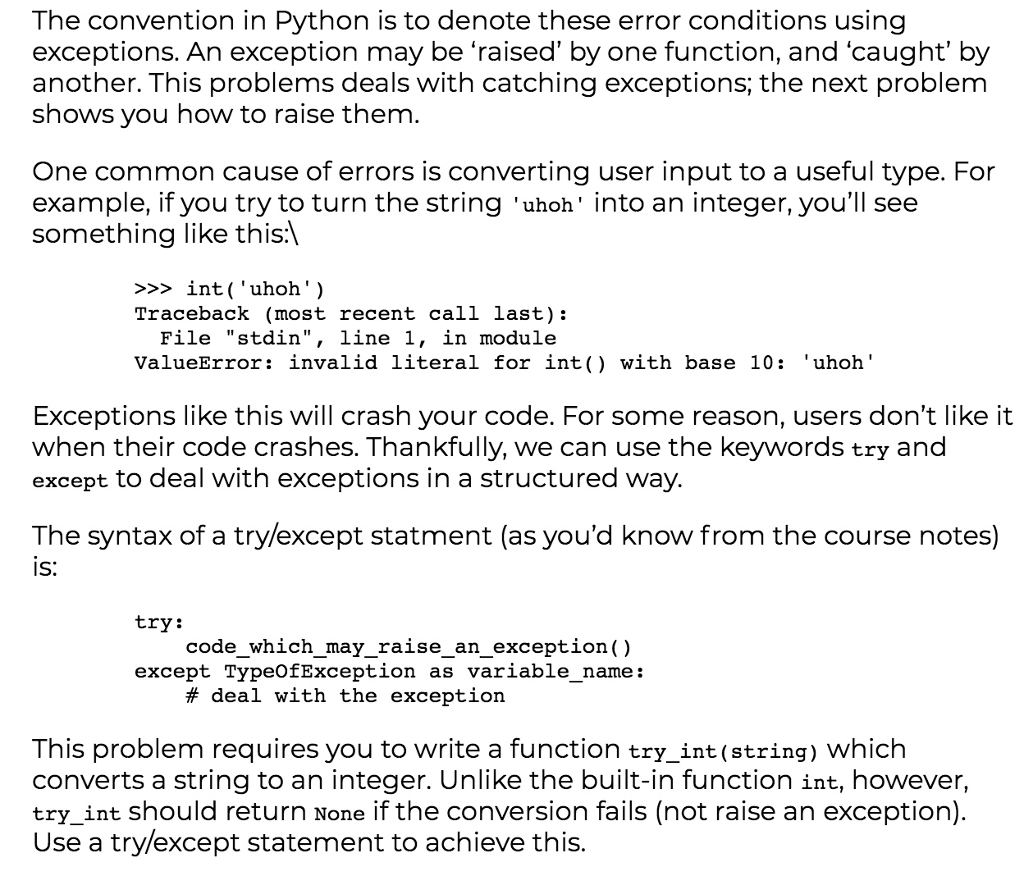
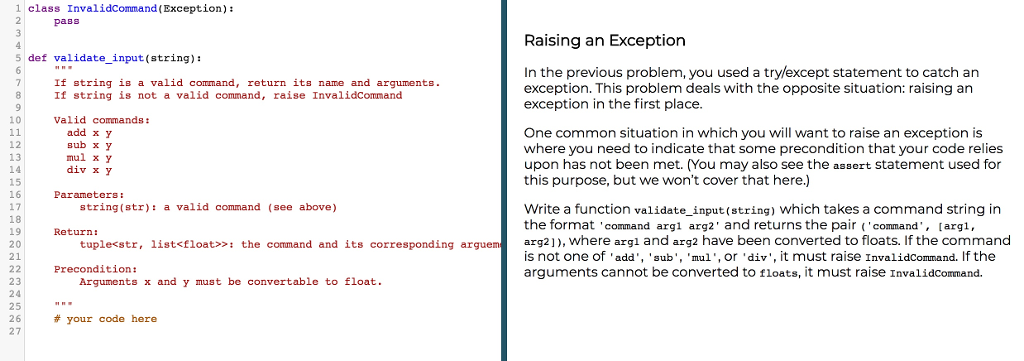
The convention in Python is to denote these error conditions using exceptions. An exception may be raised' by one function, and caught' by another. This problems deals with catching exceptions; the next problem shows you how to raise them. One common cause of errors is converting user input to a useful type. For example, if you try to turn the string 'uhoh' into an integer, you'll see something like this:) >>> int('uhoh') Traceback (most recent call last): File "stdin", line 1, in module ValueError: invalid literal for int() with base 10: 'uhoh' Exceptions like this will crash your code. For some reason, users don't like it when their code crashes. Thankfully, we can use the keywords try and except to deal with exceptions in a structured way. The syntax of a try/except statment (as you'd know from the course notes) is: try: code_which_may_raise_an_exception ( ) except TypeOfException as variable_name : # deal with the exception This problem requires you to write a function try_int (string) which converts a string to an integer. Unlike the built-in function int, however, try_int should return None if the conversion fails (not raise an exception). Use a try/except statement to achieve this
Step by Step Solution
There are 3 Steps involved in it

Get step-by-step solutions from verified subject matter experts
 Study Help