







Question: Using Qemu on Linux to draw a square in video memory and make it move around on the screen using assembly language. Basic Outline of
Using Qemu on Linux to draw a square in video memory and make it move around on the screen using assembly language.
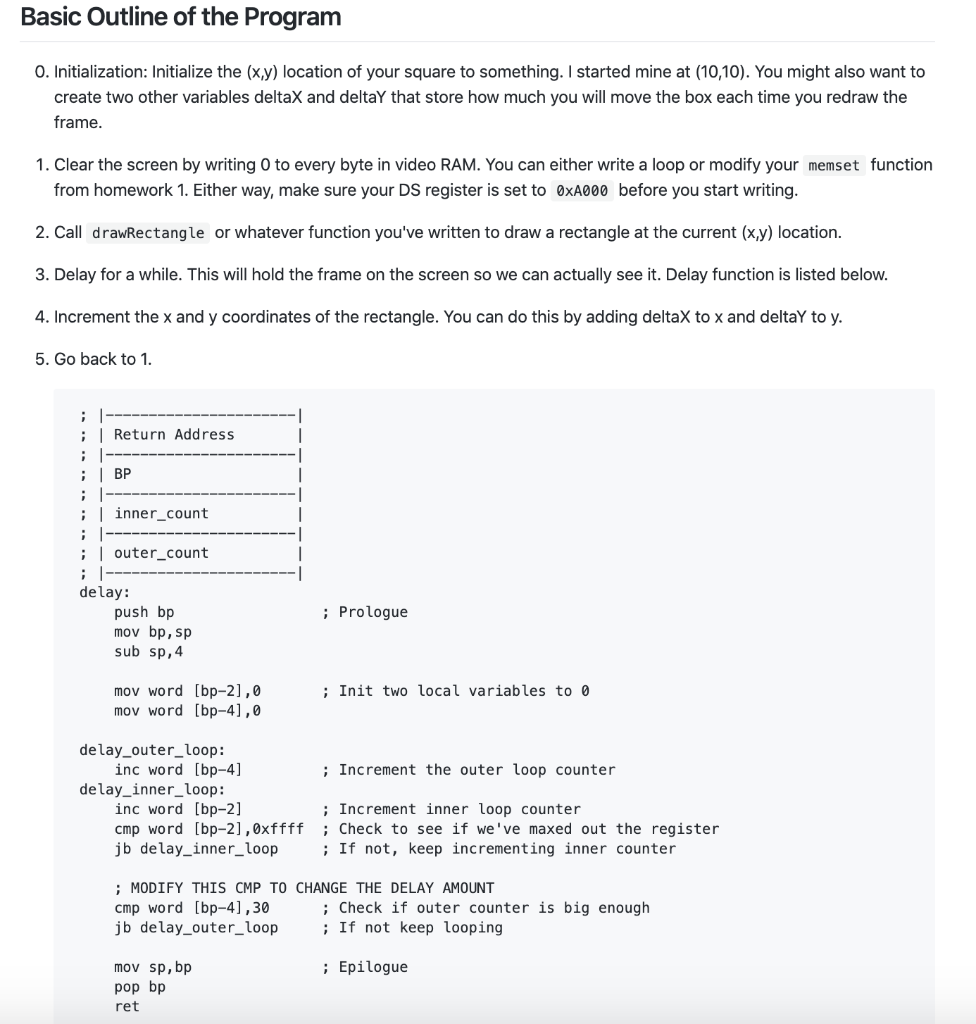
Basic Outline of the Program O. Initialization: Initialize the (x,y) location of your square to something. I started mine at (10,10). You might also want to create two other variables deltaX and deltay that store how much you will move the box each time you redraw the frame. 1. Clear the screen by writing to every byte in video RAM. You can either write a loop or modify your memset function from homework 1. Either way, make sure your DS register is set to OxA000 before you start writing. 2. Call drawRectangle or whatever function you've written to draw a rectangle at the current (x,y) location. 3. Delay for a while. This will hold the frame on the screen so we can actually see it. Delay function is listed below. 4. Increment the x and y coordinates of the rectangle. You can do this by adding deltax to x and deltay to y. 5. Go back to 1. ; ------- --------- ; Return Address ; |---- ; BP ; -------- ; inner_count ; ---------- ------- ; | outer_count ; ------- delay: push bp mov bp, sp sub sp,4 ; Prologue ; Init two local variables to o mov word [bp-2],0 mov word [bp-4),0 delay_outer_loop: inc word [bp-4] ; Increment the outer loop counter delay_inner_loop: inc word [bp-2] ; Increment inner loop counter cmp word [bp-2], 0xffff; Check to see if we've maxed out the register jb delay_inner_loop ; If not, keep incrementing inner counter ; MODIFY THIS CMP TO CHANGE THE DELAY AMOUNT cmp word [bp-4), 30 ; Check if outer counter is big enough jb delay_outer_loop ; If not keep looping ; Epilogue mov sp, bp pop bp ret Basic Outline of the Program O. Initialization: Initialize the (x,y) location of your square to something. I started mine at (10,10). You might also want to create two other variables deltaX and deltay that store how much you will move the box each time you redraw the frame. 1. Clear the screen by writing to every byte in video RAM. You can either write a loop or modify your memset function from homework 1. Either way, make sure your DS register is set to OxA000 before you start writing. 2. Call drawRectangle or whatever function you've written to draw a rectangle at the current (x,y) location. 3. Delay for a while. This will hold the frame on the screen so we can actually see it. Delay function is listed below. 4. Increment the x and y coordinates of the rectangle. You can do this by adding deltax to x and deltay to y. 5. Go back to 1. ; ------- --------- ; Return Address ; |---- ; BP ; -------- ; inner_count ; ---------- ------- ; | outer_count ; ------- delay: push bp mov bp, sp sub sp,4 ; Prologue ; Init two local variables to o mov word [bp-2],0 mov word [bp-4),0 delay_outer_loop: inc word [bp-4] ; Increment the outer loop counter delay_inner_loop: inc word [bp-2] ; Increment inner loop counter cmp word [bp-2], 0xffff; Check to see if we've maxed out the register jb delay_inner_loop ; If not, keep incrementing inner counter ; MODIFY THIS CMP TO CHANGE THE DELAY AMOUNT cmp word [bp-4), 30 ; Check if outer counter is big enough jb delay_outer_loop ; If not keep looping ; Epilogue mov sp, bp pop bp ret
Step by Step Solution
There are 3 Steps involved in it

Get step-by-step solutions from verified subject matter experts
 Study Help