







Question: Using RStudio: data (esoph) help (esoph) (a) Plot the proportion of cases against each predictor using the size of the point to indicate the number
Using RStudio: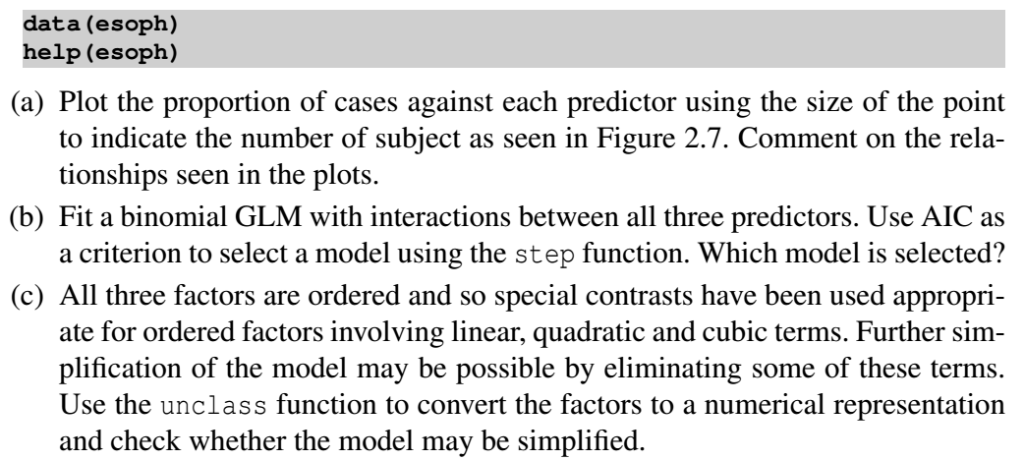
data (esoph) help (esoph) (a) Plot the proportion of cases against each predictor using the size of the point to indicate the number of subject as seen in Figure 2.7. Comment on the rela- tionships seen in the plots (b) Fit a binomial GLM with interactions between all three predictors. Use AIC as a criterion to select a model using the step function. Which model is selected? (c) All three factors are ordered and so special contrasts have been used appropri- ate for ordered factors involving linear, quadratic and cubic terms. Further sim plification of the model may be possible by eliminating some of these terms. Use the unclass function to convert the factors to a numerical representation and check whether the model may be simplified data (esoph) help (esoph) (a) Plot the proportion of cases against each predictor using the size of the point to indicate the number of subject as seen in Figure 2.7. Comment on the rela- tionships seen in the plots (b) Fit a binomial GLM with interactions between all three predictors. Use AIC as a criterion to select a model using the step function. Which model is selected? (c) All three factors are ordered and so special contrasts have been used appropri- ate for ordered factors involving linear, quadratic and cubic terms. Further sim plification of the model may be possible by eliminating some of these terms. Use the unclass function to convert the factors to a numerical representation and check whether the model may be simplified
Step by Step Solution
There are 3 Steps involved in it

Get step-by-step solutions from verified subject matter experts
 Study Help