







Question: using System; using System.Collections.Generic; using System.Linq; using System.Text; using System.Threading.Tasks; namespace Numbers { public class NumberList { // Your private List field should go here
using System; using System.Collections.Generic; using System.Linq; using System.Text; using System.Threading.Tasks;
namespace Numbers { public class NumberList { // Your private List
public void Add(float number) { // ... }
public List
public float Minimum() { // ... } public float Maximum() { // ... } public float Sum() { // ... } public float Average() { // ... } public int Count() { // ... } public void DeleteBelow(float threshold) { // ... } public void DeleteAbove(float threshold) { // ... } public int CountBelow(float threshold) { // ... } public int CountAbove(float threshold) { // ... } } public class Program { private static string ListToString(List
Console.WriteLine("{0} should be 1", myList.Minimum()); Console.WriteLine("{0} should be 5", myList.Maximum()); Console.WriteLine("{0} should be 15", myList.Sum()); Console.WriteLine("{0} should be 3", myList.Average()); Console.WriteLine("{0} should be 5", myList.Count()); Console.WriteLine("{0} should be 2", myList.CountBelow(2.5f)); Console.WriteLine("{0} should be 2", myList.CountAbove(3.5f));
Console.WriteLine("{0} should be 1, 2, 3, 4, 5", ListToString(myList.Numbers())); myList.DeleteBelow(2.5f); Console.WriteLine("{0} should be 3, 4, 5", ListToString(myList.Numbers()));
myList.Add(6); myList.Add(7);
myList.DeleteAbove(4.5f); Console.WriteLine("{0} should be 3, 4", ListToString(myList.Numbers()));
Console.WriteLine(" Press enter to exit."); Console.ReadLine(); } } }
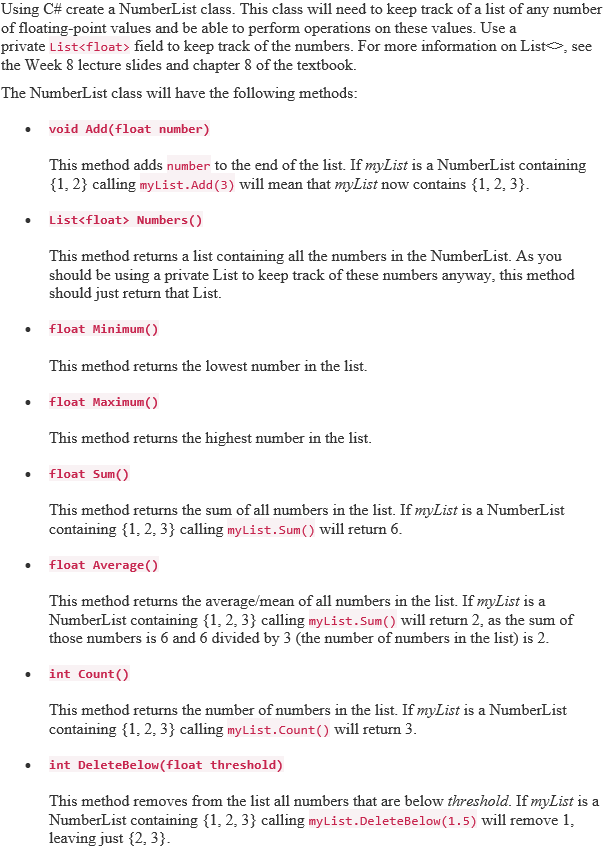
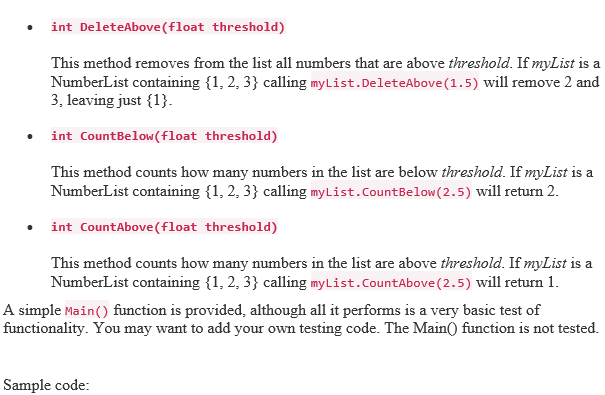
Using C# create a NumberList class. This class will need to keep track of a list of any number of floating-point values and be able to perform operations on these values. Use a private List
Step by Step Solution
There are 3 Steps involved in it

Get step-by-step solutions from verified subject matter experts
 Study Help