





Question: Using the revised Access le, you create queries to provide useful information to Dr. Brown. You also create reports based on the queries. You should
Using the revised Access le, you create queries
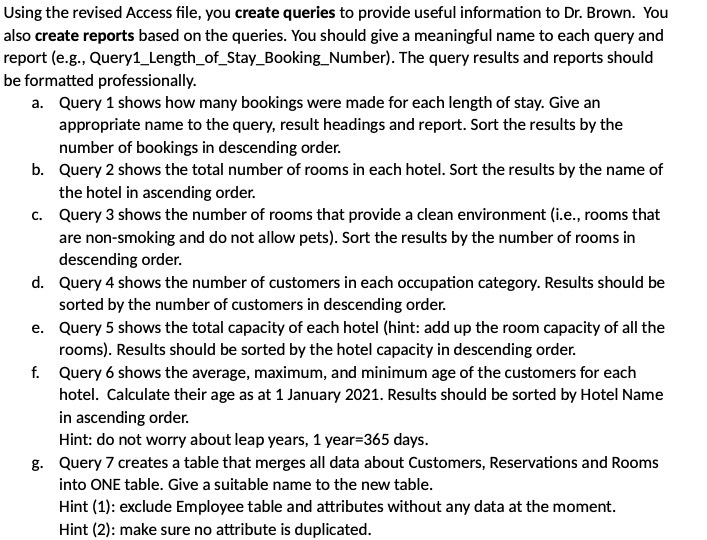
Using the revised Access le, you create queries to provide useful information to Dr. Brown. You also create reports based on the queries. You should give a meaningful name to each query and report [e.g., Query1_Length_of_Stay_Eooking_Number}. The query results and reports should be formatted professionally. a. Query 1 shows how many bookings were made for each length of stay. Give an appropriate name to the query, result headings and report. Sort the results by the number of bookings in descending order. Query 2 shows the total number of rooms in each hotel. Sort the results by the name of the hotel in ascending order. Query 3 shows the number of rooms that provide a clean environment He, rooms that are non-smoking and do not allow pets}. Sort the results by the number of rooms in descending order. Query4 shows the number of customers in each occupation category. Results should be sorted by the number of customers in descending order. Query 5 shows the total capacity of each hotel (hint: add up the room capacity of all the rooms]. Results should be sorted by the hotel capacity in descending order. Query s shows the average, maximum, and minimum age of the customers for each hotel. Calculate their age as at 1 January 2D21. Results should be sorted by Hotel Name in ascending order. Hint: do not worry about leap years, 1 year=365 days. Query 1" creates a table that merges all data about Customers, Reservations and Rooms into DNE table. Give a suitable name to the new table. Hint [1}: exclude Employee table and attributes wlthout any data at the moment. Hint [2}: make sure no attribute is duplicated

Step by Step Solution

There are 3 Steps involved in it

1 Expert Approved Answer
Step: 1 Unlock blur-text-image

Question Has Been Solved by an Expert!

Get step-by-step solutions from verified subject matter experts

Step: 2 Unlock
Step: 3 Unlock

Students Have Also Explored These Related Accounting Questions!