



Question: Using the transaction register above, how do I record the transactions in quickbooks, and which accounts do i credit and debit. Below are all of
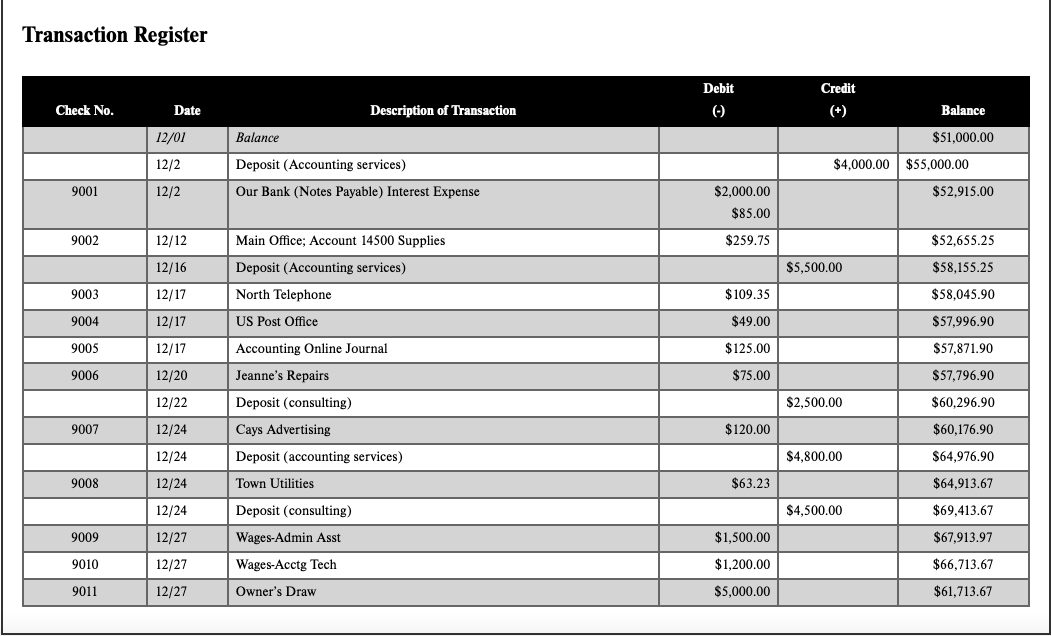
Using the transaction register above, how do I record the transactions in quickbooks, and which accounts do i credit and debit.
Below are all of the accounts.
INTUIT QUICKBOOKS
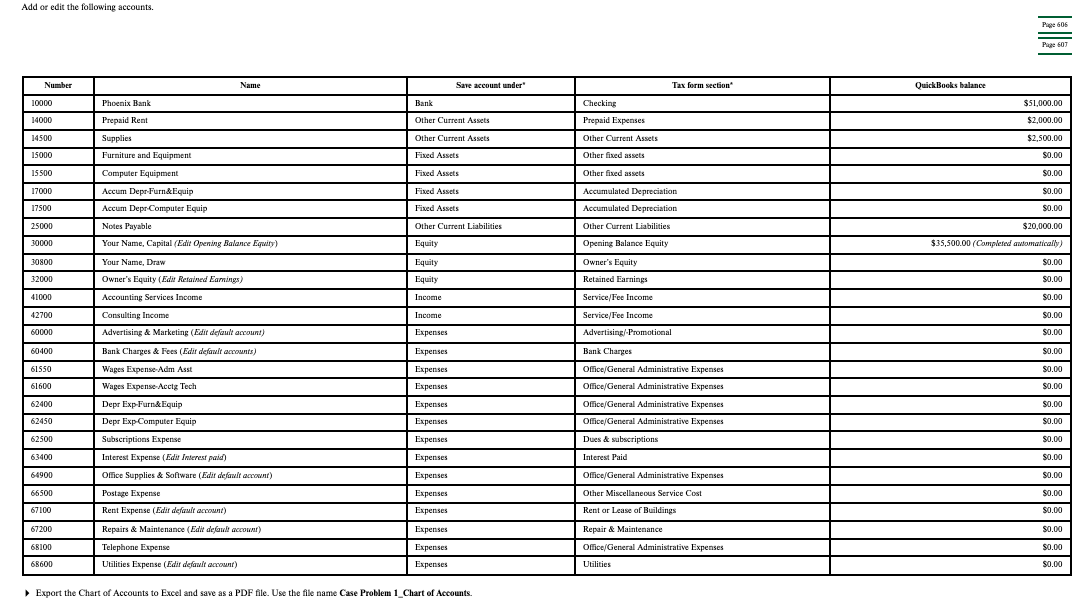
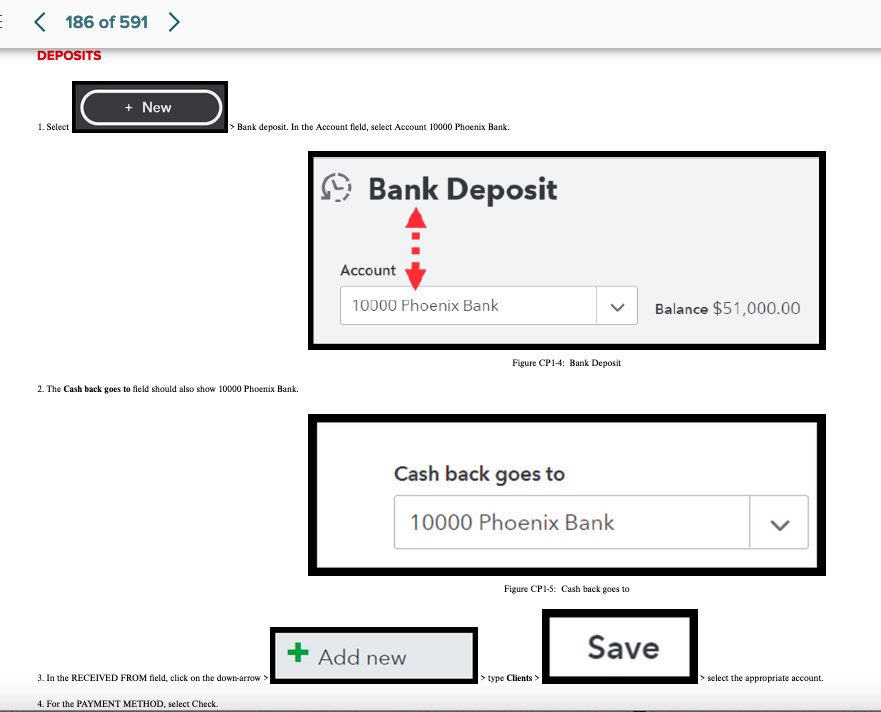
Transaction Register 1. Select > Bank deposit. In the Account field, select Account 10000 Phoenix Bank. Figure CP1-4: Bank Deposit 2. The Cash back goes to field should also show 10000 Phoenix Bank. Cash back goes to Figure CP1-5: Cash back goes to 3. In the RECEIVED FROM field, click on the down-arrow > > type Clients > r select the appropriate account. Add or edit the following accounts. Export the Chart of Accounts to Excel and save as a PDF file. Use the file name Case Problem 1_Chart of Accounts. Transaction Register 1. Select > Bank deposit. In the Account field, select Account 10000 Phoenix Bank. Figure CP1-4: Bank Deposit 2. The Cash back goes to field should also show 10000 Phoenix Bank. Cash back goes to Figure CP1-5: Cash back goes to 3. In the RECEIVED FROM field, click on the down-arrow > > type Clients > r select the appropriate account. Add or edit the following accounts. Export the Chart of Accounts to Excel and save as a PDF file. Use the file name Case Problem 1_Chart of Accounts
Step by Step Solution
There are 3 Steps involved in it

Get step-by-step solutions from verified subject matter experts