







Question: Using Variable Page of 5 ZOOM + PROBLEM DESCRIPTION The World Travel company wishes to modernize the program created to calculate the total price of
 Using Variable
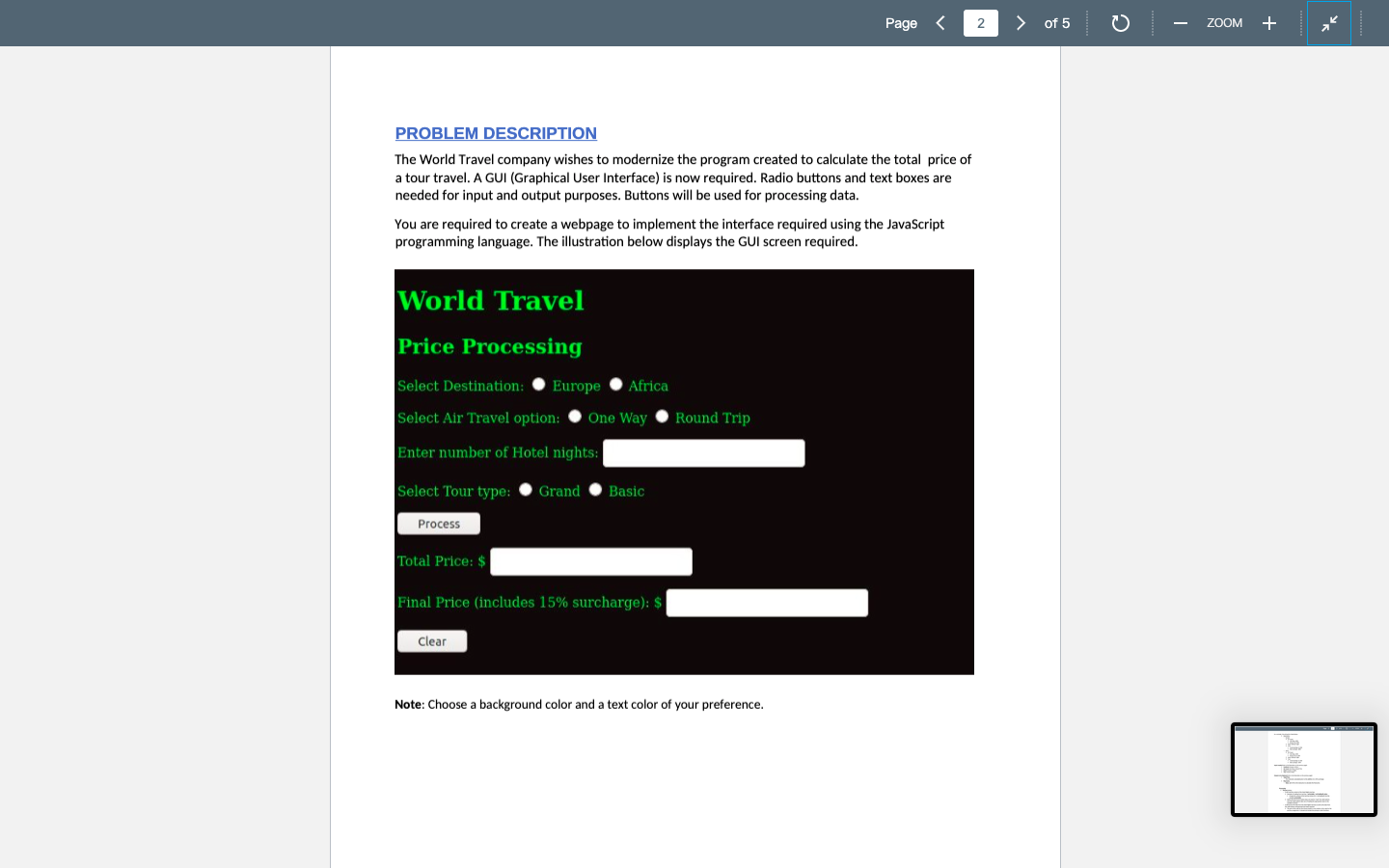
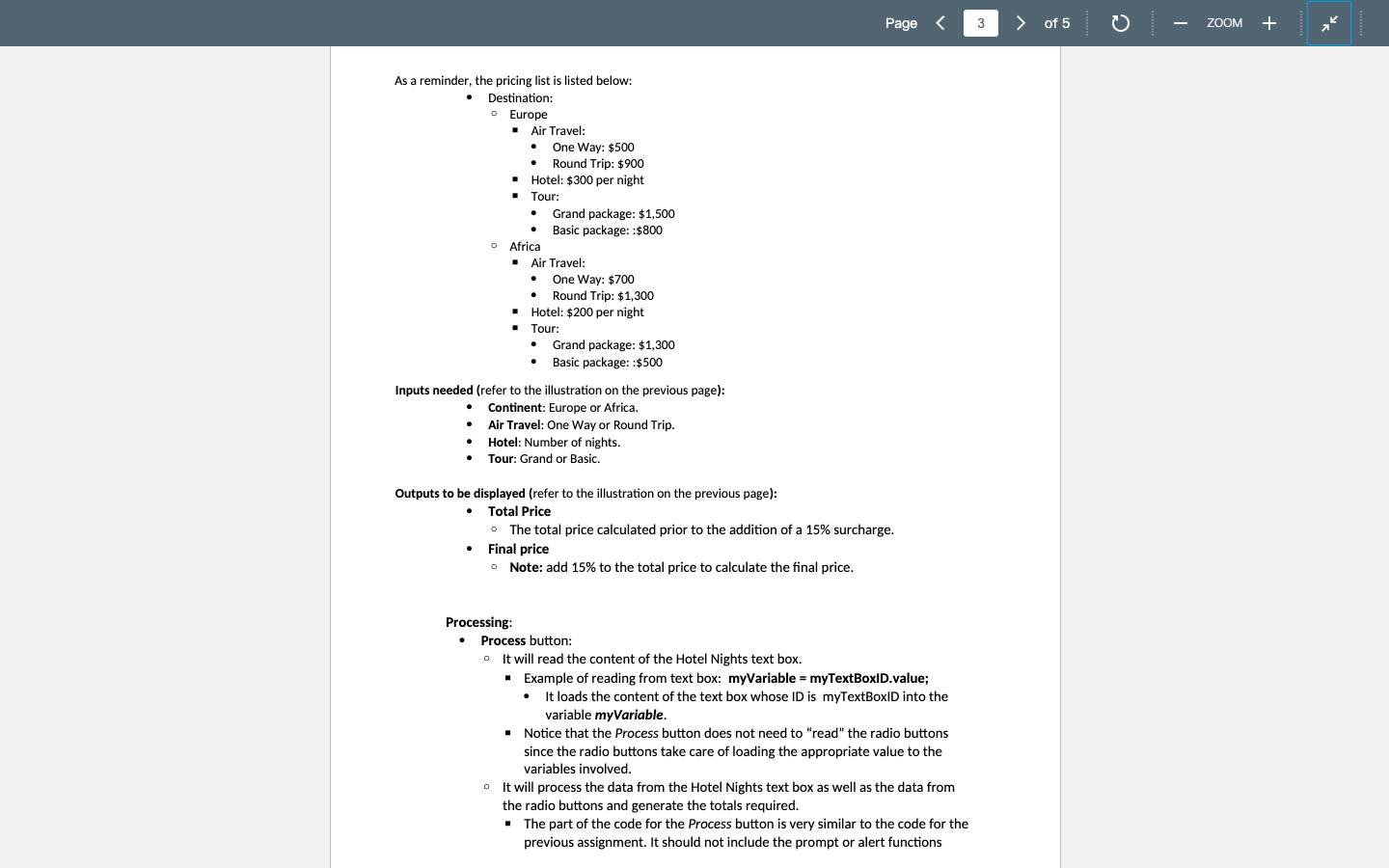
Page of 5 ZOOM + PROBLEM DESCRIPTION The World Travel company wishes to modernize the program created to calculate the total price of a tour travel. A GUI (Graphical User Interface) is now required. Radio buttons and text boxes are needed for input and output purposes. Buttons will be used for processing data. You are required to create a webpage to implement the interface required using the JavaScript programming language. The illustration below displays the GUI screen required. World Travel Price Processing Select Destination: Europe Africa Select Air Travel option: One Way Round Trip Enter number of Hotel nights: Select Tour type: Grand Basic Process Total Price: $ Final Price (includes 15% surcharge): $ Clear Note: Choose a background color and a text color of your preference. Page of 5 ZOOM + . As a reminder, the pricing list is listed below: Destination: o Europe . Air Travel: One Way: $500 Round Trip: $900 Hotel: $300 per night $ . : Tour: Grand package: $1,500 Basic package::$800 o Africa Air Travel: One Way: $700 Round Trip: $1,300 . Hotel: $200 per night Tour: Grand package: $1,300 Basic package::$500 Inputs needed (refer to the illustration on the previous page): Continent: Europe or Africa. Air Travel: One Way or Round Trip. Hotel: Number of nights. Tour: Grand or Basic. Outputs to be displayed (refer to the illustration on the previous page): Total Price The total price calculated prior to the addition of a 15% surcharge. Final price Note: add 15% to the total price to calculate the final price. Processing Process button: It will read the content of the Hotel Nights text box. Example of reading from text box: myVariable = myTextBoxID.value; It loads the content of the text box whose ID is myTextBoxiD into the variable myVariable. Notice that the Process button does not need to "read" the radio buttons since the radio buttons take care of loading the appropriate value to the variables involved. It will process the data from the Hotel Nights text box as well as the data from the radio buttons and generate the totals required. The part of the code for the Process button is very similar to the code for the previous assignment. It should not include the prompt or alert functions 0
Step by Step Solution
There are 3 Steps involved in it

Get step-by-step solutions from verified subject matter experts
 Study Help