







Question: Using Visual Paradigm, Create a Sequence Diagram for the Use-Case Use Case Description Use Case Name: Edit Author Information Primary Actor: Returning Author Stakeholders and
 Using Visual Paradigm, Create a Sequence Diagram for the Use-Case
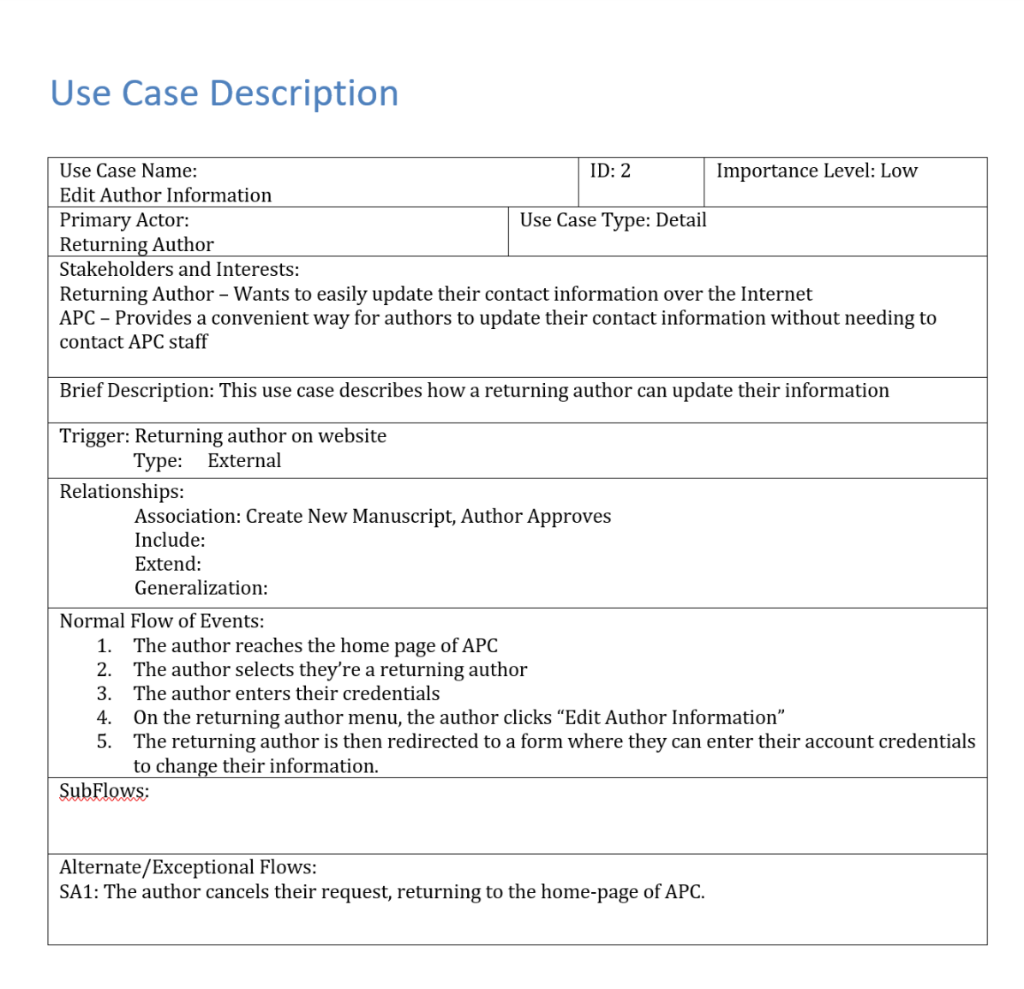
Use Case Description Use Case Name: Edit Author Information Primary Actor: Returning Author Stakeholders and Interests: Returning Author - Wants to easily update their contact information over the Internet APC - Provides a convenient way for authors to update their contact information without needing to contact APC staff ID: 2 Importance Level: Low Use Case Type: Detail Brief Description: This use case describes how a returning author can update their information Trigger: Returning author on website Relationships: Type: External Association: Create New Manuscript, Author Approves Include: Extend: Generalization Normal Flow of Events: 1. 2. 3. 4. 5. The author reaches the home page of APC The author selects they're a returning author The author enters their credentials On the returning author menu, the author clicks "Edit Author Information" The returning author is then redirected to a form where they can enter their account credentials to change their information SubFlows; Alternate/Exceptional Flows SA1: The author cancels their request, returning to the home-page of APC. Use Case Description Use Case Name: Edit Author Information Primary Actor: Returning Author Stakeholders and Interests: Returning Author - Wants to easily update their contact information over the Internet APC - Provides a convenient way for authors to update their contact information without needing to contact APC staff ID: 2 Importance Level: Low Use Case Type: Detail Brief Description: This use case describes how a returning author can update their information Trigger: Returning author on website Relationships: Type: External Association: Create New Manuscript, Author Approves Include: Extend: Generalization Normal Flow of Events: 1. 2. 3. 4. 5. The author reaches the home page of APC The author selects they're a returning author The author enters their credentials On the returning author menu, the author clicks "Edit Author Information" The returning author is then redirected to a form where they can enter their account credentials to change their information SubFlows; Alternate/Exceptional Flows SA1: The author cancels their request, returning to the home-page of APC
Step by Step Solution
There are 3 Steps involved in it

Get step-by-step solutions from verified subject matter experts
 Study Help