







Question: Using Windows Software. In this exercise, you'll create a form that accepts one or more scores from the user. Each time a score is added,
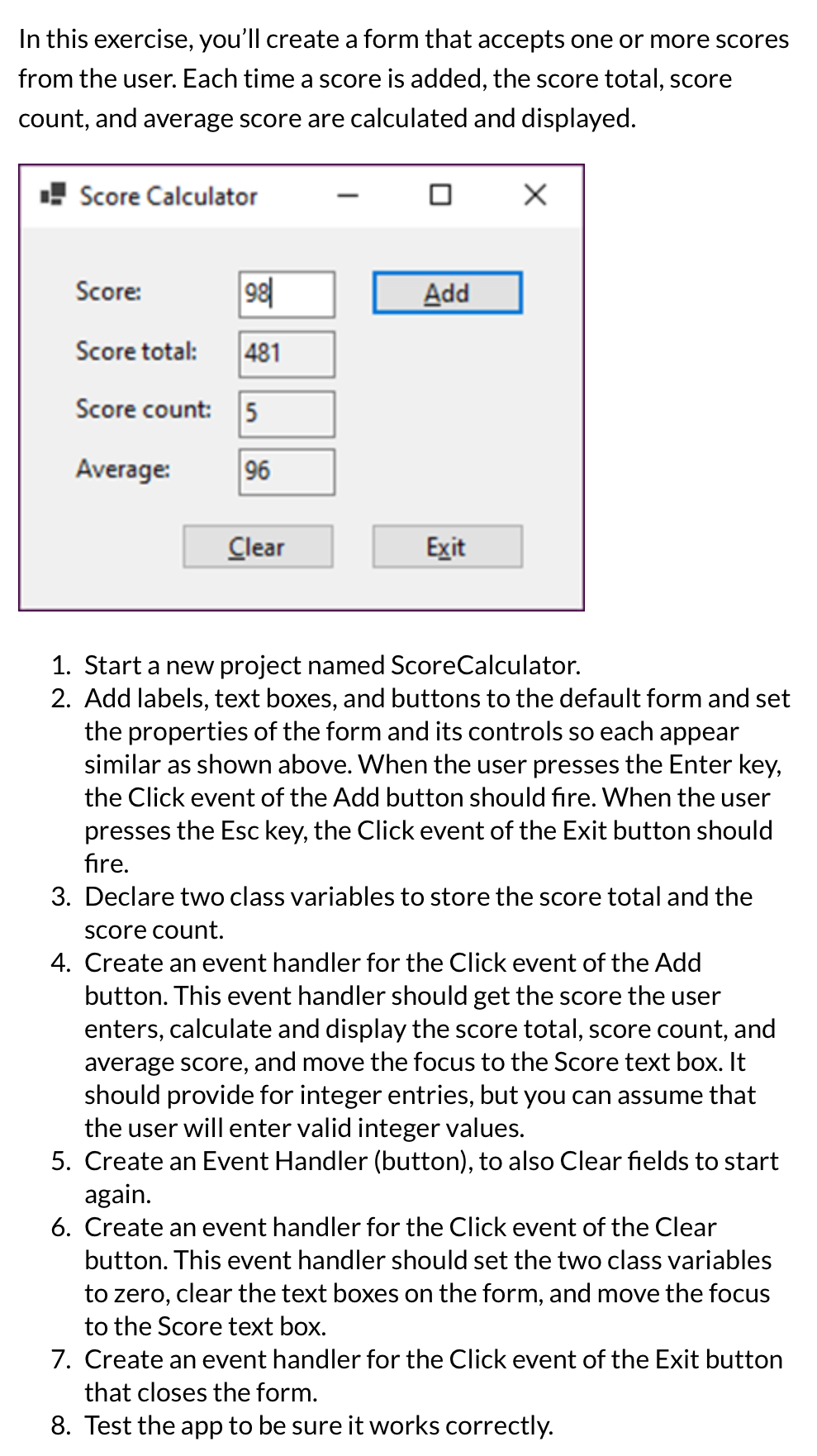
Using Windows Software. In this exercise, you'll create a form that accepts one or more scores from the user. Each time a score is added, the score total, score count, and average score are calculated and displayed.
Start a new project named ScoreCalculator.
Add labels, text boxes, and buttons to the default form and set the properties of the form and its controls so each appear similar as shown above. When the user presses the Enter key, the Click event of the Add button should fire. When the user presses the Esc key, the Click event of the Exit button should fire.
Declare two class variables to store the score total and the score count.
Create an event handler for the Click event of the Add button. This event handler should get the score the user enters, calculate and display the score total, score count, and average score, and move the focus to the Score text box. It should provide for integer entries, but you can assume that the user will enter valid integer values.
Create an Event Handler button to also Clear fields to start again.
Create an event handler for the Click event of the Clear button. This event handler should set the two class variables to zero, clear the text boxes on the form, and move the focus to the Score text box.
Create an event handler for the Click event of the Exit button that closes the form.
Test the app to be sure it works correctly.
Step by Step Solution
There are 3 Steps involved in it
1 Expert Approved Answer
Step: 1 Unlock

Question Has Been Solved by an Expert!
Get step-by-step solutions from verified subject matter experts
Step: 2 Unlock
Step: 3 Unlock
 Study Help