





Question: vignment lab Use a rectangle shape to create a background color for your footer. Make sure that the rectangle shape Please explain is Behind Text
vignment lab Use a rectangle shape to create a
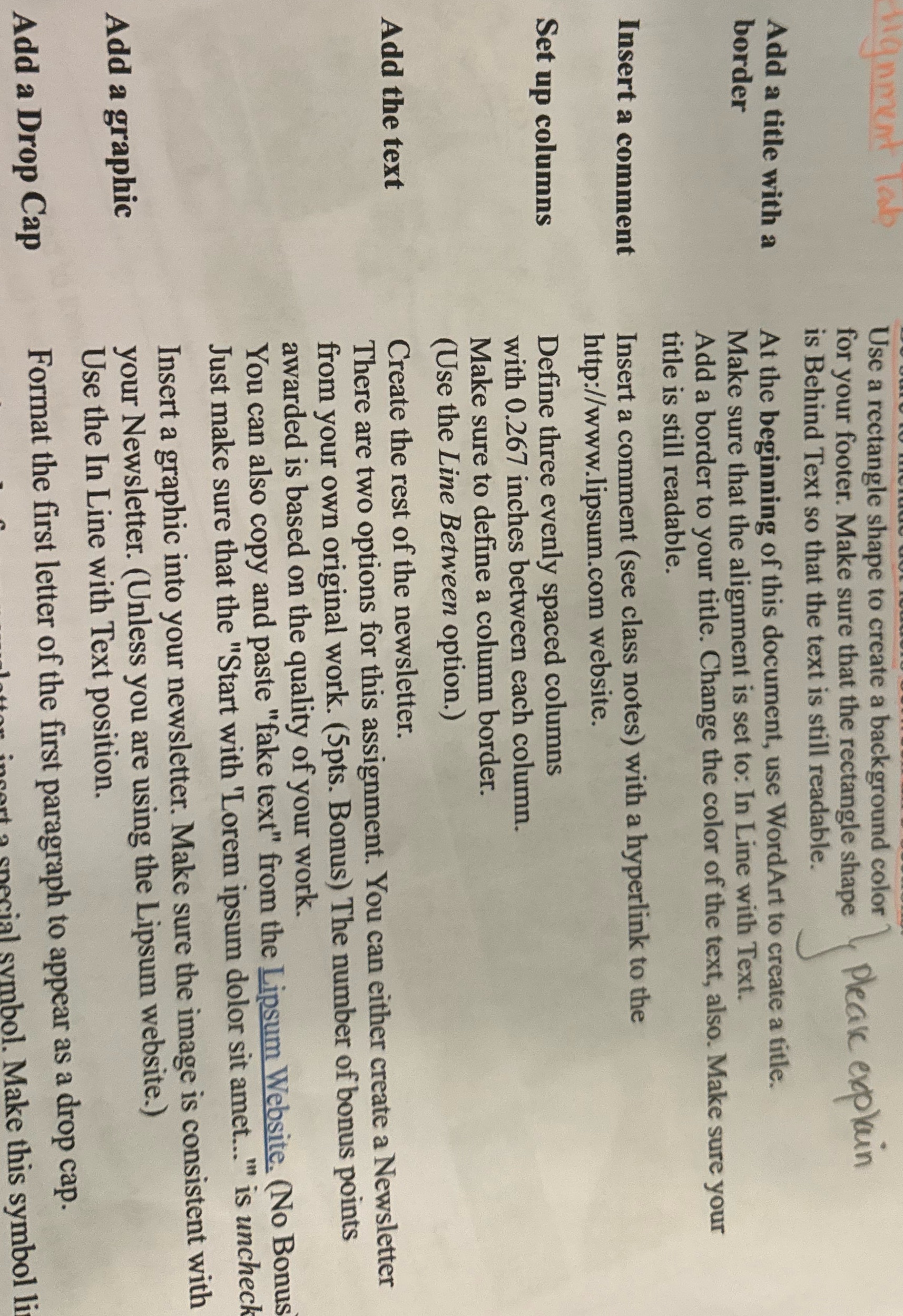
vignment lab Use a rectangle shape to create a background color for your footer. Make sure that the rectangle shape Please explain is Behind Text so that the text is still readable. Add a title with a border At the beginning of this document, use WordArt to create a title. Make sure that the alignment is set to: In Line with Text. Add a border to your title. Change the color of the text, also. Make sure your title is still readable. Insert a comment Insert a comment (see class notes) with a hyperlink to the http://www.lipsum.com website. Set up columns Define three evenly spaced columns with 0.267 inches between each column. Make sure to define a column border. (Use the Line Between option.) Add the text Create the rest of the newsletter. There are two options for this assignment. You can either create a Newsletter from your own original work. (5pts. Bonus) The number of bonus points awarded is based on the quality of your work. You can also copy and paste "fake text" from the Lipsum Website. (No Bonus Just make sure that the "Start with 'Lorem ipsum dolor sit amet..." is uncheck Insert a graphic into your newsletter. Make sure the image is consistent with Add a graphic your Newsletter. (Unless you are using the Lipsum website.) Use the In Line with Text position. Add a Drop Cap Format the first letter of the first paragraph to appear as a drop cap. ecial symbol. Make this symbol li

Step by Step Solution

There are 3 Steps involved in it

1 Expert Approved Answer
Step: 1 Unlock blur-text-image

Question Has Been Solved by an Expert!

Get step-by-step solutions from verified subject matter experts

Step: 2 Unlock
Step: 3 Unlock

Students Have Also Explored These Related Accounting Questions!