







Question: visual Basic (C.H.: 3) Lab 2_Week 4 Exercise 1: 1. Create a project with the name lab2. 2. Set Form1 properties: a. Name as MonthlyInstallment
visual Basic
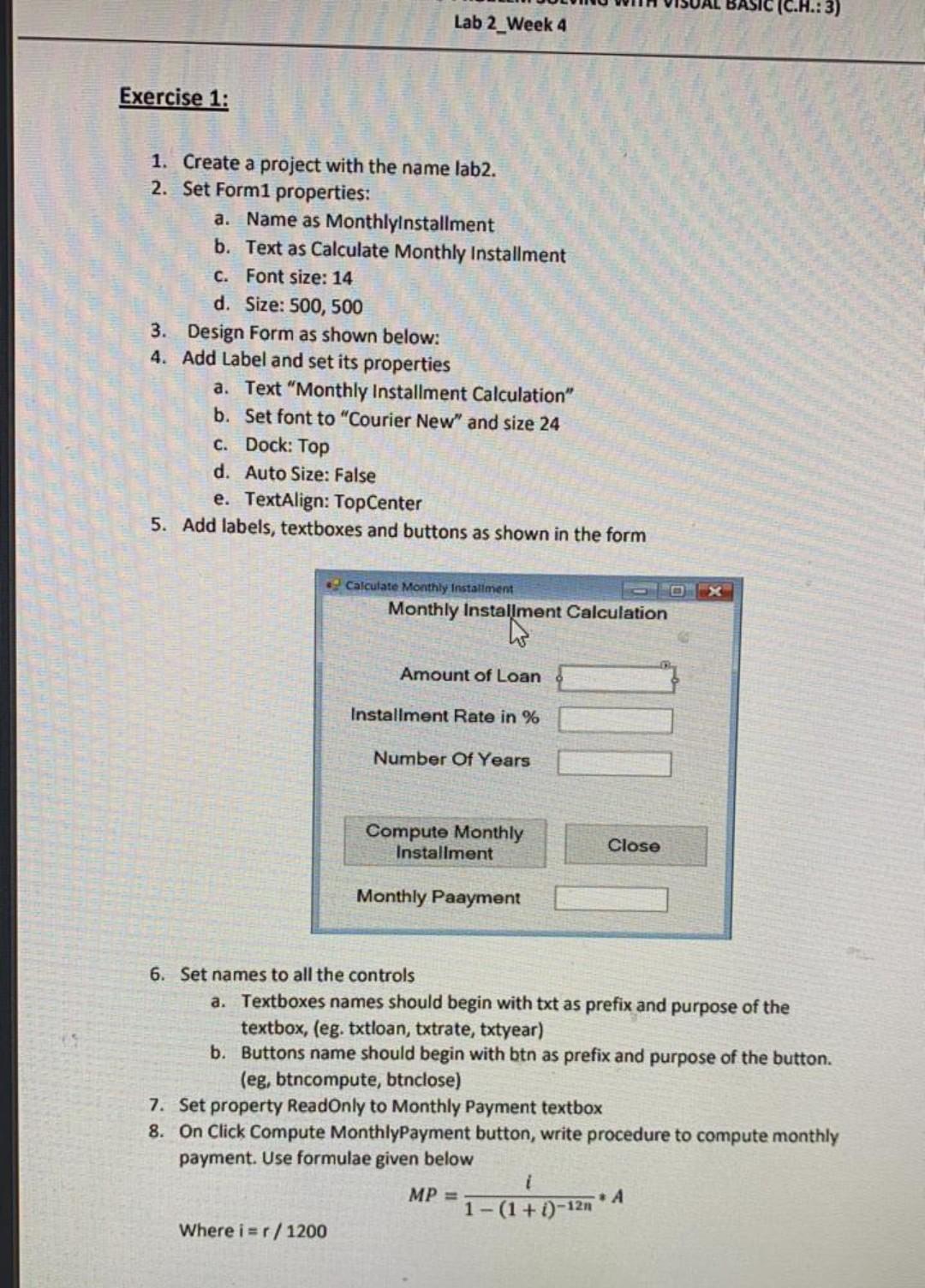
(C.H.: 3) Lab 2_Week 4 Exercise 1: 1. Create a project with the name lab2. 2. Set Form1 properties: a. Name as MonthlyInstallment b. Text as Calculate Monthly Installment C. Font size: 14 d. Size: 500, 500 3. Design Form as shown below: 4. Add Label and set its properties a. Text "Monthly Installment Calculation" b. Set font to "Courier New" and size 24 C. Dock: Top d. Auto Size: False e. TextAlign: TopCenter 5. Add labels, textboxes and buttons as shown in the form Calculate Monthly installment Monthly Installment Calculation Amount of Loan Installment Rate in % Number Of Years Compute Monthly Installment Close Monthly Paayment 6. Set names to all the controls a. Textboxes names should begin with txt as prefix and purpose of the textbox, (eg. txtloan, txtrate, txtyear) b. Buttons name should begin with btn as prefix and purpose of the button. (eg, btncompute, btnclose) 7. Set property ReadOnly to Monthly Payment textbox 8. On Click Compute MonthlyPayment button, write procedure to compute monthly payment. Use formulae given below MP = *A 1-(1+1)-121 Where i=r/1200
Step by Step Solution
There are 3 Steps involved in it

Get step-by-step solutions from verified subject matter experts
 Study Help