







Question: Visual C# Please Complete Problem 10. Morse Code Converter and upload a document showing the screen with Programming is Fun! data entered and the morse
Visual C#
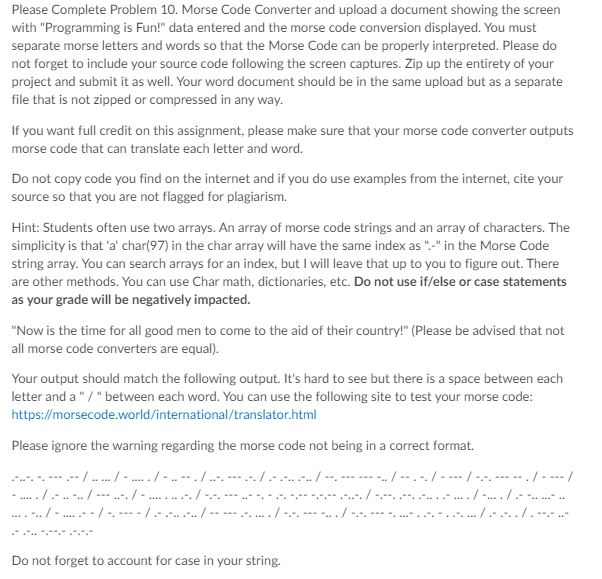
Please Complete Problem 10. Morse Code Converter and upload a document showing the screen with "Programming is Fun!" data entered and the morse code conversion displayed. You must separate morse letters and words so that the Morse Code can be properly interpreted. Please do not forget to include your source code following the screen captures. Zip up the entirety of your project and submit it as well. Your word document should be in the same upload but as a separate file that is not zipped or compressed in any way. If you want full credit on this assignment, please make sure that your morse code converter outputs morse code that can translate each letter and word. Do not copy code you find on the internet and if you do use examples from the internet, cite your source so that you are not flagged for plagiarism. Hint: Students often use two arrays. An array of morse code strings and an array of characters. The simplicity is that 'a' char(97) in the char array will have the same index as "-" in the Morse Code string array. You can search arrays for an index, but I will leave that up to you to figure out. There are other methods. You can use Char math, dictionaries, etc. Do not use if/else or case statements as your grade will be negatively impacted. "Now is the time for all good men to come to the aid of their country!" (Please be advised that not all morse code converters are equal). Your output should match the following output. It's hard to see but there is a space between each letter and a " / "between each word. You can use the following site to test your morse code: https://morsecode.world/international/translator.html Please ignore the warning regarding the morse code not being in a correct format. .-.-.-.- .--/...../...../... ./... ../........../ . ../ ../.. / . ./. / Do not forget to account for case in your string. Please Complete Problem 10. Morse Code Converter and upload a document showing the screen with "Programming is Fun!" data entered and the morse code conversion displayed. You must separate morse letters and words so that the Morse Code can be properly interpreted. Please do not forget to include your source code following the screen captures. Zip up the entirety of your project and submit it as well. Your word document should be in the same upload but as a separate file that is not zipped or compressed in any way. If you want full credit on this assignment, please make sure that your morse code converter outputs morse code that can translate each letter and word. Do not copy code you find on the internet and if you do use examples from the internet, cite your source so that you are not flagged for plagiarism. Hint: Students often use two arrays. An array of morse code strings and an array of characters. The simplicity is that 'a' char(97) in the char array will have the same index as "-" in the Morse Code string array. You can search arrays for an index, but I will leave that up to you to figure out. There are other methods. You can use Char math, dictionaries, etc. Do not use if/else or case statements as your grade will be negatively impacted. "Now is the time for all good men to come to the aid of their country!" (Please be advised that not all morse code converters are equal). Your output should match the following output. It's hard to see but there is a space between each letter and a " / "between each word. You can use the following site to test your morse code: https://morsecode.world/international/translator.html Please ignore the warning regarding the morse code not being in a correct format. .-.-.-.- .--/...../...../... ./... ../........../ . ../ ../.. / . ./. / Do not forget to account for case in your string
Step by Step Solution
There are 3 Steps involved in it

Get step-by-step solutions from verified subject matter experts
 Study Help