







Question: VISUAL STUDIO: PLEASE USE PYTHON LANGUAGE FOR THIS ASSIGNMENT. 1. 25 pts. Write a program that takes the income as input and displays the class,
VISUAL STUDIO: PLEASE USE PYTHON LANGUAGE FOR THIS ASSIGNMENT.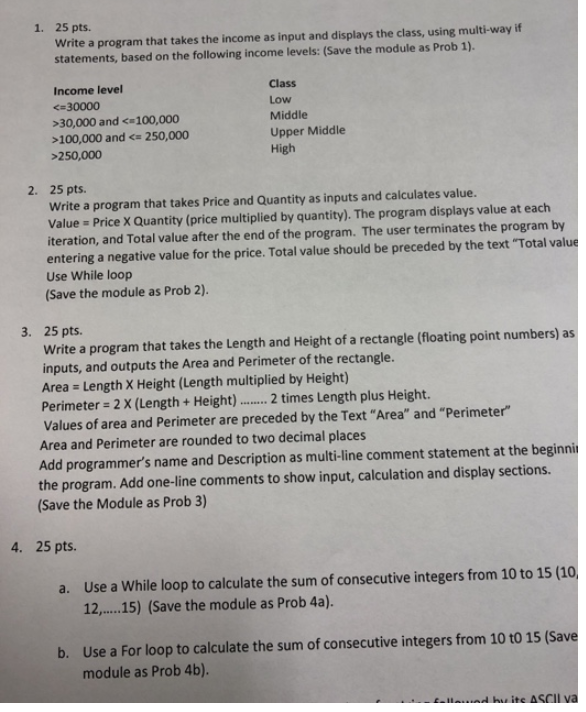
1. 25 pts. Write a program that takes the income as input and displays the class, using multi-way if statements, based on the following income levels: (Save the module as Prob 1). Income level 30,000 and 100,000 and 250,000 Class Low Middle Upper Middle High 2. 25 pts. Write a program that takes Price and Quantity as inputs and calculates value. Value Price X Quantity (price multiplied by quantity). The program displays value at each iteration, and Total value after the end of the program. The user terminates the program by entering a negative value for the price. Total value should be preceded by the text "Total value Use While loop (Save the module as Prob 2). 3. 25 pts. Write a program that takes the Length and Height of a rectangle (floating point numbers) as inputs, and outputs the Area and Perimeter of the rectangle. Area = Length x Height (Length multiplied by Height) Perimeter = 2 X (Length + Height)........ 2 times Length plus Height. Values of area and Perimeter are preceded by the Text "Area" and "Perimeter" Area and Perimeter are rounded to two decimal places Add programmer's name and Description as multi-line comment statement at the beginni the program. Add one-line comments to show input, calculation and display sections. (Save the Module as Prob 3) 4. 25 pts. a. Use a While loop to calculate the sum of consecutive integers from 10 to 15 (10 12......15) (Save the module as Prob 4a). b. Use a For loop to calculate the sum of consecutive integers from 10 to 15 (Save module as Prob 4b). . buite ASCII va
Step by Step Solution
There are 3 Steps involved in it

Get step-by-step solutions from verified subject matter experts
 Study Help