







Question: VRG database manipulation 2 tables VRG DATA - CUSTOMER 1 VRG DATA - CUSTOMER_ARTIST_INT 1 VRG DATA - ARTIST 1 VRG DATA - WORK 1
VRG database manipulation 2 tables
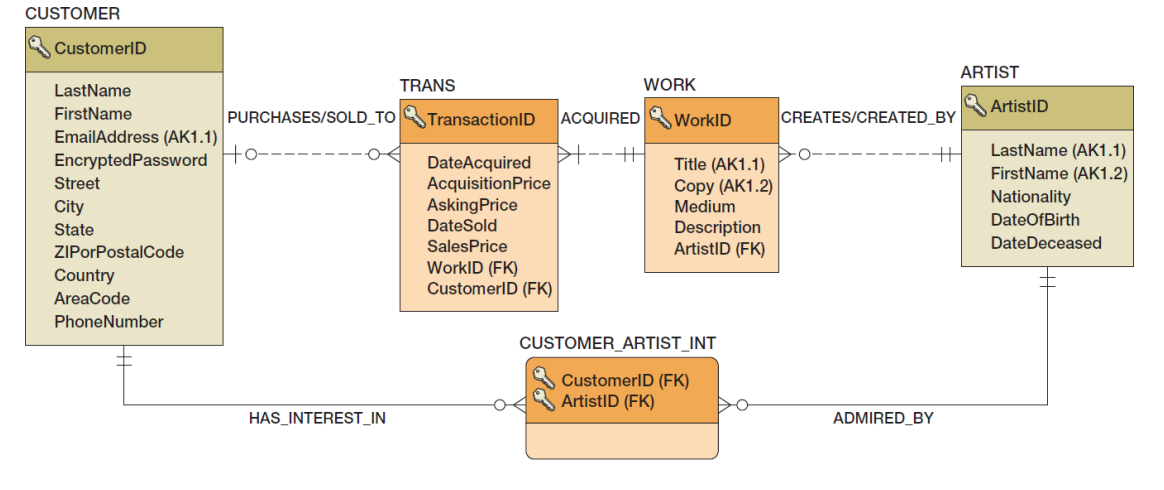
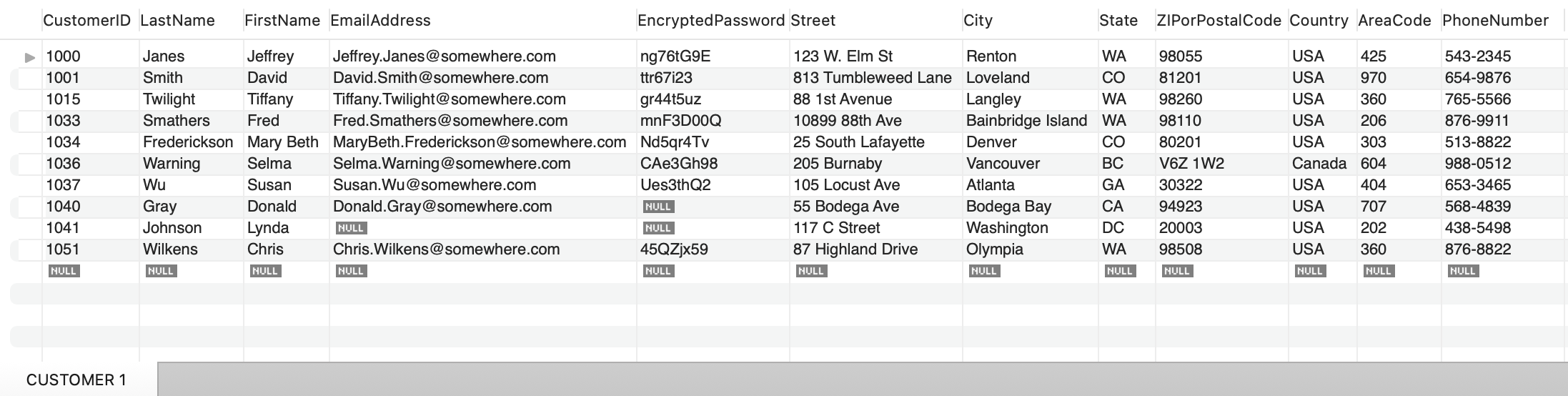 VRG DATA - CUSTOMER 1
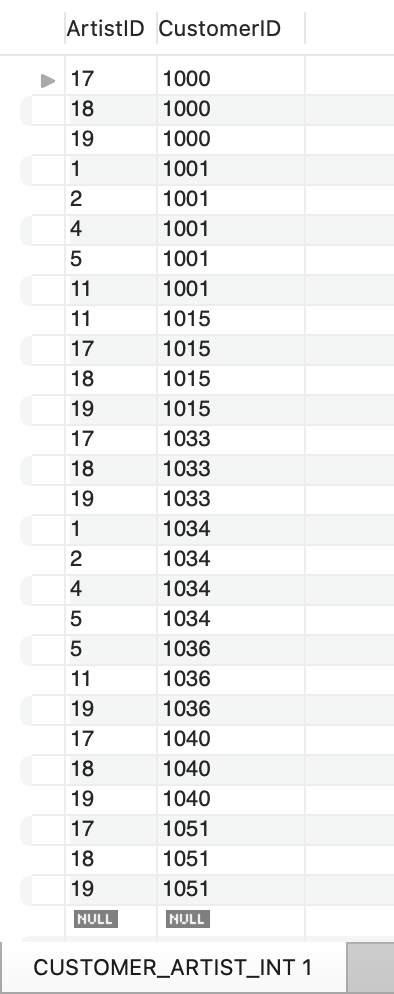
VRG DATA - CUSTOMER_ARTIST_INT 1
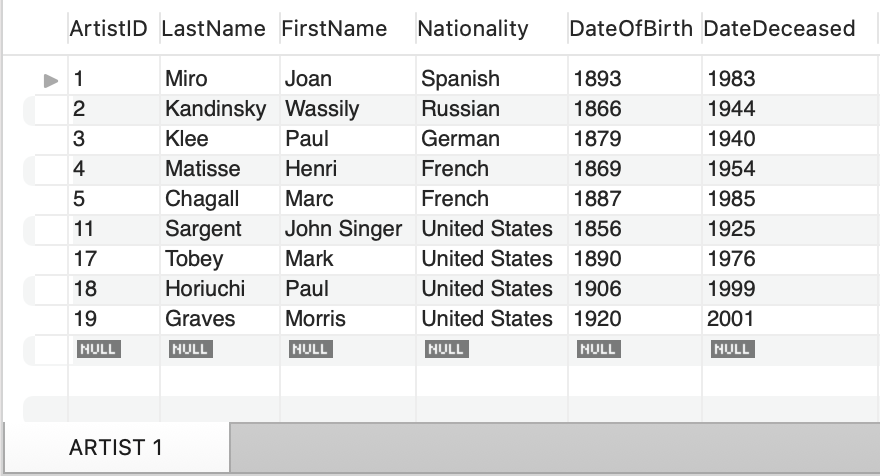
VRG DATA - ARTIST 1
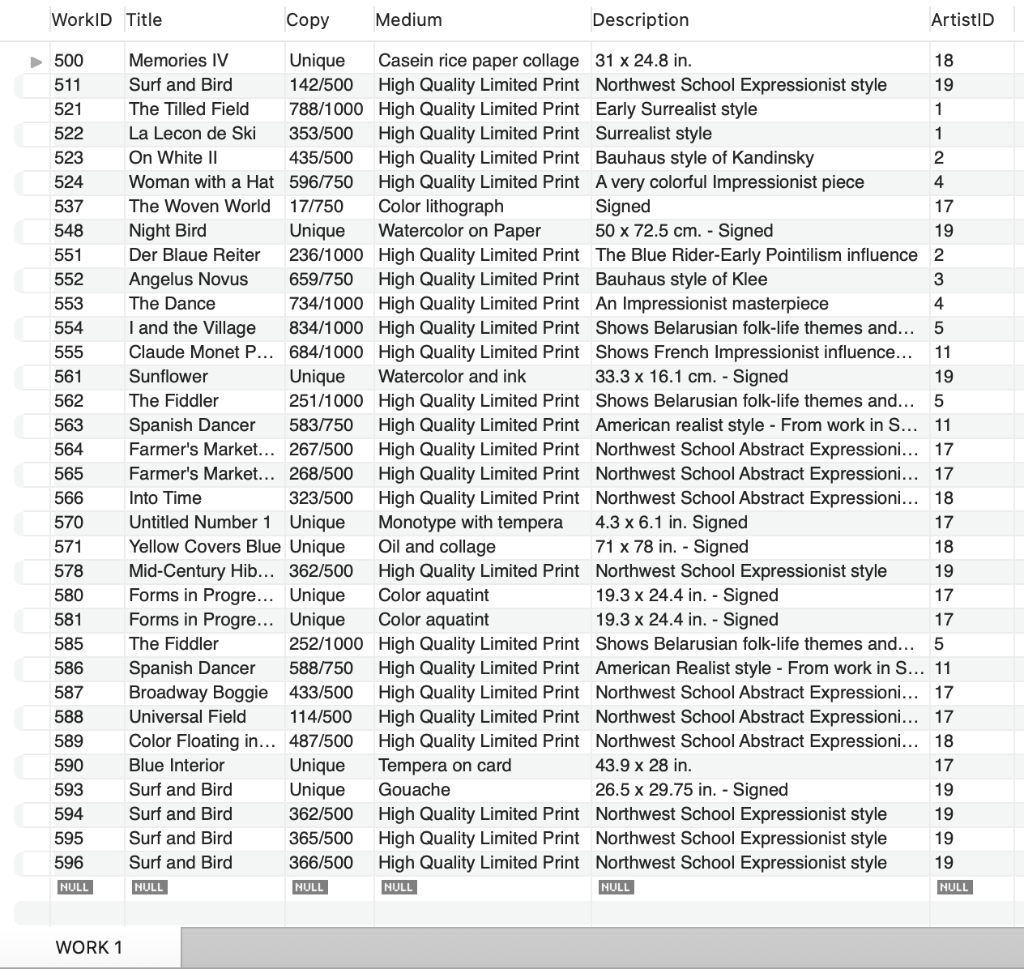
VRG DATA - WORK 1
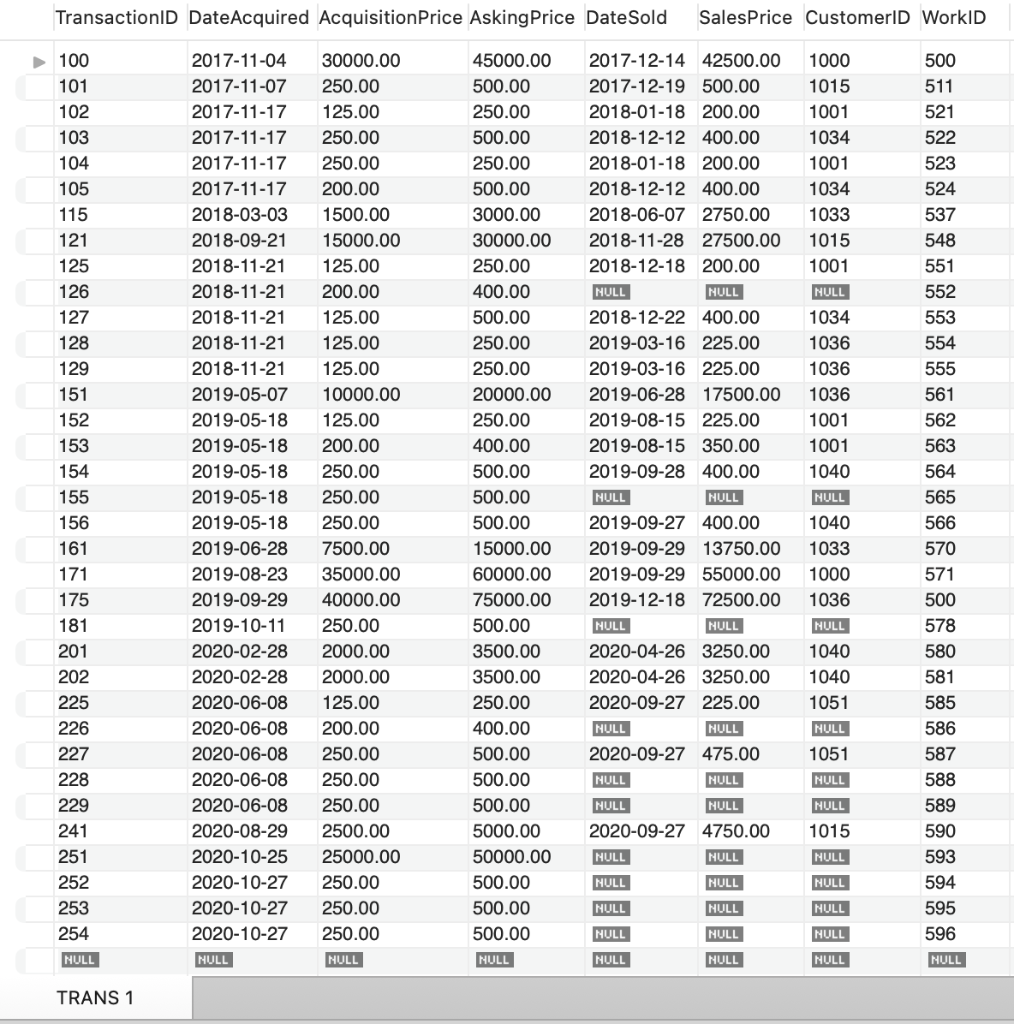
VRG DATA - TRANS 1
Provide SQL AND result tables for the following queries.
1. List the number of works by each artist at VRG. Use the first and last name to present each artist.
2. List the total amount paid by customers whose first name start with the letter S. Make sure you list the first name, last name, and total amount paid by each customer.
3. The owner of VRG is also interested in getting to know the geographic distribution of its sales. List the number of total customers, number of transactions, and the average sale prices of each transaction by each state in the U.S. Order the result in the descending order of state names.
4. List artists whose works have been sold to states CA and CO. List the first and last name of the artist, as well as the number of works sold to these 2 states.
5. Customers may have preferences regarding the medium of the artwork. For customers who have purchased from VRG, list their first name, last name, email address, medium of work, and the number of works under each medium type that they have purchased.
CUSTOMER i. CustomerID LastName FirstName EmailAddress (AK1.1) EncryptedPassword Street City State ZIPorPostalCode Country AreaCode PhoneNumber CUSTOMER_ARTIST_INT CUSTOMER 1 ArtistID CustomerID \begin{tabular}{|l|l|} \hline 17 & 1000 \\ \hline 18 & 1000 \\ \hline 19 & 1000 \\ \hline 1 & 1001 \\ \hline 2 & 1001 \\ \hline 4 & 1001 \\ \hline 5 & 1001 \\ \hline 11 & 1001 \\ \hline 11 & 1015 \\ \hline 17 & 1015 \\ \hline 18 & 1015 \\ \hline 19 & 1015 \\ \hline 17 & 1033 \\ \hline 18 & 1033 \\ \hline 19 & 1033 \\ \hline 1 & 1034 \\ \hline 2 & 1034 \\ \hline 4 & 1034 \\ \hline 5 & 1034 \\ \hline 5 & 1036 \\ \hline 11 & 1036 \\ \hline 19 & 1036 \\ \hline 17 & 1040 \\ \hline 18 & 1040 \\ \hline 19 & 1040 \\ \hline 17 & 1051 \\ \hline 18 & 1051 \\ \hline 19 & 1051 \\ \hline H1WLL & \\ \hline \end{tabular} CUSTOMER_ARTIST_INT 1 ARTIST 1
Step by Step Solution
There are 3 Steps involved in it

Get step-by-step solutions from verified subject matter experts
 Study Help