







Question: W PowerPaint TCSS 305 Programming Practicum Assignment 5 - PowerPaint Part A Value: 3% of the course grade Part A Due: Friday, 16 February Part
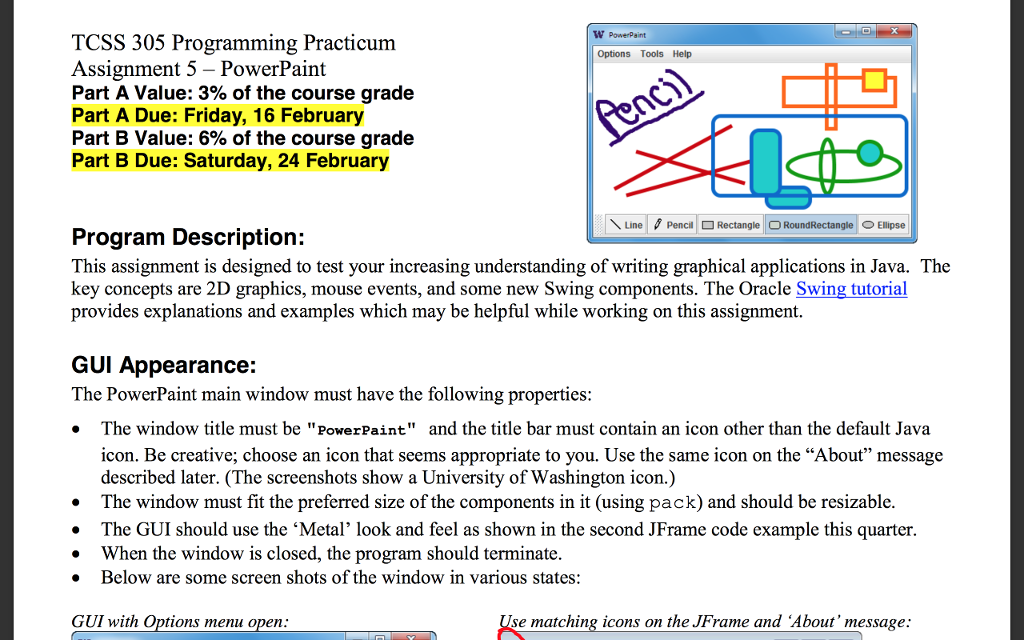
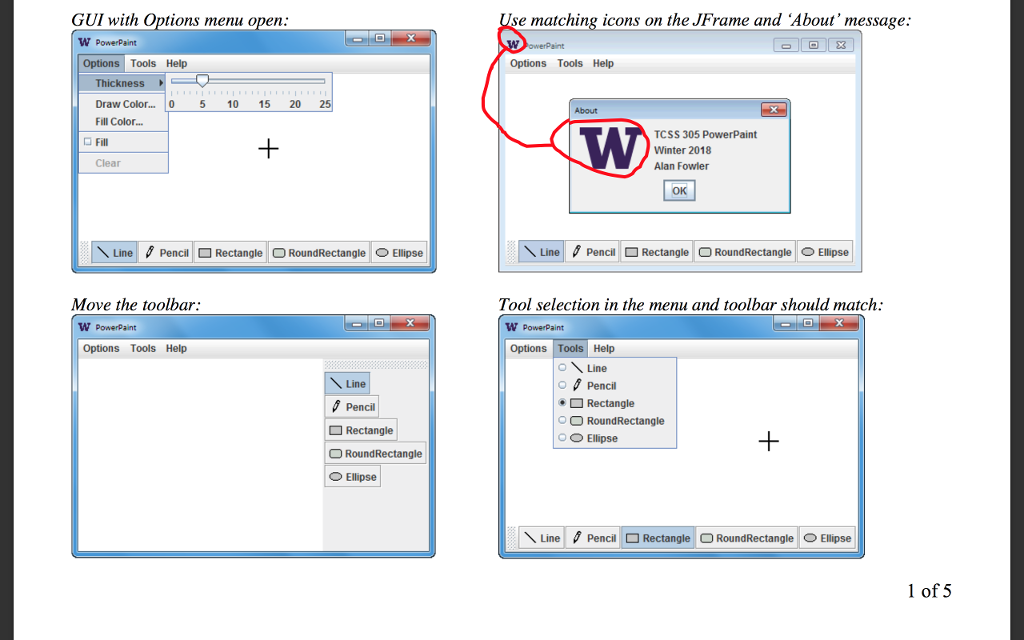
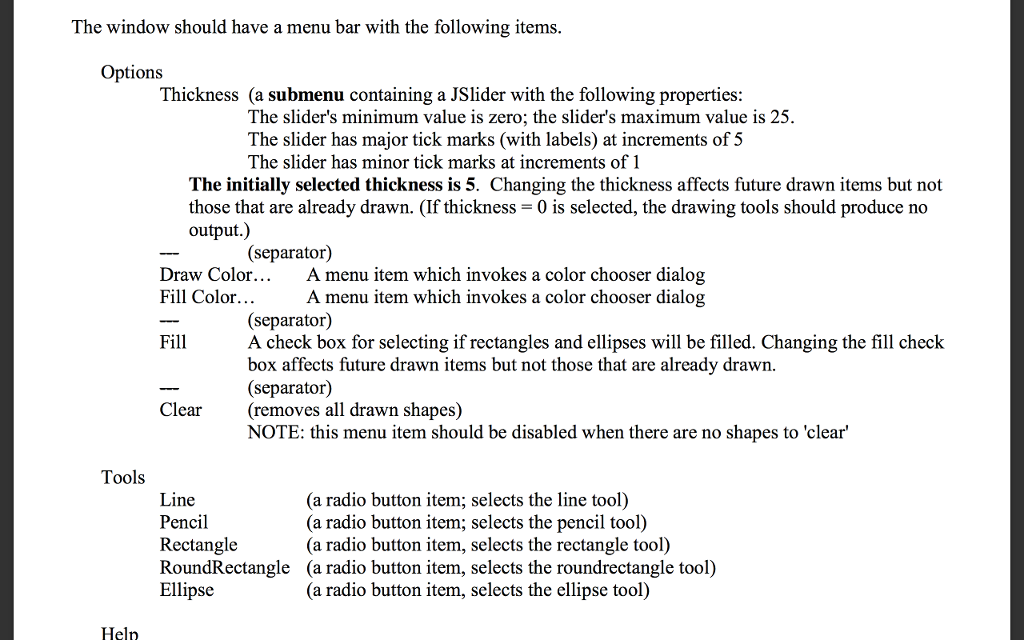
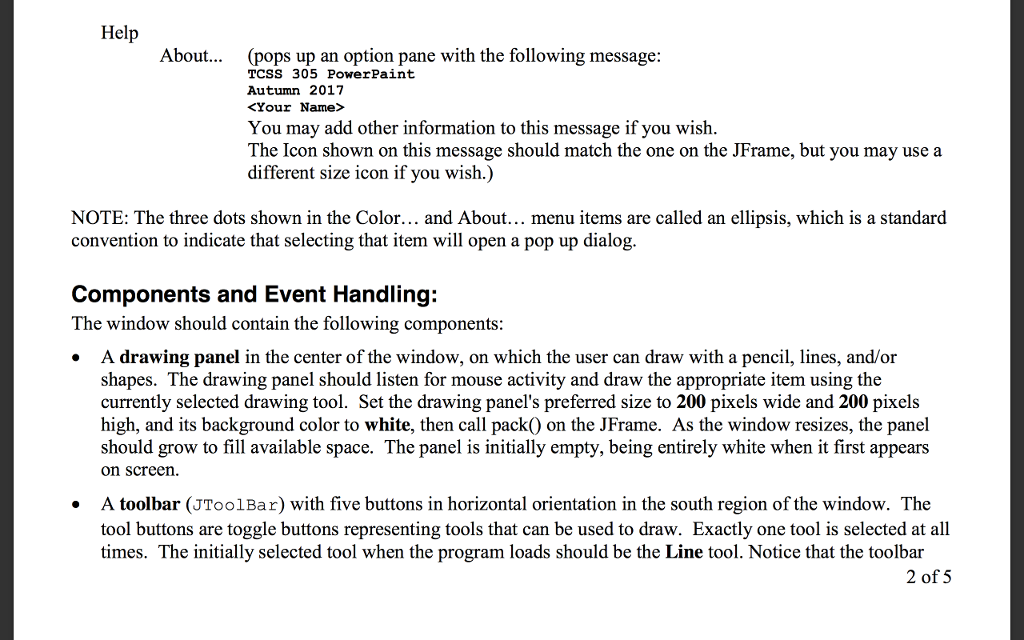
W PowerPaint TCSS 305 Programming Practicum Assignment 5 - PowerPaint Part A Value: 3% of the course grade Part A Due: Friday, 16 February Part B Value: 6% of the course grade Part B Due: Saturday, 24 February Options Tools Help \ Line 0 Penca Rectangle RoundRectangle Ellipse Program Description: This assignment is designed to test your increasing understanding of writing graphical applications in Java. The key concepts are 2D graphics, mouse events, and some new Swing components. The Oracle Swing tutorial provides explanations and examples which may be helpful while working on this assignment GUI Appearance: The PowerPaint main window must have the following properties: The window title must be "PowerPaint" and the title bar must contain an icon other than the default Java icon. Be creative; choose an icon that seems appropriate to you. Use the same icon on the "About" message described later. (The screenshots show a University of Washington icon.) . The window must fit the preferred size of the components in it (using pack) and should be resizable The GUI should use the Metal, look and feel as shown in the second JFrame code example this quarter . When the window is closed, the program should terminate Below are some screen shots of the window in various states: GUI with Options menu open se matching icons on the JFrame and About' message W PowerPaint TCSS 305 Programming Practicum Assignment 5 - PowerPaint Part A Value: 3% of the course grade Part A Due: Friday, 16 February Part B Value: 6% of the course grade Part B Due: Saturday, 24 February Options Tools Help \ Line 0 Penca Rectangle RoundRectangle Ellipse Program Description: This assignment is designed to test your increasing understanding of writing graphical applications in Java. The key concepts are 2D graphics, mouse events, and some new Swing components. The Oracle Swing tutorial provides explanations and examples which may be helpful while working on this assignment GUI Appearance: The PowerPaint main window must have the following properties: The window title must be "PowerPaint" and the title bar must contain an icon other than the default Java icon. Be creative; choose an icon that seems appropriate to you. Use the same icon on the "About" message described later. (The screenshots show a University of Washington icon.) . The window must fit the preferred size of the components in it (using pack) and should be resizable The GUI should use the Metal, look and feel as shown in the second JFrame code example this quarter . When the window is closed, the program should terminate Below are some screen shots of the window in various states: GUI with Options menu open se matching icons on the JFrame and About' message
Step by Step Solution
There are 3 Steps involved in it

Get step-by-step solutions from verified subject matter experts
 Study Help