







Question: WE ARE USING PYTHON 1. Book Analysis In this lab, we will parse text from a file and run some basic analysis on the content
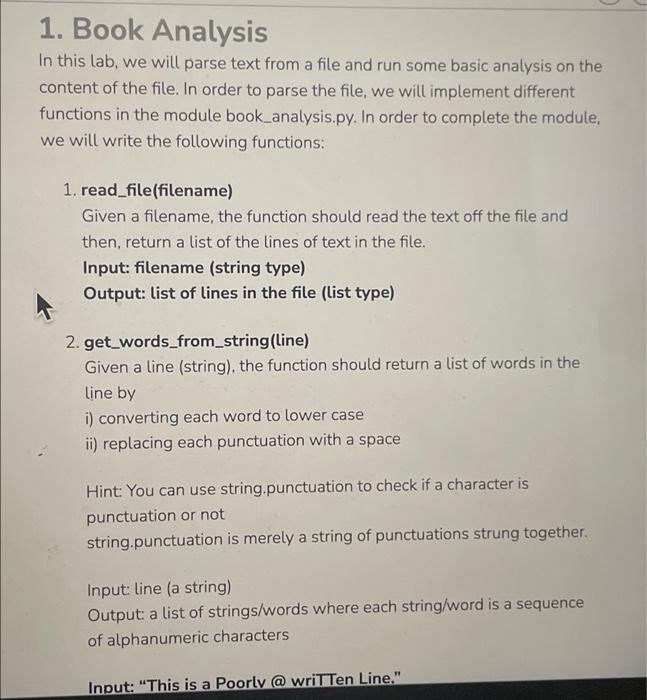
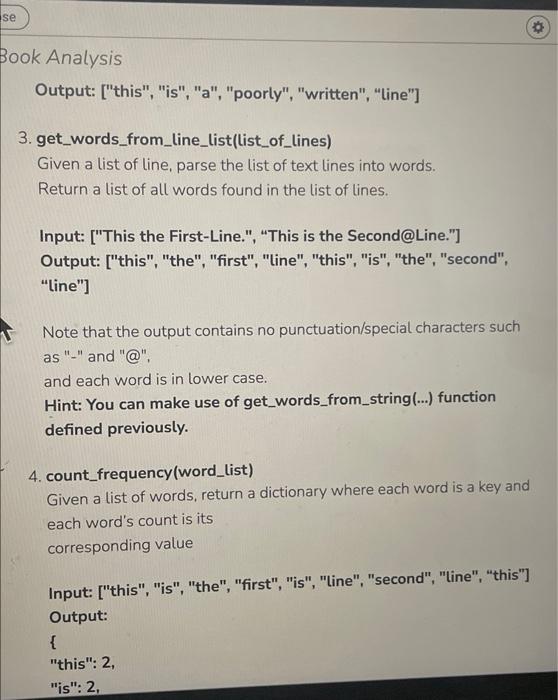
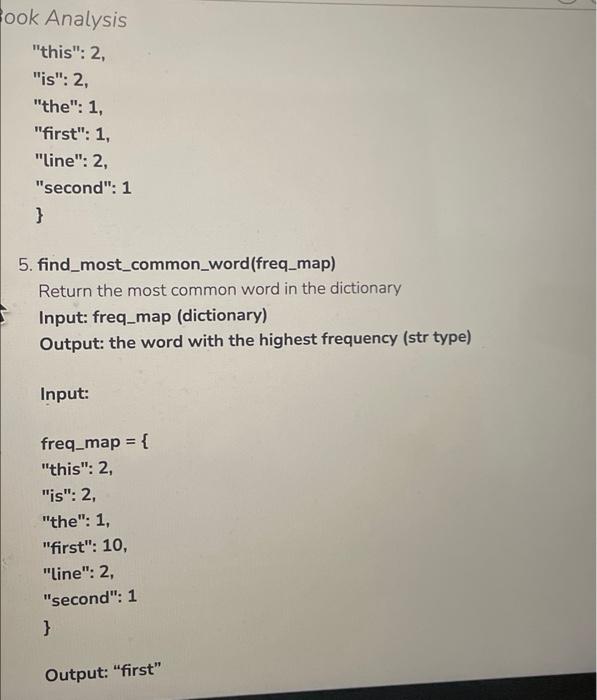
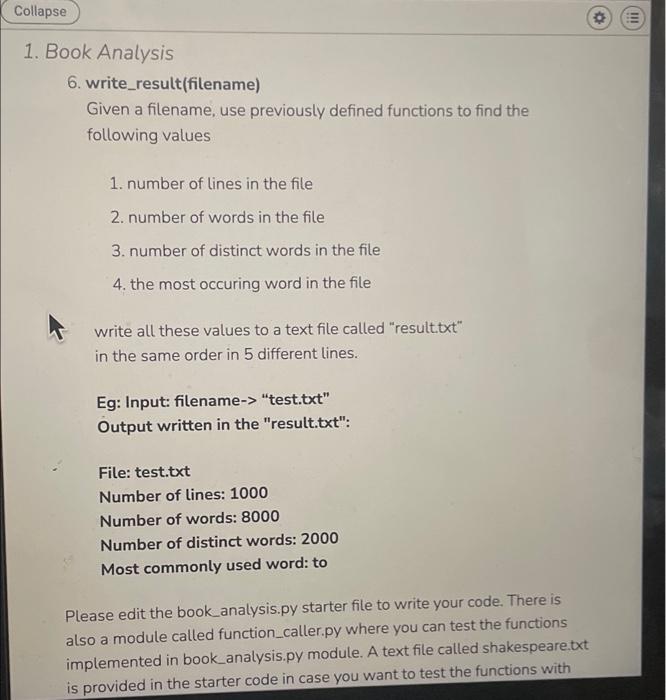
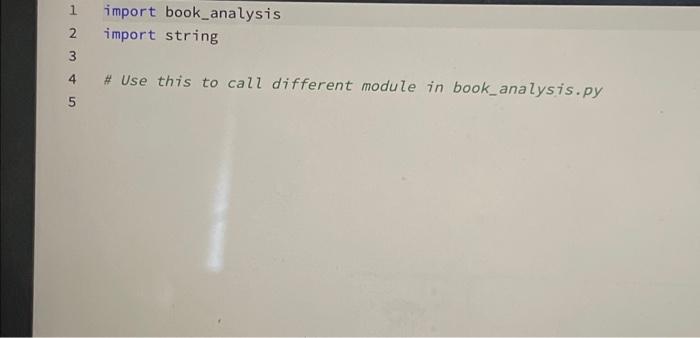
1. Book Analysis In this lab, we will parse text from a file and run some basic analysis on the content of the file. In order to parse the file, we will implement different functions in the module book_analysis.py. In order to complete the module, we will write the following functions: 1. read_file(filename) Given a filename, the function should read the text off the file and then, return a list of the lines of text in the file. Input: filename (string type) Output: list of lines in the file (list type) 2. get_words_from_string(line) Given a line (string), the function should return a list of words in the line by i) converting each word to lower case ii) replacing each punctuation with a space Hint: You can use string.punctuation to check if a character is punctuation or not string.punctuation is merely a string of punctuations strung together. Input: Line (a string) Output: a list of strings/words where each string/word is a sequence of alphanumeric characters Input: "This is a Poorly @ written Line." se Book Analysis Output: ["this", "is", "a", "poorly", "written", "Line"] 3. get_words_from_line_list(list_of_lines) Given a list of line, parse the list of text lines into words. Return a list of all words found in the list of lines. Input: ["This the First-Line.", "This is the Second@Line."] Output: ["this", "the", "first", "Line", "this", "is", "the", "second", "line"] Note that the output contains no punctuation/special characters such as "-" and "@" and each word is in lower case. Hint: You can make use of get_words_from_string(...) function defined previously. 4. count_frequency(word_list) Given a list of words, return a dictionary where each word is a key and each word's count is its corresponding value Input: ["this", "is", "the", "first", "is", "Line", "second", "line", "this") Output: { "this": 2, "is": 2, ook Analysis "this": 2, "is": 2, "the": 1, "first": 1, "line": 2, "second": 1 } 5. find_most_common_word(freq_map) Return the most common word in the dictionary Input: freq_map (dictionary) Output: the word with the highest frequency (str type) Input: freq_map = { "this": 2, "is": 2, "the": 1, "first": 10, "Line": 2, "second": 1 } Output: "first" Collapse o III 1. Book Analysis 6. write_result(filename) Given a filename, use previously defined functions to find the following values 1. number of lines in the file 2. number of words in the file 3. number of distinct words in the file 4. the most occuring word in the file write all these values to a text file called "result.txt" in the same order in 5 different lines. Eg: Input: filename-> "test.txt" Output written in the "result.txt": File: test.txt Number of lines: 1000 Number of words: 8000 Number of distinct words: 2000 Most commonly used word: to Please edit the book_analysis.py starter file to write your code. There is also a module called function_caller.py where you can test the functions implemented in book_analysis.py module. A text file called shakespeare.txt is provided in the starter code in case you want to test the functions with 1 WN - import book_analysis import string 2 4 # Use this to call different module in book_analysis.py 5 1. Book Analysis In this lab, we will parse text from a file and run some basic analysis on the content of the file. In order to parse the file, we will implement different functions in the module book_analysis.py. In order to complete the module, we will write the following functions: 1. read_file(filename) Given a filename, the function should read the text off the file and then, return a list of the lines of text in the file. Input: filename (string type) Output: list of lines in the file (list type) 2. get_words_from_string(line) Given a line (string), the function should return a list of words in the line by i) converting each word to lower case ii) replacing each punctuation with a space Hint: You can use string.punctuation to check if a character is punctuation or not string.punctuation is merely a string of punctuations strung together. Input: Line (a string) Output: a list of strings/words where each string/word is a sequence of alphanumeric characters Input: "This is a Poorly @ written Line." se Book Analysis Output: ["this", "is", "a", "poorly", "written", "Line"] 3. get_words_from_line_list(list_of_lines) Given a list of line, parse the list of text lines into words. Return a list of all words found in the list of lines. Input: ["This the First-Line.", "This is the Second@Line."] Output: ["this", "the", "first", "Line", "this", "is", "the", "second", "line"] Note that the output contains no punctuation/special characters such as "-" and "@" and each word is in lower case. Hint: You can make use of get_words_from_string(...) function defined previously. 4. count_frequency(word_list) Given a list of words, return a dictionary where each word is a key and each word's count is its corresponding value Input: ["this", "is", "the", "first", "is", "Line", "second", "line", "this") Output: { "this": 2, "is": 2, ook Analysis "this": 2, "is": 2, "the": 1, "first": 1, "line": 2, "second": 1 } 5. find_most_common_word(freq_map) Return the most common word in the dictionary Input: freq_map (dictionary) Output: the word with the highest frequency (str type) Input: freq_map = { "this": 2, "is": 2, "the": 1, "first": 10, "Line": 2, "second": 1 } Output: "first" Collapse o III 1. Book Analysis 6. write_result(filename) Given a filename, use previously defined functions to find the following values 1. number of lines in the file 2. number of words in the file 3. number of distinct words in the file 4. the most occuring word in the file write all these values to a text file called "result.txt" in the same order in 5 different lines. Eg: Input: filename-> "test.txt" Output written in the "result.txt": File: test.txt Number of lines: 1000 Number of words: 8000 Number of distinct words: 2000 Most commonly used word: to Please edit the book_analysis.py starter file to write your code. There is also a module called function_caller.py where you can test the functions implemented in book_analysis.py module. A text file called shakespeare.txt is provided in the starter code in case you want to test the functions with 1 WN - import book_analysis import string 2 4 # Use this to call different module in book_analysis.py 5
Step by Step Solution
There are 3 Steps involved in it

Get step-by-step solutions from verified subject matter experts
 Study Help