







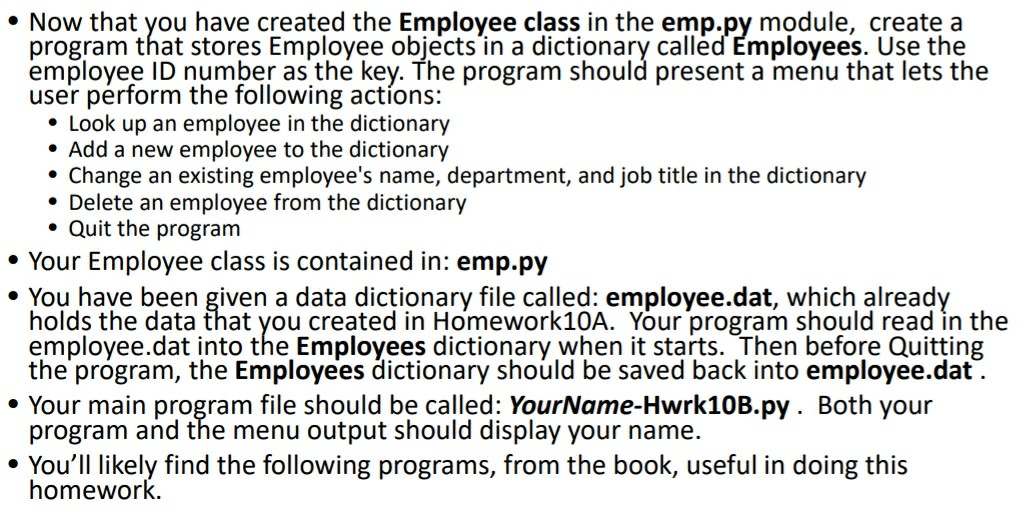
Question: we are using python Now that you have created the Employee class in the emp.py module, create a program that stores Employee objects in a
we are using python
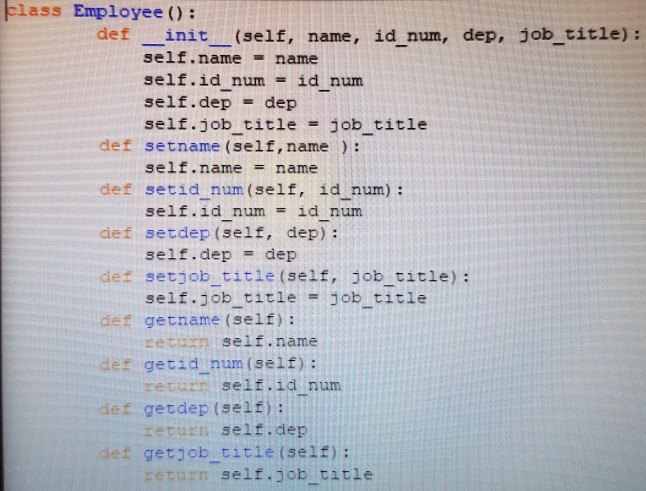
Now that you have created the Employee class in the emp.py module, create a program that stores Employee objects in a dictionary called Employees. Use the employee ID number as the key. The program should present a menu that lets the user prform the following actons: * Look up an employee in the dictionary Add a new employee to the dictionary Change an existing employee's name, department, and job title in the dictionary Delete an employee from the dictionary Quit the program Your Employee class is contained in: emp.py . You have been given a data dictionary file called: employee.dat, which already holds the data that you created in Homework10A. Your program should read in the employee.dat into the Employees dictionary when it starts. Then before Quitting the program, the Employees dictionary should be saved back into employee.dat Your main program file should be called: YourName-Hwrk10B.py. Both your program and the menu output should display your name. You'll likely find the following programs, from the book, useful in doing this
Step by Step Solution
There are 3 Steps involved in it

Get step-by-step solutions from verified subject matter experts
 Study Help