







Question: We can specify the (minimum) field width with a decimal integer defining the number of character positions reserved for the value. If not specified or
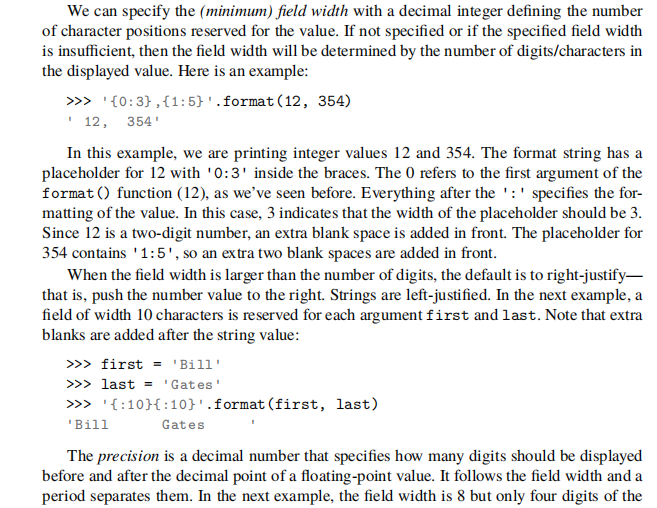
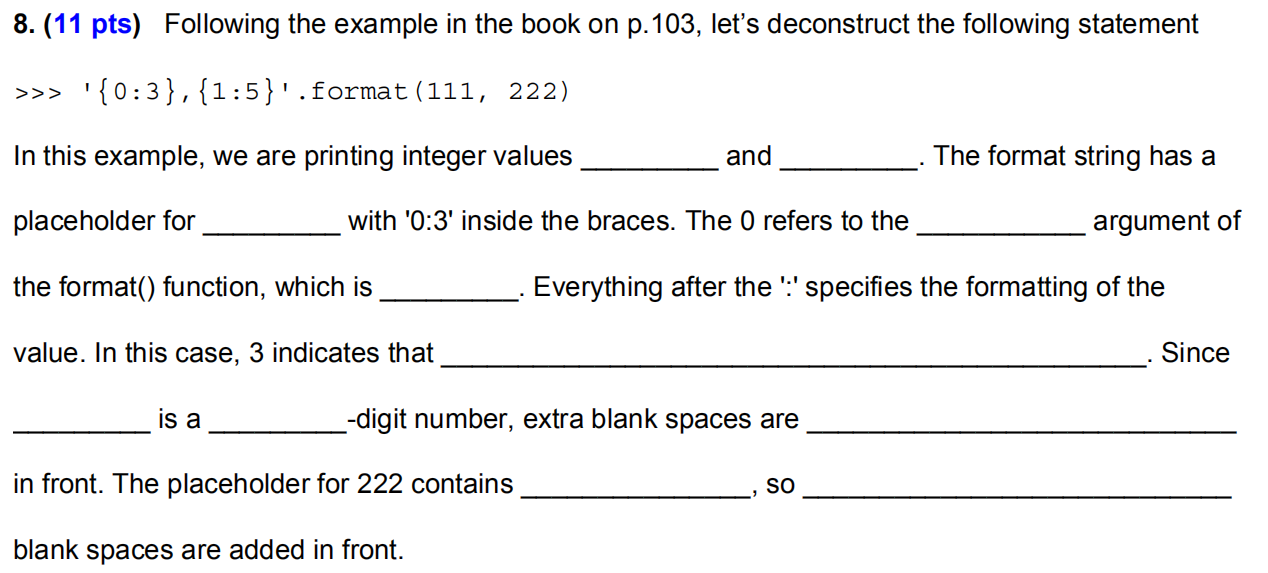
We can specify the (minimum) field width with a decimal integer defining the number of character positions reserved for the value. If not specified or if the specified field width is insufficient, then the field width will be determined by the number of digits/characters in the displayed value. Here is an example: >>> '{0:3} , {1:5}'.format(12, 354) 12, 354' In this example, we are printing integer values 12 and 354. The format string has a placeholder for 12 with '0:3' inside the braces. The 0 refers to the first argument of the format() function (12), as we've seen before. Everything after the ':' specifies the for- matting of the value. In this case, 3 indicates that the width of the placeholder should be 3. Since 12 is a two-digit number, an extra blank space is added in front. The placeholder for 354 contains '1:5', so an extra two blank spaces are added in front. When the field width is larger than the number of digits, the default is to right-justify- that is, push the number value to the right. Strings are left-justified. In the next example, a field of width 10 characters is reserved for each argument first and last. Note that extra blanks are added after the string value: >>> first = 'Bill' >>> last = 'Gates' >>> '{:10}{:10}'.format(first, last) 'Bill Gates The precision is a decimal number that specifies how many digits should be displayed before and after the decimal point of a floating-point value. It follows the field width and a period separates them. In the next example, the field width is 8 but only four digits of the 8. (11 pts) Following the example in the book on p. 103, let's deconstruct the following statement >>> '{0:3},{1:5}'.format(111, 222) In this example, we are printing integer values - and _ . The format string has a placeholder for _ with '0:3' inside the braces. The 0 refers to the _ argument of the format() function, which is __ _. Everything after the ':' specifies the formatting of the value. In this case, 3 indicates that _. Since is a _ _-digit number, extra blank spaces are in front. The placeholder for 222 contains _, SO blank spaces are added in front
Step by Step Solution
There are 3 Steps involved in it

Get step-by-step solutions from verified subject matter experts
 Study Help