







Question: we have to make sure the program will run Open a new project in Visual Studio Community and name it in the form of Last
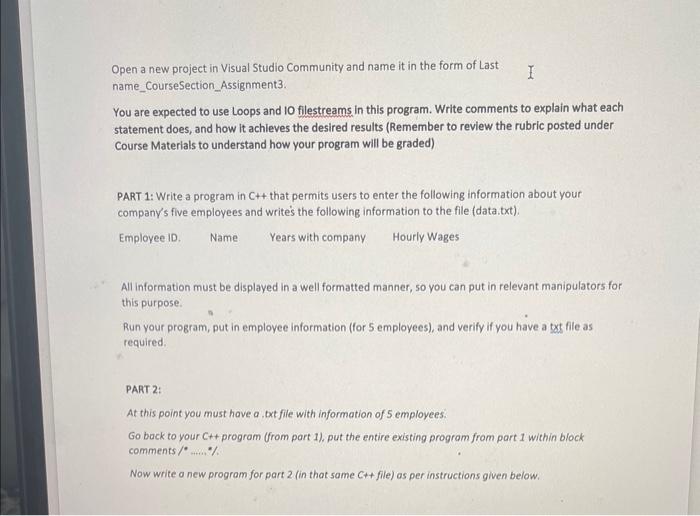
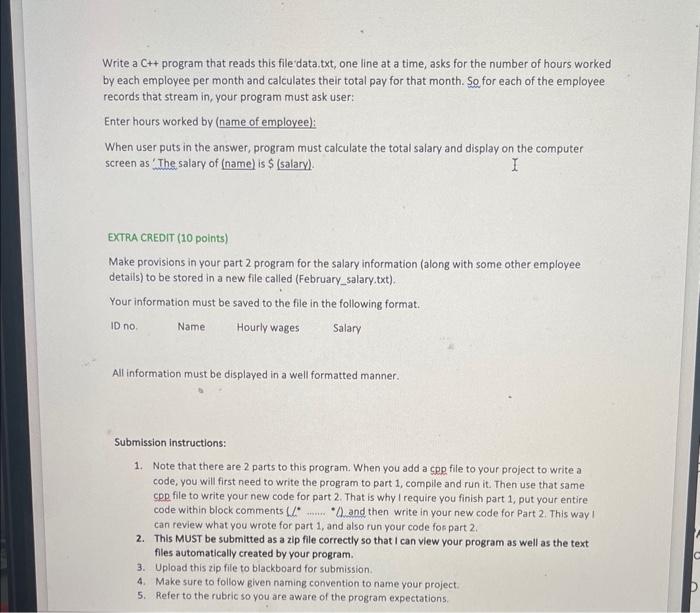
Open a new project in Visual Studio Community and name it in the form of Last name_CourseSection_Assignment 3. You are expected to use Loops and 10 filestreams in this program. Write comments to explain what each statement does, and how it achieves the desired results (Remember to review the rubric posted under Course Materials to understand how your program will be graded) PART 1: Write a program in C++ that permits users to enter the following information about your company's five employees and write's the following information to the file (data.txt). Employee ID. Name Years with company Hourly Wages All information must be displayed in a well formatted manner, so you can put in relevant manipulators for this purpose. Run your program, put in employee information (for 5 employees), and verify if you have a txt file as required. PART 2: At this point you must have a, txt file with information of 5 employees. Go bock to your Ct+ program (from part 1), put the entire existing program from part 1 within block comments /.....\% Now write a new program for part 2 (in that same Ct+ file) as per instructions given below. Write a C++ program that reads this file data.txt, one line at a time, asks for the number of hours worked by each employee per month and calculates their total pay for that month. So for each of the employee records that stream in, your program must ask user: Enter hours worked by (name of employee): When user puts in the answer, program must calculate the total salary and display on the computer screen as 'The salary of (name) is $ (salary). EXTRA CREDIT (10 points) Make provisions in your part 2 program for the salary information (along with some other employee details) to be stored in a new file called (February_salary,txt). Your information must be saved to the file in the following format. ID no, Name Hourly wages Salary All information must be displayed in a well formatted manner. Submission instructions: 1. Note that there are 2 parts to this program. When you add a cpp file to your project to write a code, you will first need to write the program to part 1 , compile and run it. Then use that same CpD file to write your new code for part 2. That is why I require you finish part 1 , put your entire code within block comments 4l1. " and then write in your new code for Part 2 . This way I can review what you wrote for part 1 , and also run your code fon part 2 . 2. This MUST be submitted as a zip file correctly so that I can view your program as well as the text files automatically created by your program. 3. Upload this zip file to blackboard for submission. 4. Make sure to follow given naming convention to name your project. 5. Refer to the rubric so you are aware of the program expectations
Step by Step Solution
There are 3 Steps involved in it

Get step-by-step solutions from verified subject matter experts
 Study Help