







Question: Weak Configurations Devices that are not adequately configured can create several vulnerabilities that can expose the system to attacks and other threats. In this lab,
Weak Configurations
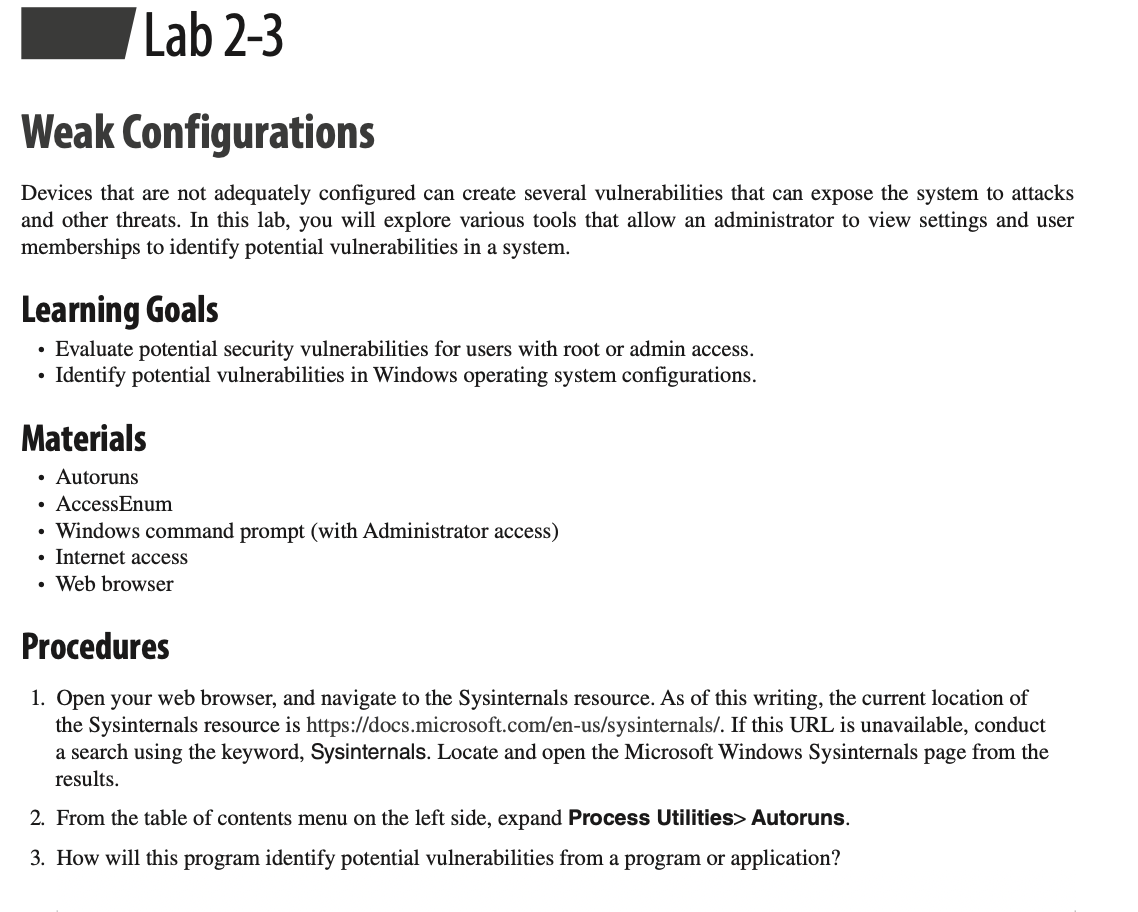
Devices that are not adequately configured can create several vulnerabilities that can expose the system to attacks and other threats. In this lab, you will explore various tools that allow an administrator to view settings and user memberships to identify potential vulnerabilities in a system.
Procedures (QUESTION STARTS FROM HERE)
1) Open your web browser, and navigate to the Sysinternals resource. As of this writing, the current location of the Sysinternals resource is https://docs.microsoft.com/en-us/sysinternals/. If this URL is unavailable, conduct a search using the keyword, Sysinternals. Locate and open the Microsoft Windows Sysinternals page from the results.
2) From the table of contents menu on the left side, expand Process Utilities> Autoruns.
3) How will this program identify potential vulnerabilities from a program or application?
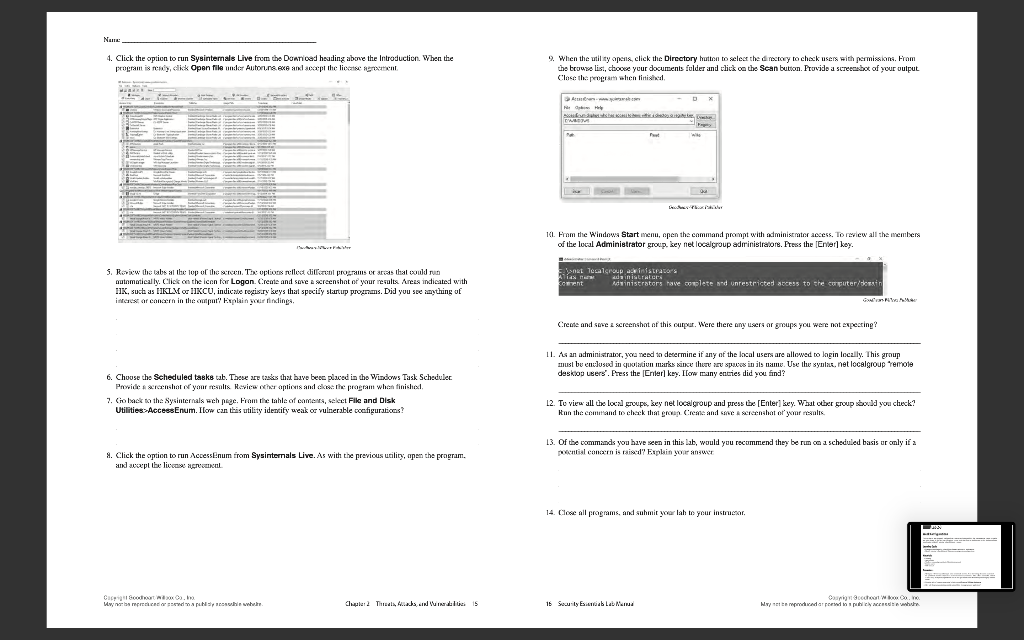
4) Click the option to run Sysinternals Live from the Download heading above the Introduction. When the
program is ready, click Open file under Autoruns.exe and accept the license agreement.
5) Review the tabs at the top of the screen. The options reflect different programs or areas that could run automatically. Click on the icon for Logon. Create and save a screenshot of your results. Areas indicated with HK, such as HKLM or HKCU, indicate registry keys that specify startup programs. Did you see anything of interest or concern in the output? Explain your findings.
6) Choose the Scheduled tasks tab. These are tasks that have been placed in the Windows Task Scheduler. Provide a screenshot of your results. Review other options and close the program when finished.
7) Go back to the Sysinternals web page. From the table of contents, select File and Disk Utilities>AccessEnum. How can this utility identify weak or vulnerable configurations?
8) Click the option to run AccessEnum from Sysinternals Live. As with the previous utility, open the program, and accept the license agreement.
9) When the utility opens, click the Directory button to select the directory to check users with permissions. From the browse list, choose your documents folder and click on the Scan button. Provide a screenshot of your output. Close the program when finished.
10) From the Windows Start menu, open the command prompt with administrator access. To review all the members of the local Administrator group, key net localgroup administrators. Press the [Enter] key.
Create and save a screenshot of this output. Were there any users or groups you were not expecting?
11) As an administrator, you need to determine if any of the local users are allowed to login locally. This group must be enclosed in quotation marks since there are spaces in its name. Use the syntax, net localgroup remote desktop users. Press the [Enter] key. How many entries did you find?
12) To view all the local groups, key net localgroup and press the [Enter] key. What other group should you check? Run the command to check that group. Create and save a screenshot of your results.
13) Of the commands you have seen in this lab, would you recommend they be run on a scheduled basis or only if a potential concern is raised? Explain your answer.
Weak Configurations Devices that are not adequately configured can create several vulnerabilities that can expose the system to attacks and other threats. In this lab, you will explore various tools that allow an administrator to view settings and user memberships to identify potential vulnerabilities in a system. Learning Goals - Evaluate potential security vulnerabilities for users with root or admin access. - Identify potential vulnerabilities in Windows operating system configurations. Materials - Autoruns - AccessEnum - Windows command prompt (with Administrator access) - Internet access - Web browser Procedures 1. Open your web browser, and navigate to the Sysinternals resource. As of this writing, the current location of the Sysinternals resource is https://docs.microsoft.com/en-us/sysinternals/. If this URL is unavailable, conduct a search using the keyword, Sysinternals. Locate and open the Microsoft Windows Sysinternals page from the results. 2. From the table of contents menu on the left side, expand Process Utilities > Autoruns. 3. How will this program identify potential vulnerabilities from a program or application? 4. Click the option to run Sysintemals Live from the Doariced hsading above the Introduction. When the 9. When the util ty opens, click the Dircetory hutten to seleer the d meckey to chask usens fith permission. Fiam the trouse list, thocee your documents fulder and tlitk on the Sean button. Frovide a screensbot of your vulput. Clase the. prograrti alenen titished. 11. Finm the Windows Start menu, epen the eammand prompt with adminiscmes access. To review all the members of the local Adminietrator group, key net localgroup adrrinisirabrs. Ptess the [Ener] key. 5. Roniew the labs al the lop of the seren. Tix options rellex dillivenl programs or ariss that tould run autamatical ly. Click on the icen for Logon. Cirente and sate a screnshat of your recalts. Aress indicated with HK, such as HKLM or HKCU, indicate regis.ry keys that specify startup prognams. Did you see ingthing of Create and saze z screenshat af this cupur. Were there any usera ar gmups ycu were nat expecring? 11. As an administraber, yoa need in devermine if any of the local users are allowed to lagin locally. Ihis group must be catlused in quolativn marks since ther rev spuss in ils name. Use the synlus. net locelgroup remote 6. Choose the Seheduled tasks tab. These are tasks that bave beec plued in the Windows Task Scheduler deskop users". Press the [Eriler] ksy. ILow many encies did you find? 7. Sio back to the Syainternals weh jege. Fiom the tahle of eamern, seket File and Disk Utilities:AcceesEnum. Iloo can this utility identify weak or vulnerable configurations? 12. To view all the locil groupe, key net locelgroup and press the [Enter] key. Wat other group sou:2d yoa check? 13. Of the commands you have seen in this lab, would you recommend they be rum on a scheduled basis ur only if a A. Click the option bo run MecessEnum trom Sysinternals Live. As with the previous urility; apen the program. forential contren is raisal" Eqplain zour ansuct and avipl tie livense aterenent. Weak Configurations Devices that are not adequately configured can create several vulnerabilities that can expose the system to attacks and other threats. In this lab, you will explore various tools that allow an administrator to view settings and user memberships to identify potential vulnerabilities in a system. Learning Goals - Evaluate potential security vulnerabilities for users with root or admin access. - Identify potential vulnerabilities in Windows operating system configurations. Materials - Autoruns - AccessEnum - Windows command prompt (with Administrator access) - Internet access - Web browser Procedures 1. Open your web browser, and navigate to the Sysinternals resource. As of this writing, the current location of the Sysinternals resource is https://docs.microsoft.com/en-us/sysinternals/. If this URL is unavailable, conduct a search using the keyword, Sysinternals. Locate and open the Microsoft Windows Sysinternals page from the results. 2. From the table of contents menu on the left side, expand Process Utilities > Autoruns. 3. How will this program identify potential vulnerabilities from a program or application? 4. Click the option to run Sysintemals Live from the Doariced hsading above the Introduction. When the 9. When the util ty opens, click the Dircetory hutten to seleer the d meckey to chask usens fith permission. Fiam the trouse list, thocee your documents fulder and tlitk on the Sean button. Frovide a screensbot of your vulput. Clase the. prograrti alenen titished. 11. Finm the Windows Start menu, epen the eammand prompt with adminiscmes access. To review all the members of the local Adminietrator group, key net localgroup adrrinisirabrs. Ptess the [Ener] key. 5. Roniew the labs al the lop of the seren. Tix options rellex dillivenl programs or ariss that tould run autamatical ly. Click on the icen for Logon. Cirente and sate a screnshat of your recalts. Aress indicated with HK, such as HKLM or HKCU, indicate regis.ry keys that specify startup prognams. Did you see ingthing of Create and saze z screenshat af this cupur. Were there any usera ar gmups ycu were nat expecring? 11. As an administraber, yoa need in devermine if any of the local users are allowed to lagin locally. Ihis group must be catlused in quolativn marks since ther rev spuss in ils name. Use the synlus. net locelgroup remote 6. Choose the Seheduled tasks tab. These are tasks that bave beec plued in the Windows Task Scheduler deskop users". Press the [Eriler] ksy. ILow many encies did you find? 7. Sio back to the Syainternals weh jege. Fiom the tahle of eamern, seket File and Disk Utilities:AcceesEnum. Iloo can this utility identify weak or vulnerable configurations? 12. To view all the locil groupe, key net locelgroup and press the [Enter] key. Wat other group sou:2d yoa check? 13. Of the commands you have seen in this lab, would you recommend they be rum on a scheduled basis ur only if a A. Click the option bo run MecessEnum trom Sysinternals Live. As with the previous urility; apen the program. forential contren is raisal" Eqplain zour ansuct and avipl tie livense aterenent
Step by Step Solution
There are 3 Steps involved in it

Get step-by-step solutions from verified subject matter experts
 Study Help