







Question: Web Applications ( Its only one question, however you need assignment 2 & 3 for help) Here's Assignment 2 Below Here's Assignment 3 Below Implement
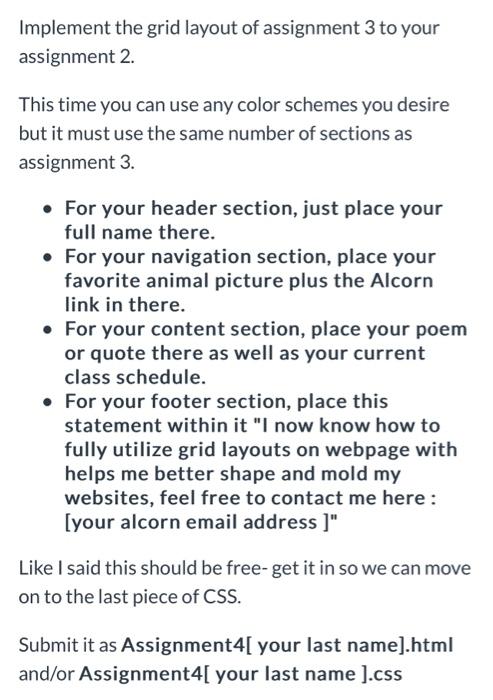
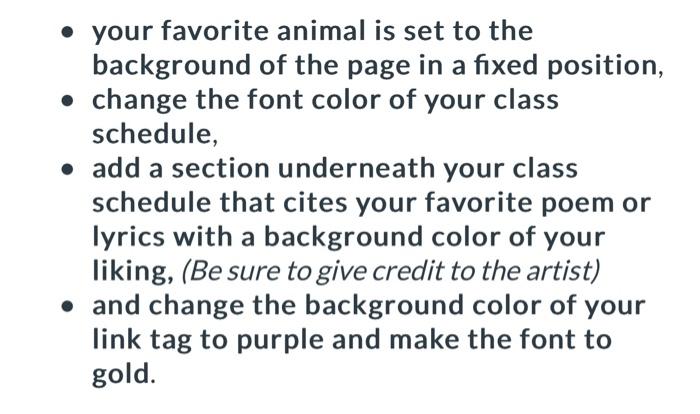
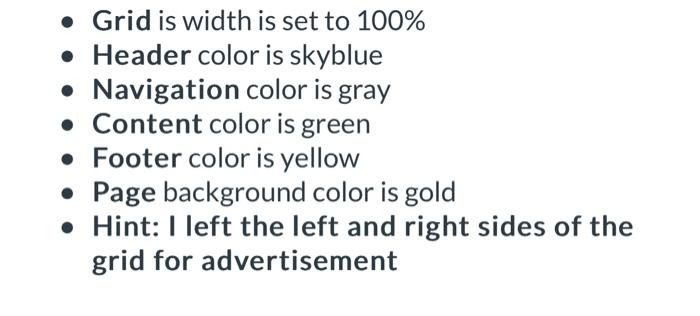
Implement the grid layout of assignment 3 to your assignment 2. This time you can use any color schemes you desire but it must use the same number of sections as assignment 3. - For your header section, just place your full name there. - For your navigation section, place your favorite animal picture plus the Alcorn link in there. - For your content section, place your poem or quote there as well as your current class schedule. - For your footer section, place this statement within it "I now know how to fully utilize grid layouts on webpage with helps me better shape and mold my websites, feel free to contact me here: [your alcorn email address ]" Like I said this should be free- get it in so we can move on to the last piece of CSS. Submit it as Assignment4[ your last name].html and/or Assignment4[ your last name ].css - your favorite animal is set to the background of the page in a fixed position, - change the font color of your class schedule, - add a section underneath your class schedule that cites your favorite poem or lyrics with a background color of your liking, (Be sure to give credit to the artist) - and change the background color of your link tag to purple and make the font to gold. - Grid is width is set to 100% - Header color is skyblue - Navigation color is gray - Content color is green - Footer color is yellow - Page background color is gold - Hint: I left the left and right sides of the grid for advertisement
Step by Step Solution
There are 3 Steps involved in it

Get step-by-step solutions from verified subject matter experts
 Study Help