







Question: web system and the language is HTML Web systems Homework 2: Design a website using CSS The goal of this assignment is to create the
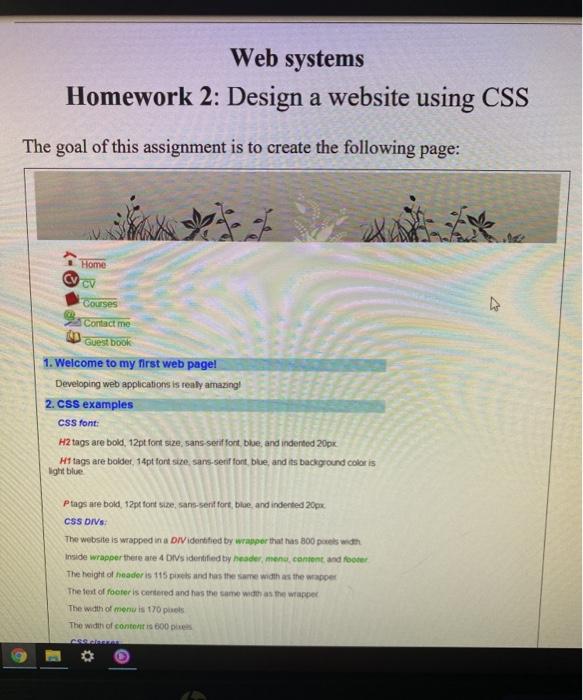
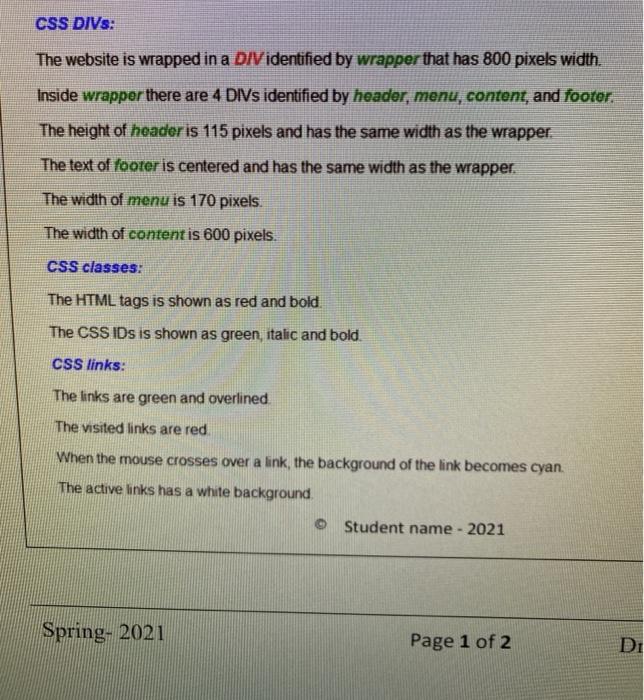
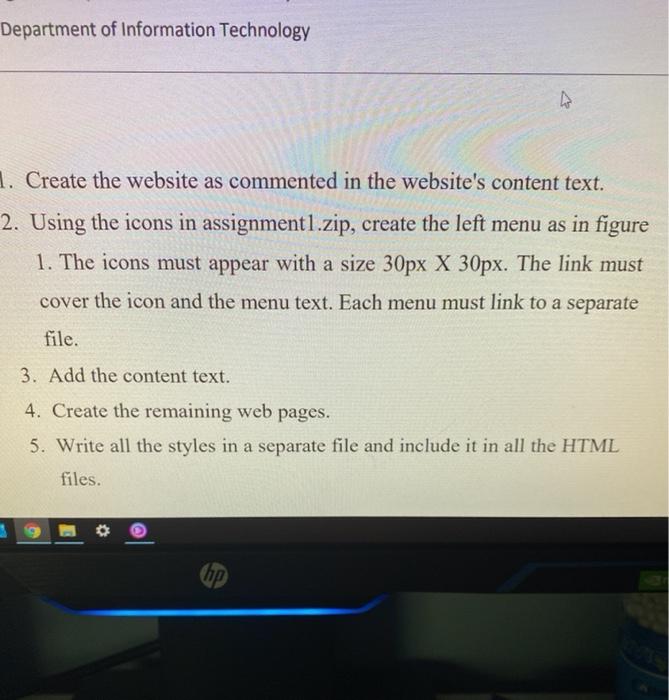
Web systems Homework 2: Design a website using CSS The goal of this assignment is to create the following page: Home CV Courses 7 Contact me Guestbook 1. Welcome to my first web page! Developing web applications is really amazing 2. Css examples CSS font: H2 tags are bold, 12pt font size, sans-serif fort blue and indented 20px Hi tags are boldet, 14pt font size, sans-serif fort blue, and its background coloris light blue Ptags are bold, 12pt font size, sans-serif fort, bloe, and indented 20px CSS DIVs: The website is wrapped in a DIV identified by wrapper that has 800 pixels won Inside wrapper there are 4 Div's identified by header menu content and footer The height of header is 115 pts and has the same width as the wrapper The Best of footer is centered and has the same won as the wrapper The width of menu is 170 pas The width of content is 600 CS CSS DIVs: The website is wrapped in a DIV identified by wrapper that has 800 pixels width. Inside wrapper there are 4 DIVs identified by header, menu, content, and footor. The height of header is 115 pixels and has the same width as the wrapper. The text of footer is centered and has the same width as the wrapper. The width of menu is 170 pixels The width of content is 600 pixels CSS classes: The HTML tags is shown as red and bold. The CSS IDs is shown as green, italic and bold. CSS links: The links are green and overlined The visited links are red When the mouse crosses over a link, the background of the link becomes cyan. The active links has a white background Student name - 2021 Spring- 2021 Page 1 of 2 DI Department of Information Technology 1. Create the website as commented in the website's content text. 2. Using the icons in assignment1.zip, create the left menu as in figure 1. The icons must appear with a size 30px X 30px. The link must cover the icon and the menu text. Each menu must link to a separate file. 3. Add the content text. 4. Create the remaining web pages. 5. Write all the styles in a separate file and include it in all the HTML files. hp
Step by Step Solution
There are 3 Steps involved in it

Get step-by-step solutions from verified subject matter experts
 Study Help