







Question: What does it mean: Defaulting to user installation because normal site-packages is not writeable Requirement already satisfied: astral in and when i tried to run
![File + Edit View Insert Cell Kernel Widgets Help Run In [100]](https://dsd5zvtm8ll6.cloudfront.net/si.experts.images/questions/2024/02/65c3527d9e611_45365c3527d75644.jpg)
What does it mean:
Defaulting to user installation because normal site-packages is not writeable Requirement already satisfied: astral in
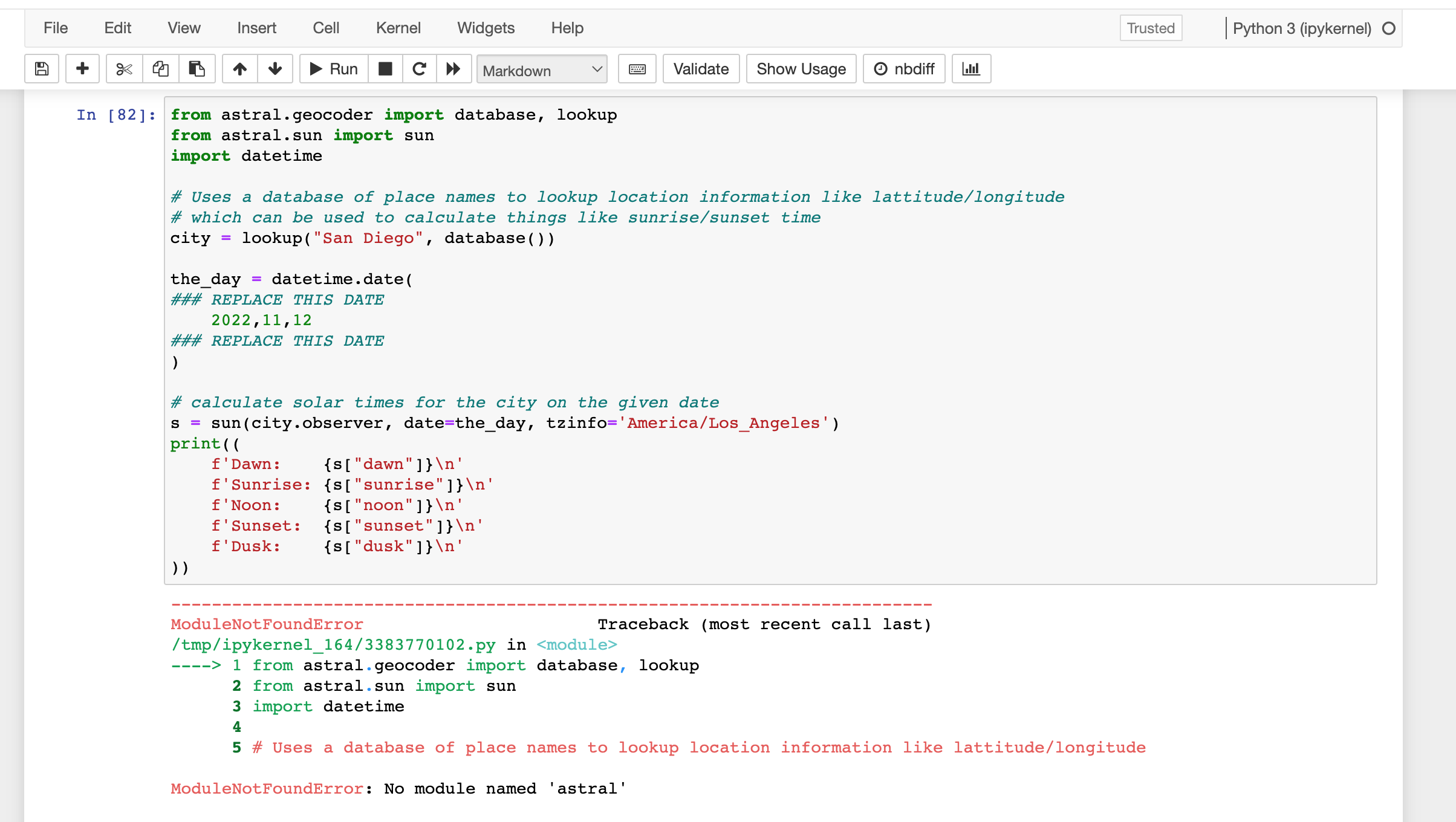
and when i tried to run the bottom code it said that " no module named astral"
as the python3, i tried the code line
!python3 install astral
but it gave the same as : !pip install astral
File + Edit View Insert Cell Kernel Widgets Help Run In [100] # your code here !pip install astral Markdown Validate Use a command line inside the notebook here to pip install the module astral from pypi (see https://pypi.org/project/astral/ for information about this module if you're curious) = Show Usage Defaulting to user installation because normal site-packages is not writeable Requirement already satisfied: astral in /home/kytran/.local/lib/python3.9/site-packages (3.2) In [82]: from astral.geocoder import database, lookup from astral.sun import sun import datetime nbdiff Below is some code to use astral... you don't need to do anything except change the date so that you calculate the sunrise time in San Diego on your birthday in 2022. the_day datetime.date( ### REPLACE THIS DATE 2022,11,12 ### REPLACE THIS DATE ) I think its easy enough to figure out what you need to do just by reading the code, but if its not clear then take a look at the documentation for astral here https://astral.readthedocs.io/en/latest/ # Uses a database of place names to lookup location information like lattitude/longitude #which can be used to calculate things like sunrise/sunset time city lookup ("San Diego", database ( ) ) Trusted Python 3 (ipykernel) O #calculate solar times for the city on the given date S sun(city.observer, date=the_day, tzinfo= 'America/Los_Angeles') print ((
Step by Step Solution
There are 3 Steps involved in it

Get step-by-step solutions from verified subject matter experts
 Study Help