







Question: What function do I use for 5-7? 1. Change the file name into Project 1 CMPSC203 LastName_FirstName. 2. Enter your first name in F2 on
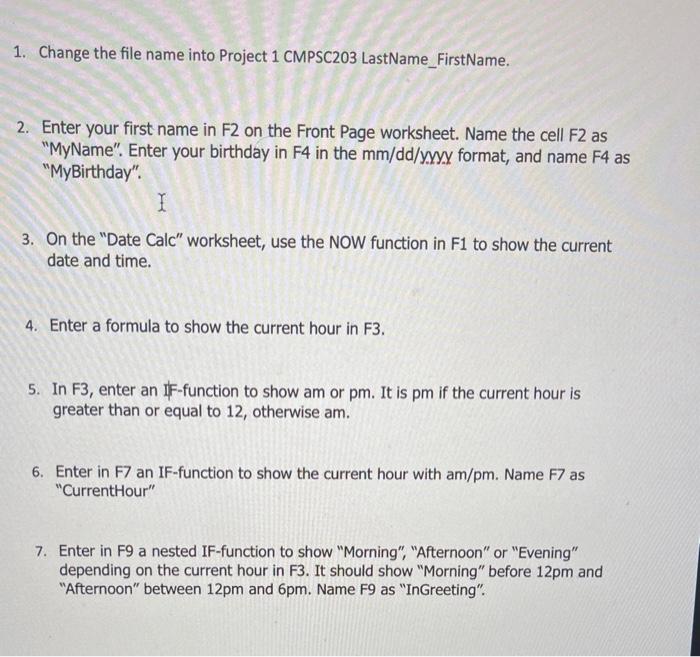
1. Change the file name into Project 1 CMPSC203 LastName_FirstName. 2. Enter your first name in F2 on the Front Page worksheet. Name the cell F2 as "MyName". Enter your birthday in F4 in the mm/dd/y.y format, and name F4 as "MyBirthday". 3. On the "Date Calc" worksheet, use the NOW function in F1 to show the current date and time. 4. Enter a formula to show the current hour in F3. 5. In F3, enter an IF-function to show am or pm. It is pm if the current hour is greater than or equal to 12 , otherwise am. 6. Enter in F7 an IF-function to show the current hour with am/pm. Name F7 as "CurrentHour" 7. Enter in F9 a nested IF-function to show "Morning", "Afternoon" or "Evening" depending on the current hour in F3. It should show "Morning" before 12pm and "Afternoon" between 12pm and 6pm. Name F9 as "InGreeting
Step by Step Solution
There are 3 Steps involved in it

Get step-by-step solutions from verified subject matter experts
 Study Help