Question: What is Contiguous data? O A method of storing data in contiguous, or adjoining cells where there is no blank rows or columns within the
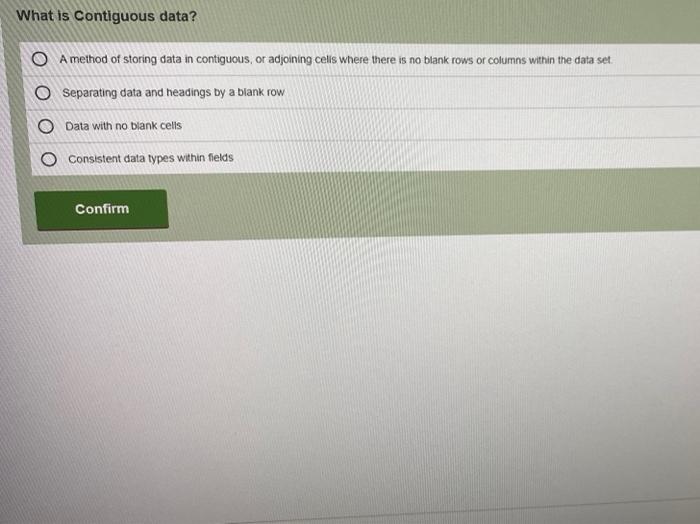
What is Contiguous data? O A method of storing
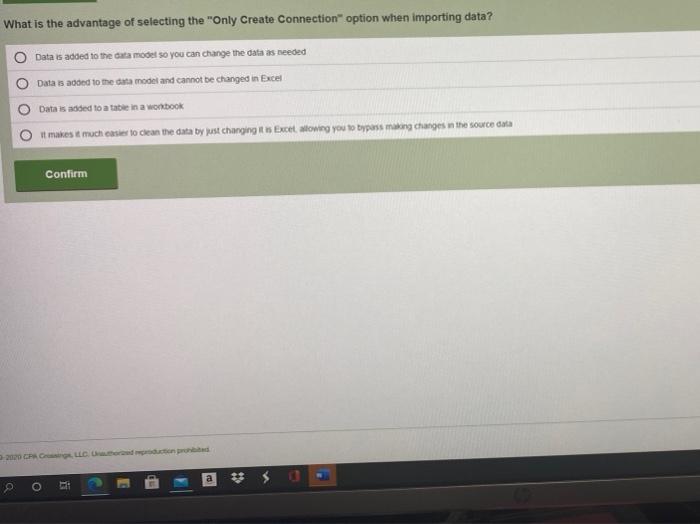
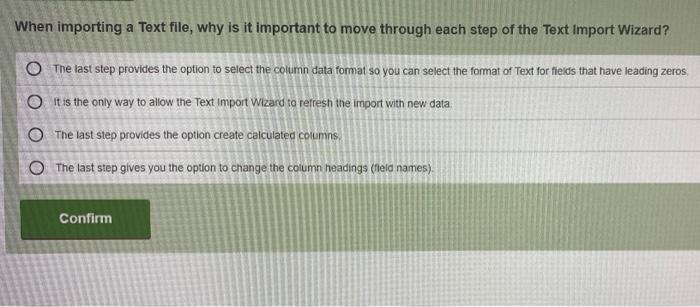
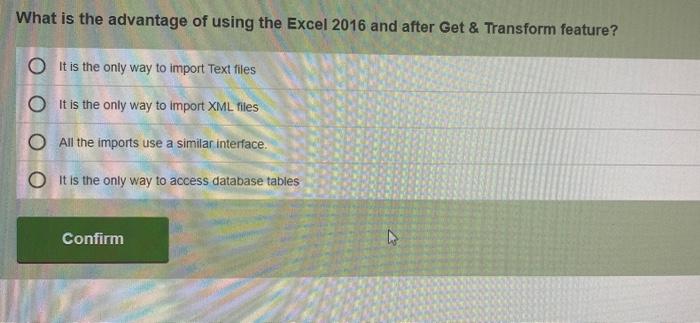
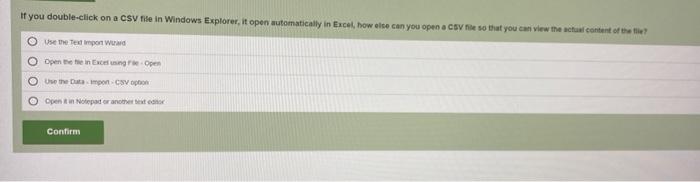
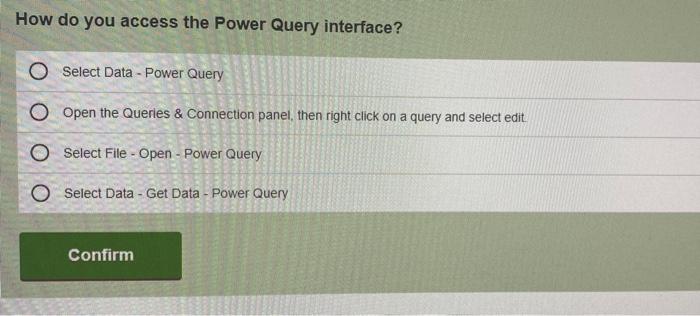
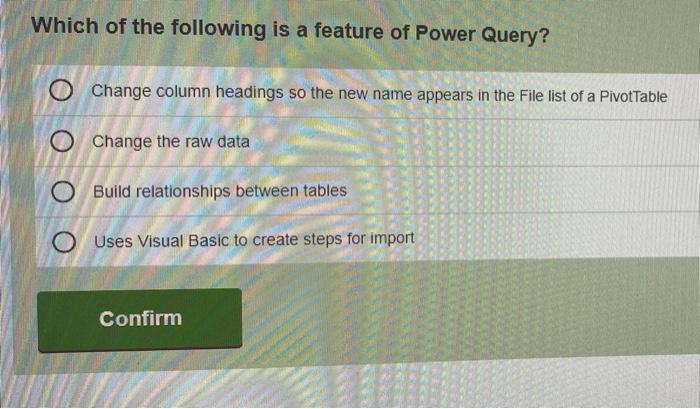
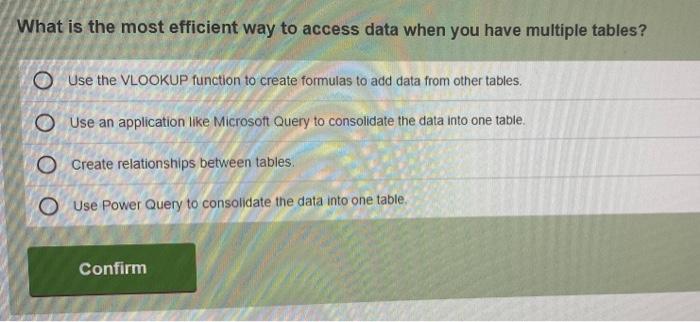
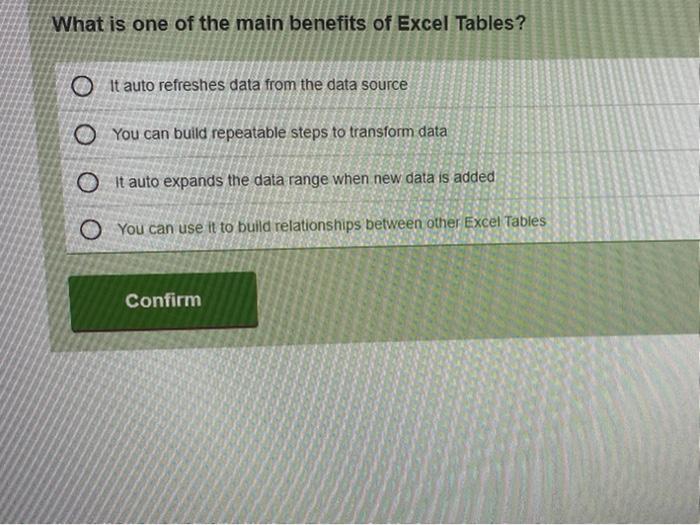
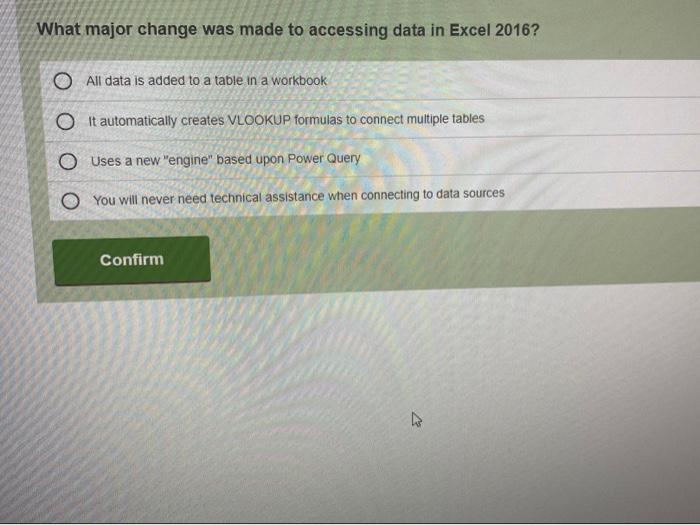
What is Contiguous data? O A method of storing data in contiguous, or adjoining cells where there is no blank rows or columns within the data set Separating data and headings by a blank row Data with no blank cells Consistent data types within fields Confirm What is one of the main benefits of Excel Tables? O It auto refreshes data from the data source O You can build repeatable steps to transform data O it auto expands the data range when new data is added O You can use it to build relationships between other Excel Tables Confirm What major change was made to accessing data in Excel 2016? O All data is added to a table in a workbook O It automatically creates VLOOKUP formulas to connect multiple tables O Uses a new "engine" based upon Power Query O You will never need technical assistance when connecting to data sources Confirm B What is the advantage of selecting the "Only Create Connection" option when importing data? Data is added to the data model so you can change the data as needed Data is aoded to the data model and cannot be changed in Excel Data is added to a table in a workbook it makes it much easier to clean the data by just charging es Excetowing you to bypass man changes in the source data o Confirm a # Q o When importing a Text file, why is it important to move through each step of the Text Import Wizard? O The last step provides the option to select the column data format so you can select the format of Text for fields that have leading zeros. It is the only way to allow the Text Import Wizard to refresh the import with new data O The last step provides the option create calculated columns O The last step gives you the option to change the column headings (Theld names). Confirm What is the advantage of using the Excel 2016 and after Get & Transform feature? O it is the only way to import Text files O it is the only way to import XML files O All the imports use a similar interface. O It is the only way to access database tables Confirm If you double-click on a CSV file in Windows Explorer, it open automatically in Excel, how else can you open a CSV file so that you can view the actual content of the tile? Use the text importa O Open thee in Excelsing Open Usamponohon Opent in Notepad rather texto Confirm How do you access the Power Query interface? Select Data - Power Query O Open the Queries & Connection panel, then right click on a query and select edit. O Select File - Open - Power Query O Select Data - Get Data - Power Query Confirm Which of the following is a feature of Power Query? O Change column headings so the new name appears in the File list of a Pivot Table O Change the raw data O Build relationships between tables Uses Visual Basic to create steps for import Confirm What is the most efficient way to access data when you have multiple tables? Use the VLOOKUP function to create formulas to add data from other tables, O Use an application like Microsoft Query to consolidate the data into one table. O Create relationships between tables Use Power Query to consolidate the data into one table Confirm
Step by Step Solution

There are 3 Steps involved in it

1 Expert Approved Answer
Step: 1 Unlock blur-text-image

Question Has Been Solved by an Expert!

Get step-by-step solutions from verified subject matter experts

Step: 2 Unlock
Step: 3 Unlock

Students Have Also Explored These Related General Management Questions!