







Question: what is the answer import seaborn as sns import matplot lib.pyplot as plt planets = sns. Load_dataset ('plane ts') planets,plot (kind = 'scatter', x ='mass',
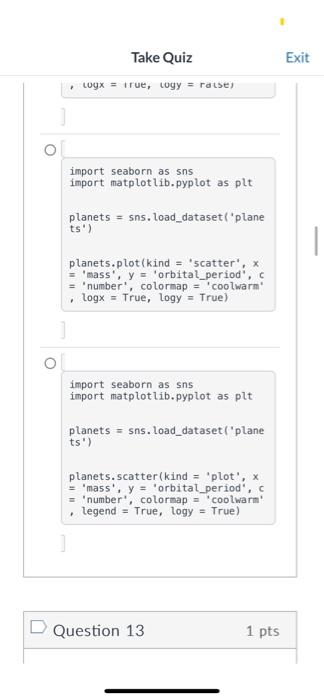
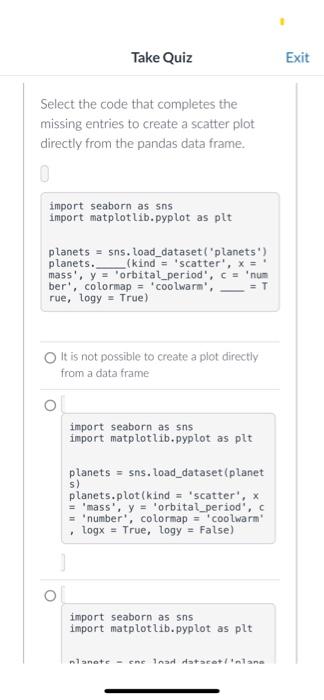
import seaborn as sns import matplot lib.pyplot as plt planets = sns. Load_dataset ('plane ts') planets,plot (kind = 'scatter', x ='mass', y ='orbital_period', = 'number', colormap = 'coolwarm' - Logx = True, logy = True) import seaborn as sns import matplotlib.pyplot as plt planets = sns.load_dataset ('plane ts') planets. scatter(kind = 'plot', x = 'mass', y = orbital period ', c = 'number', colormap = 'coolwarn' - legend = True, logy = True) Select the code that completes the missing entries to create a scatter plot. directly from the pandas data frame. import seaborn as sns import matplotlib.pyplot as plt planets = sns. Load_dataset ("planets') planets. (kind = 'scatter', x= ' mass', y= 'orbital_period', c= 'num ber', colorinap = 'coolwarm', =T rue, logy= True) It is not possible to create a plot directly from a data frame import seaborn as sns import matplotlib.pyplot as plt planets = sns. Load_dataset (planet s) planets,plot (kind = 'scatter', x = "mass', y = 'orbital_period', c = 'number', colormap ='coolwarm" , logx = True, Logy = False) import seaborn as sns import matplotlib.pyplot as plt nlanote - ene InsA rstacetinnlano
Step by Step Solution
There are 3 Steps involved in it

Get step-by-step solutions from verified subject matter experts
 Study Help