







Question: What Linux commands should I use to execute the following commands in Ubuntu? 1. Launch two VDI instances, one to serve as server and the
What Linux commands should I use to execute the following commands in Ubuntu?
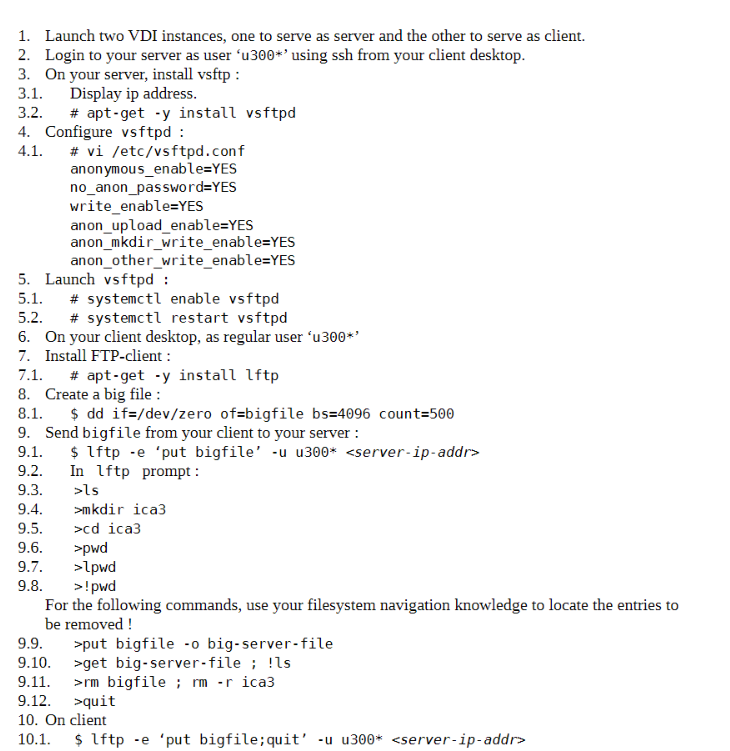
1. Launch two VDI instances, one to serve as server and the other to serve as client. 2. Login to your server as user 'u300*' using ssh from your client desktop. 3. On your server, install vsftp : 3.1. Display ip address. 3.2. # apt-get y install vsftpd 4. Configure vsftpd : 4.1. # vi /etc/vsftpd.conf anonymous_enable=YES no_anon_password=YES write_enable=YES anon_upload_enable=YES anon_mkdir_write_enable=YES anon_other_write_enable=YES 5. Launch vsftpd : 5.1. # systemctl enable vsftpd # systemctl restart vsftpd 5.2. 6. On your client desktop, as regular user 'u300*' 7. Install FTP-client : 7.1. 8. Create a big file : 8.1. # apt-get -y install lftp $ dd if=/dev/zero of=bigfile bs=4096 count=500 9. Send bigfile from your client to your server: 9.1. 9.2. 9.3. 9.4. 9.5. 9.6. 9.7. 9.8. $ 1ftp -e 'put bigfile' -u u300* In lftp prompt: >ls >mkdir ica3 >cd ica3 >pwd >lpwd >!pwd For the following commands, use your filesystem navigation knowledge to locate the entries to be removed ! >put bigfile-o big-server-file 9.9. 9.10. >get big-server-file; !ls 9.11. >rm bigfile; rm -r ica3 9.12. >quit 10. On client 10.1. $ 1ftp -e 'put bigfile;quit' -u u300*
Step by Step Solution
There are 3 Steps involved in it

Get step-by-step solutions from verified subject matter experts
 Study Help