







Question: Whats the code to the following Matlab? 20.2 Position based on Newton's Laws of Motion LAB CTVTY 20.21: Position based on Newton's Laws of Motion
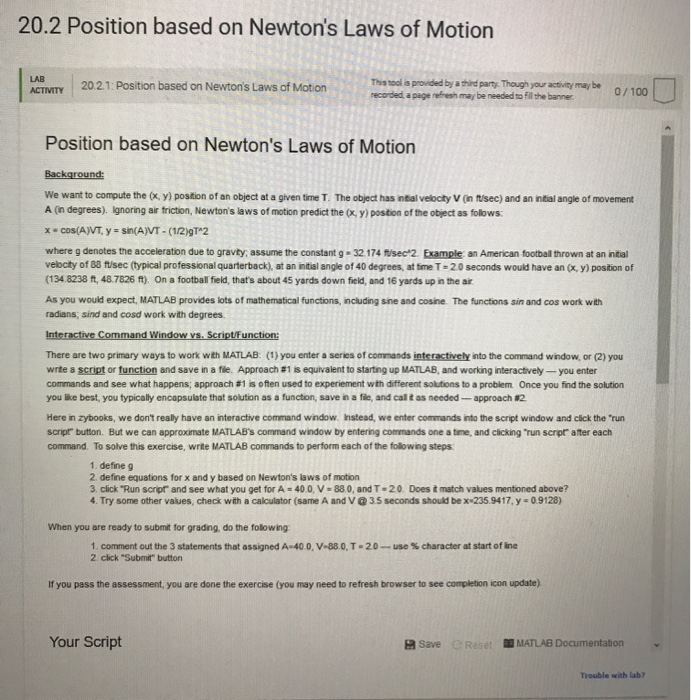
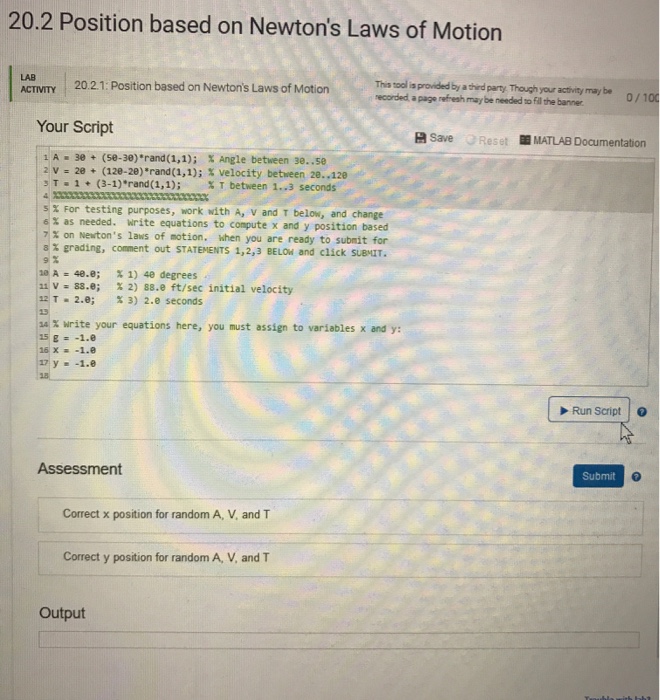
20.2 Position based on Newton's Laws of Motion LAB CTVTY 20.21: Position based on Newton's Laws of Motion recorded, a page refresh may be needed to fill the banner 0/100 Position based on Newton's Laws of Motion We want to compute the (, y) postion of an object at a given time T. The object has ntial velocity V (in ftusec) and an intial angle of movement A (n degrees). Ignoring air triction, Newton's laws of motion predict the ox, y) postion of the object as folows where g denotes the acceleration due to gravity, assume the constant g 32.174 tisec2 Example an American football thrown at an initial velbcity of 88 ft/sec (typical professional quarterback), at an initial angle of 40 degrees, at time T-20 seconds would have an (x, y) position of (134.8238 ft, 48.7826 ft). On a football field, thats about 45 yards down field, and 16 yards up in the ar As you would expect, MATLAB provides lots of mathematical functions, including sine and cosine. The functions sin and cos work with radians; sind and cosd work with degrees Interactive Command Window vs. Script/function There are two primary ways to work with MATLAB: (1) you enter a series of commands interactively into the command window, or (2) you wite a script or function and save in a file. Approach #1s equivalent to startng up MATLAB, and working nteractively-you enter commands and see what happens; approach #1 is often used to expenement with different souons to a problem Once you find the soluton you like best, you typically encapsulate that solution as a function, save in a file, and cal t as needed-approach 2 Here in zybooks, we don't really have an interactive command window. Ihstead, we enter commands into the script window and click the "run script button. But we can approximate MATLAB's command window by entering commands one a time, and clicking run script after each command. To solve this exercise, write MATLAB commands to perform each of the following steps 1. define g 2. define equations for x and y based on Newton's laws of motion 3. click Run scrpr and see what you get for A = 40 0, V = 880, and T = 20 Doest match values mentioned above? 4. Try some other values, check with a calculator (same A and V @3.5 seconds should be x-235.9417, y 0.9128) When you are ready to submit for grading, do the folowing 1.comment out the 3 statements that assigned A-40 0,V-880,T-20-use %character at start ofie 2. click "Submit" button If you pass the assessment, you are done the exercise (you may need to refresh browser to see completion icon update) Your Script a save C Rese MATLAB Documentation Trouble with lab
Step by Step Solution
There are 3 Steps involved in it

Get step-by-step solutions from verified subject matter experts
 Study Help