







Question: When different amounts are needed for each Sharing Reservation, select this option to manually change the rate amount. O Apply Split Rate O Apply
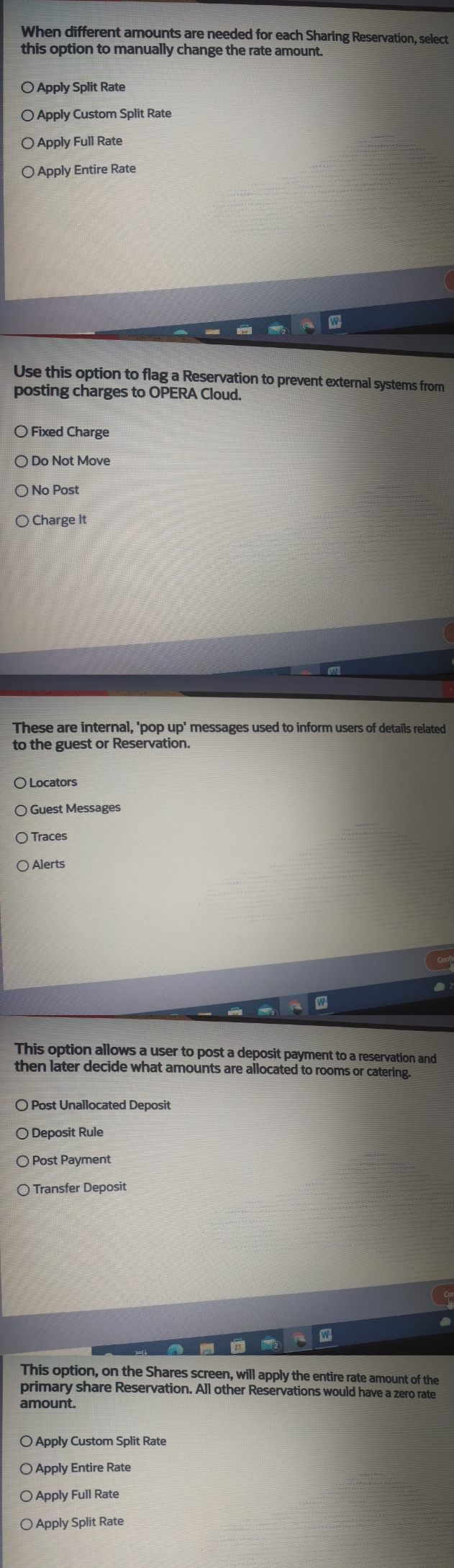
When different amounts are needed for each Sharing Reservation, select this option to manually change the rate amount. O Apply Split Rate O Apply Custom Split Rate O Apply Full Rate O Apply Entire Rate W Use this option to flag a Reservation to prevent external systems from posting charges to OPERA Cloud. OFixed Charge O Do Not Move O No Post O Charge It These are internal, 'pop up' messages used to inform users of details related to the guest or Reservation. O Locators O Guest Messages Traces O Alerts This option allows a user to post a deposit payment to a reservation and then later decide what amounts are allocated to rooms or catering. O Post Unallocated Deposit O Deposit Rule Post Payment O Transfer Deposit This option, on the Shares screen, will apply the entire rate amount of the primary share Reservation. All other Reservations would have a zero rate amount. O Apply Custom Split Rate O Apply Entire Rate O Apply Full Rate O Apply Split Rate Conf 2
Step by Step Solution
There are 3 Steps involved in it

Get step-by-step solutions from verified subject matter experts
 Study Help