







Question: When I try to run that python code I get the error: Traceback (most recent call last): File main.py, line 1, in quarters = int(input())
When I try to run that python code I get the error: Traceback (most recent call last): File "main.py", line 1, in quarters = int(input()) ValueError: invalid literal for int() with base 10: 'QUARTER = .25 ' How do I fix this error?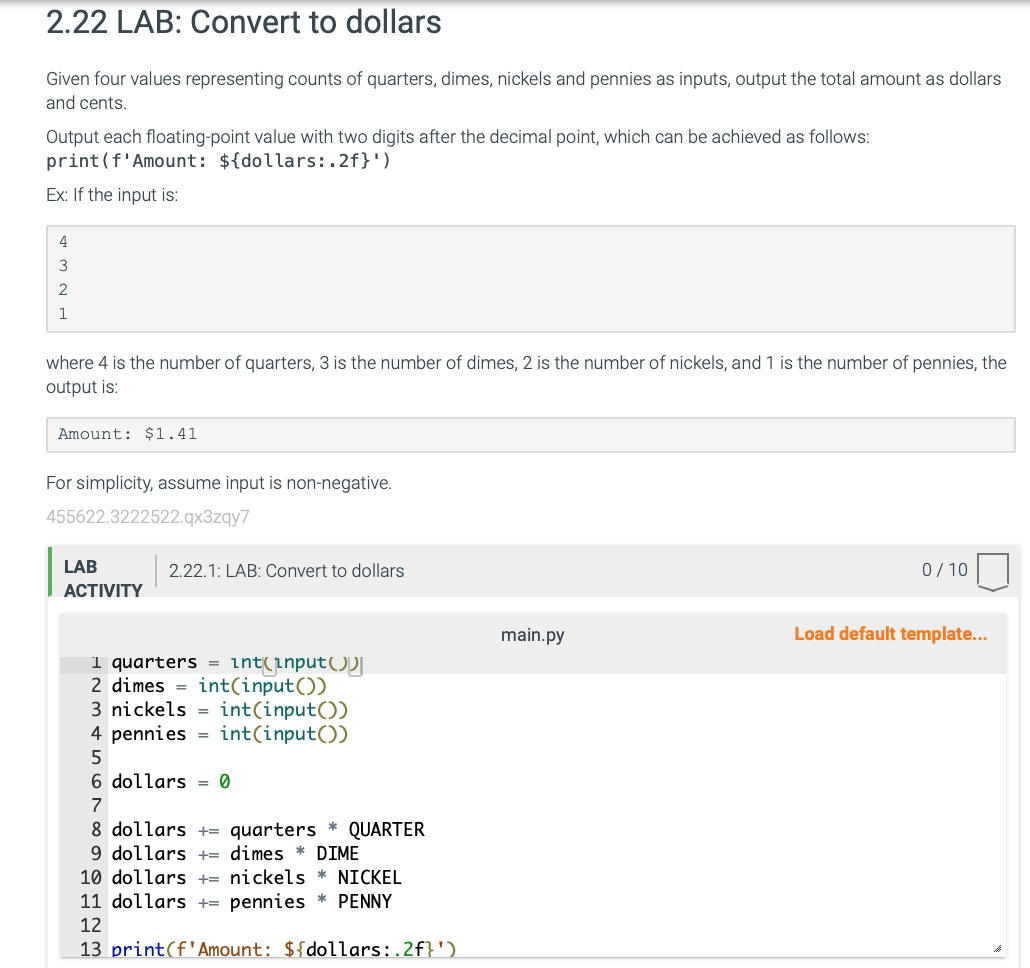
Given four values representing counts of quarters, dimes, nickels and pennies as inputs, output the total amount as dollars and cents. Output each floating-point value with two digits after the decimal point, which can be achieved as follows: print( f Amount: ${dollars:.2f}) Ex: If the input is: where 4 is the number of quarters, 3 is the number of dimes, 2 is the number of nickels, and 1 is the number of pennies, the output is: Amount: $1.41 For simplicity, assume input is non-negative. 455622.3222522.q3zqy7 \begin{tabular}{l|l} LAB & 2.22.1: LAB: Convert to dollars \end{tabular} 0/10 ACTIVITY main.py Load default template... quarters =znt(lnput()) 2 dimes = int (input ()) 3 nickels = int (input ()) 4 pennies = int (input ()) 5 6 dollars =0 7 8 dollars += quarters QUARTER 9 dollars += dimes DIME dollars += nickels NICKEL dollars += pennies PENNY 12 13 print(f'Amount: ${dollars:.2f} )
Step by Step Solution
There are 3 Steps involved in it

Get step-by-step solutions from verified subject matter experts
 Study Help