







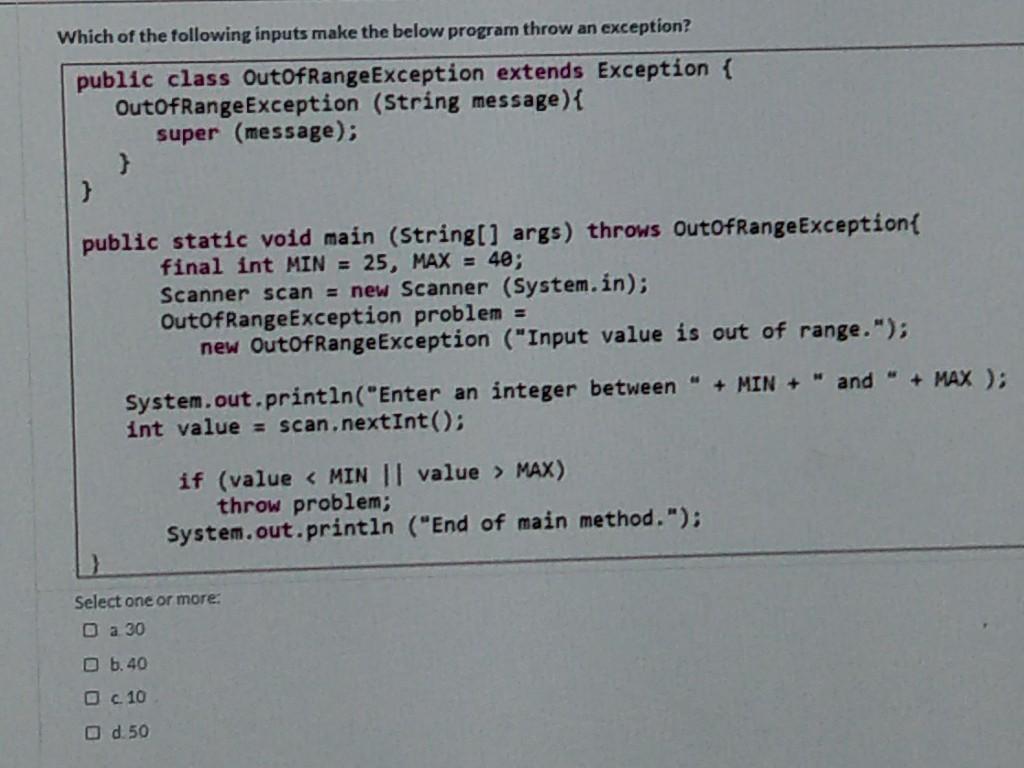
Question: Which of the following inputs make the below program throw an exception? public class OutOfRange Exception extends Exception { OutofRange Exception (String message) { super
![{ super (message); } public static void main (String[] args) throws OutofRange](https://dsd5zvtm8ll6.cloudfront.net/si.experts.images/questions/2024/09/66f4fc2943bda_36866f4fc28bbbe3.jpg)
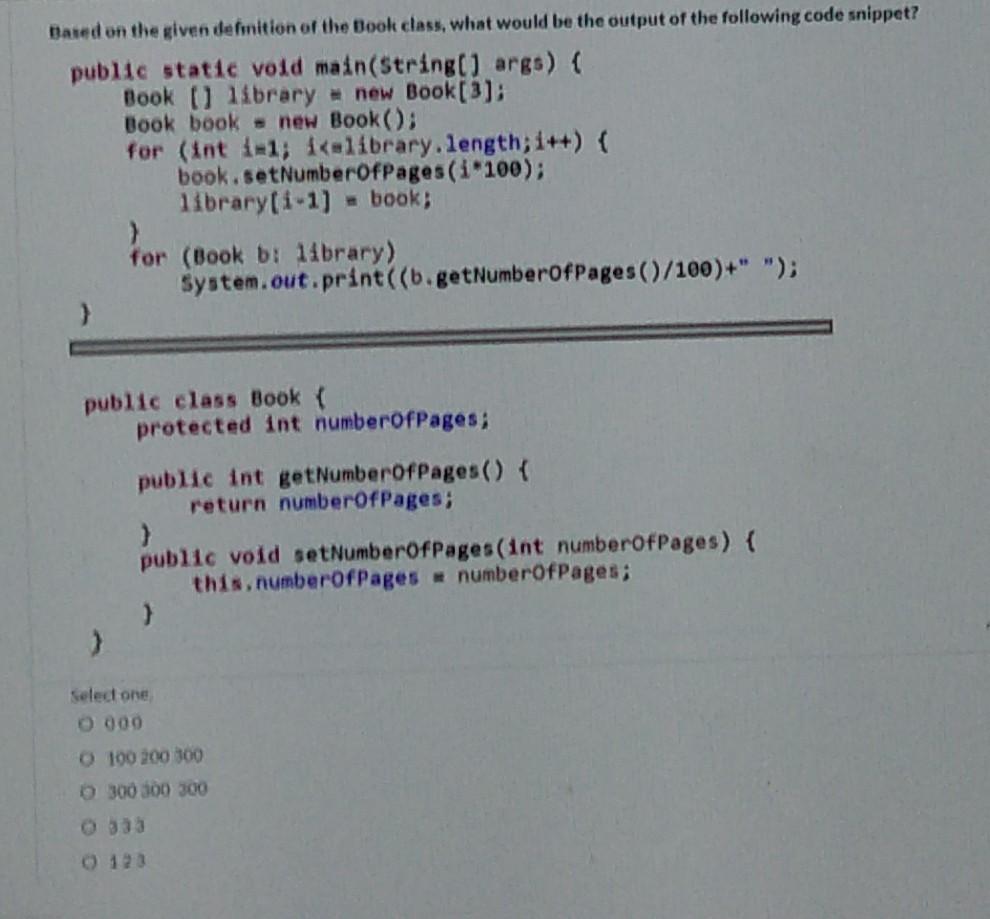
Which of the following inputs make the below program throw an exception? public class OutOfRange Exception extends Exception { OutofRange Exception (String message) { super (message); } public static void main (String[] args) throws OutofRange Exception final int MIN = 25, MAX = 40; Scanner scan = new Scanner (System.in); OutOfRangeException problem = new OutOfRangeException ("Input value is out of range."); System.out.println("Enter an integer between " + MIN + " and " + MAX ); int value = scan.nextInt(); if (value MAX) throw problem; System.out.println ("End of main method."); Select one or more: Da 30 b. 40 c. 10 od 50 Based on the given definition of the Book class, what would be the output of the following code snippet? public static void main(String[] args) { Book O library = new Book [3); Book book = new Book(): for (int 1-1; i
Step by Step Solution
There are 3 Steps involved in it

Get step-by-step solutions from verified subject matter experts
 Study Help