







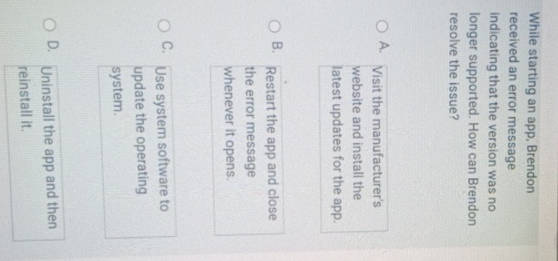
Question: While starting an app, Brendon received an error message indicating that the version was no longer supported. How can Brendon resolve the issue? A .
While starting an app, Brendon received an error message indicating that the version was no longer supported. How can Brendon resolve the issue?
A Visit the manufacturer's website and install the latest updates for the app.
BC Use system software to update the operating system. D
Step by Step Solution
There are 3 Steps involved in it
1 Expert Approved Answer
Step: 1 Unlock

Question Has Been Solved by an Expert!
Get step-by-step solutions from verified subject matter experts
Step: 2 Unlock
Step: 3 Unlock
 Study Help