







Question: with steps by screen shot please with steps by screen shot please with steps by screen shot please For this question you will be submitting
with steps by screen shot please
with steps by screen shot please
with steps by screen shot please
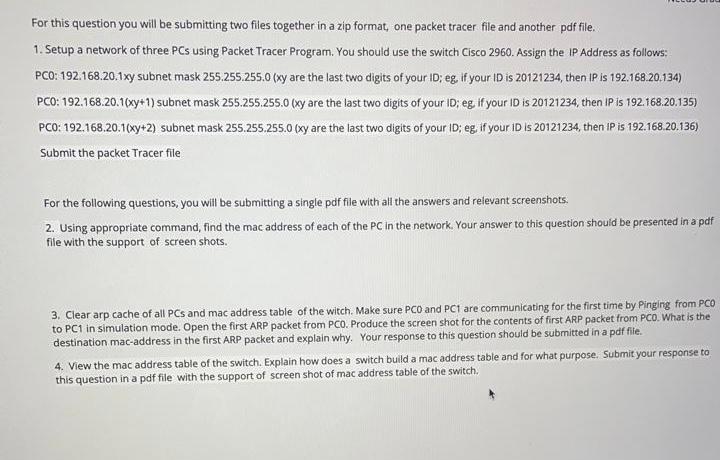
For this question you will be submitting two files together in a zip format, one packet tracer file and another pdf file. 1. Setup a network of three PCs using Packet Tracer Program. You should use the switch Cisco 2960. Assign the IP Address as follows: PCO: 192.168.20.1xy subnet mask 255.255.255.0 (xy are the last two digits of your ID; eg, if your ID is 20121234, then IP is 192.168.20.134) PCO: 192.168.20.1(xy+1) subnet mask 255.255.255.0 (xy are the last two digits of your ID; eg if your ID is 20121234, then IP is 192.168.20.135) PCO: 192.168.20.1(xy+2) subnet mask 255.255.255.0 (xy are the last two digits of your ID; eg. If your ID is 20121234, then IP is 192.168.20.136) Submit the packet Tracer file For the following questions, you will be submitting a single pdf file with all the answers and relevant screenshots. 2. Using appropriate command, find the mac address of each of the PC in the network. Your answer to this question should be presented in a pdf file with the support of screen shots. 3. Clear arp cache of all PCs and mac address table of the witch. Make sure PCO and PC1 are communicating for the first time by Pinging from PCO to PC1 in simulation mode. Open the first ARP packet from PCO Produce the screen shot for the contents of first ARP packet from PCO. What is the destination mac-address in the first ARP packet and explain why. Your response to this question should be submitted in a pdf file. 4. View the mac address table of the switch. Explain how does a switch build a mac address table and for what purpose. Submit your response to this question in a pdf file with the support of screen shot of mac address table of the switch
Step by Step Solution
There are 3 Steps involved in it

Get step-by-step solutions from verified subject matter experts
 Study Help