







Question: with your responses to this project's questions. 2 . Create a storage container or bucket that contains a static website. Use the sample website text
with your responses to this project's questions.
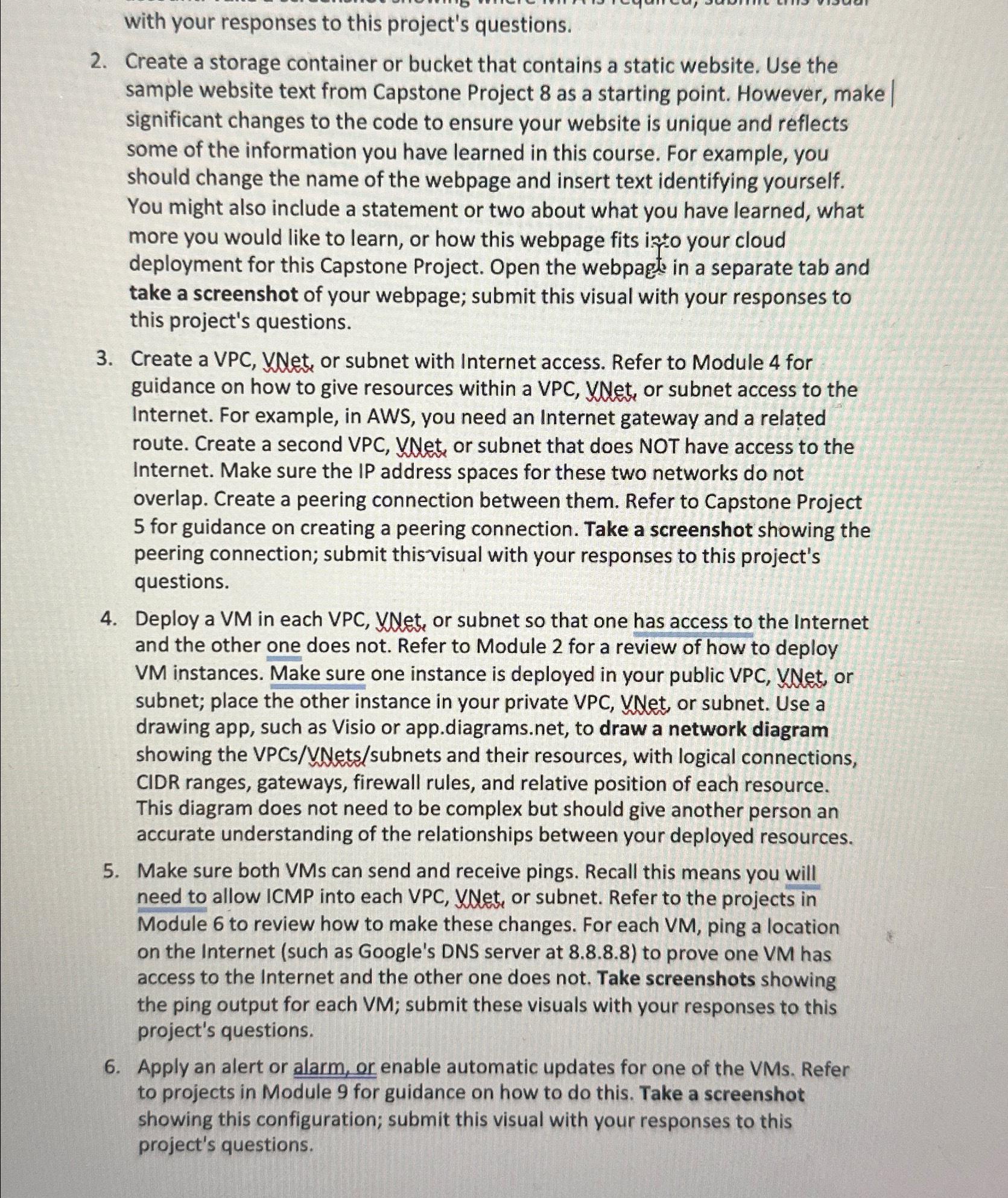
Create a storage container or bucket that contains a static website. Use the sample website text from Capstone Project as a starting point. However, make significant changes to the code to ensure your website is unique and reflects some of the information you have learned in this course. For example, you should change the name of the webpage and insert text identifying yourself. You might also include a statement or two about what you have learned, what more you would like to learn, or how this webpage fits into your cloud deployment for this Capstone Project. Open the webpags in a separate tab and take a screenshot of your webpage; submit this visual with your responses to this project's questions.
Create a VPC VNet, or subnet with Internet access. Refer to Module for guidance on how to give resources within a VPC VNet, or subnet access to the Internet. For example, in AWS, you need an Internet gateway and a related route. Create a second VPC VNet, or subnet that does NOT have access to the Internet. Make sure the IP address spaces for these two networks do not overlap. Create a peering connection between them. Refer to Capstone Project for guidance on creating a peering connection. Take a screenshot showing the peering connection; submit thisvisual with your responses to this project's questions.
Deploy a VM in each VPC VNet, or subnet so that one has access to the Internet and the other one does not. Refer to Module for a review of how to deploy VM instances. Make sure one instance is deployed in your public VPC VNet, or subnet; place the other instance in your private VPC VNet, or subnet. Use a drawing app, such as Visio or
app.diagrams.net, to draw a network diagram showing the VPCsVNetssubnets and their resources, with logical connections, CIDR ranges, gateways, firewall rules, and relative position of each resource. This diagram does not need to be complex but should give another person an accurate understanding of the relationships between your deployed resources.
Make sure both VMs can send and receive pings. Recall this means you will need to allow ICMP into each VPC VNet, or subnet. Refer to the projects in Module to review how to make these changes. For each VM ping a location on the Internet such as Google's DNS server at to prove one VM has access to the Internet and the other one does not. Take screenshots showing the ping output for each VM; submit these visuals with your responses to this project's questions.
Apply an alert or alarm, or enable automatic updates for one of the VMs Refer to projects in Module for guidance on how to do this. Take a screenshot showing this configuration; submit this visual with your responses to this project's questions.
Step by Step Solution
There are 3 Steps involved in it
1 Expert Approved Answer
Step: 1 Unlock

Question Has Been Solved by an Expert!
Get step-by-step solutions from verified subject matter experts
Step: 2 Unlock
Step: 3 Unlock
 Study Help