







Question: & Word File Edit View Insert Format Tools Table Window Hel Home Insert Draw Autosave Shelly Cashman Word 2 0 1 9 Module 2 :
& Word File Edit View Insert Format Tools Table Window Hel
Home Insert Draw
Autosave
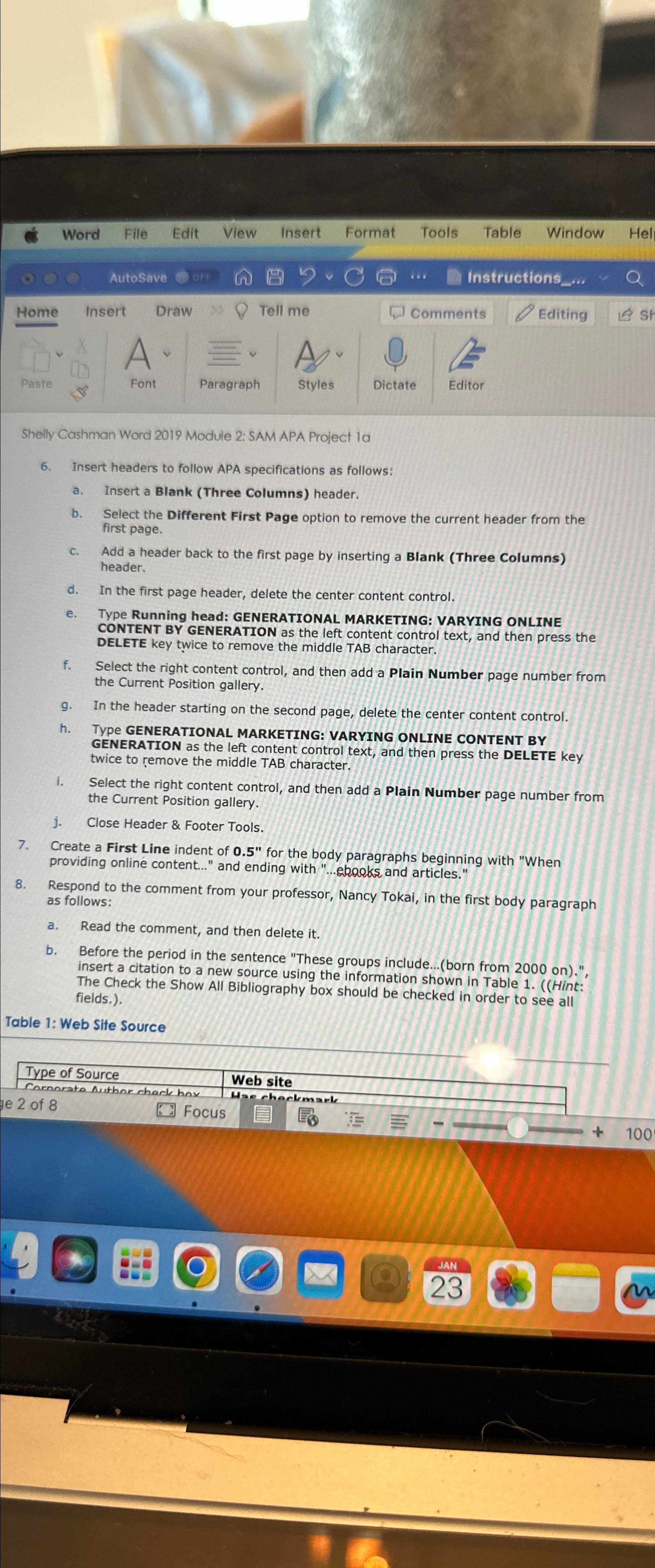
Shelly Cashman Word Module : SAM APA Project la
Insert headers to follow APA specifications as follows:
a Insert a Blank Three Columns header.
b Select the Different First Page option to remove the current header from the first page.
c Add a header back to the first page by inserting a Blank Three Columns header.
d In the first page header, delete the center content control.
e Type Running head: GENERATIONAL MARKETING: VARYING ONLINE CONTENT BY GENERATION as the left content control text, and then press the DELETE key twice to remove the middle TAB character.
f Select the right content control, and then add a Plain Number page number from the Current Position gallery.
g In the header starting on the second page, delete the center content control.
h TYPE GENERATIONAL MARKETING: VARYING ONLINE CONTENT BY GENERATION as the left content control text, and then press the DELETE key twice to remove the middle TAB character.
i Select the right content control, and then add a Plain Number page number from the Current Position gallery.
j Close Header & Footer Tools.
Create a First Line indent of for the body paragraphs beginning with "When providing online content..." and ending with ekrokks and articles."
Respond to the comment from your professor, Nancy Tokai, in the first body paragraph as follows:
a Read the comment, and then delete it
b Before the period in the sentence "These groups include...born from on insert a citation to a new source using the information shown in Table Hint: The Check the Show All Bibliography box should be checked in order to see all fields.
Table : Web Site Source
Step by Step Solution
There are 3 Steps involved in it
1 Expert Approved Answer
Step: 1 Unlock

Question Has Been Solved by an Expert!
Get step-by-step solutions from verified subject matter experts
Step: 2 Unlock
Step: 3 Unlock
 Study Help