







Question: work with strings. s-2.pdf-Adobe Acrobat Reader DC Window Help ools | Extra exercises.2.pdf 108% 18/49 18 Extra exercises for Murach's Visual Basic 2015 Extra 9-2
work with strings.
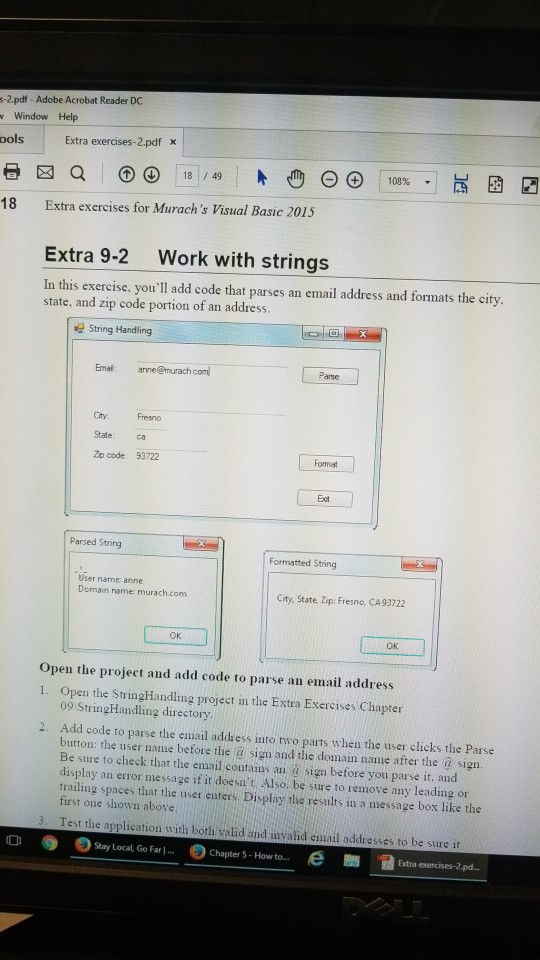
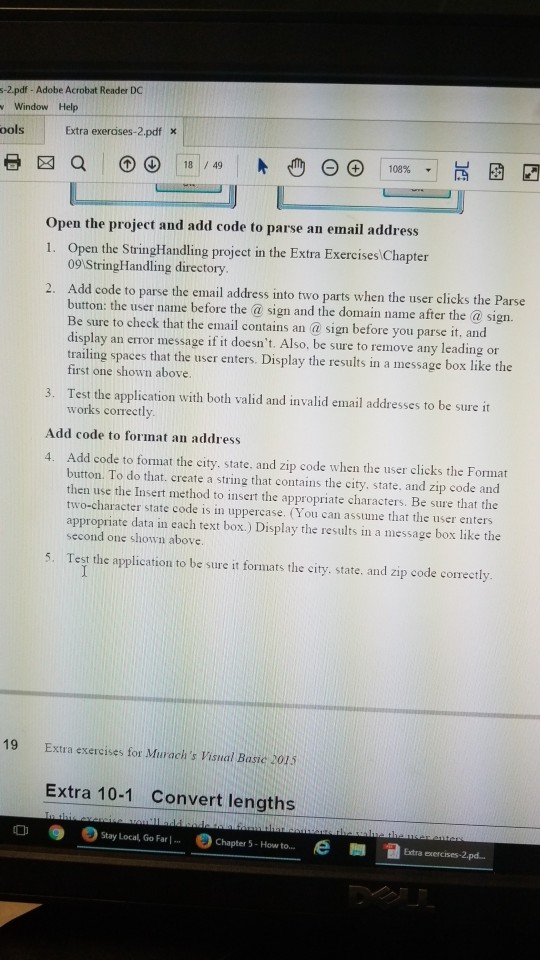
s-2.pdf-Adobe Acrobat Reader DC Window Help ools | Extra exercises.2.pdf 108% 18/49 18 Extra exercises for Murach's Visual Basic 2015 Extra 9-2 Work with strings In this exercise, you'll add code that parses an email address and formats the city state, and zip code portion of an address String Handing Emai: anne@murach com Parse City Fresno State ca Zp code: 93722 Fomat Ext Parsed String Formatted String User name anne Domain name murach.com City, State, Zip: Fresno, CA93722 OK OK Open the project and add code to parse an email address 1. Open the StringHandling project in the Extra Exercises Chapter 09 StringHandling directory Add code to parse the email address into two parts when the user clicks the Parse button: the user name before the sign and the domain name after the @ sign Be sure to check that the email contains an sign before you parse it, and display an error message if it doesa' t. Also, be sure to remove any leading or trailing spaces that the user enters. Display the results in a message box like the first one shown above 2. 3. Test the application with both valid and invalid email addresses to be sure it o Ostay Local, Go Far 1-0 e B Chapter 5-How to... Extra exercises-2.pd
Step by Step Solution
There are 3 Steps involved in it

Get step-by-step solutions from verified subject matter experts
 Study Help