







Question: Would someone help me with this question? This is my code 1. (1 point) Check if the data frame includes some missing entries by printing
Would someone help me with this question?
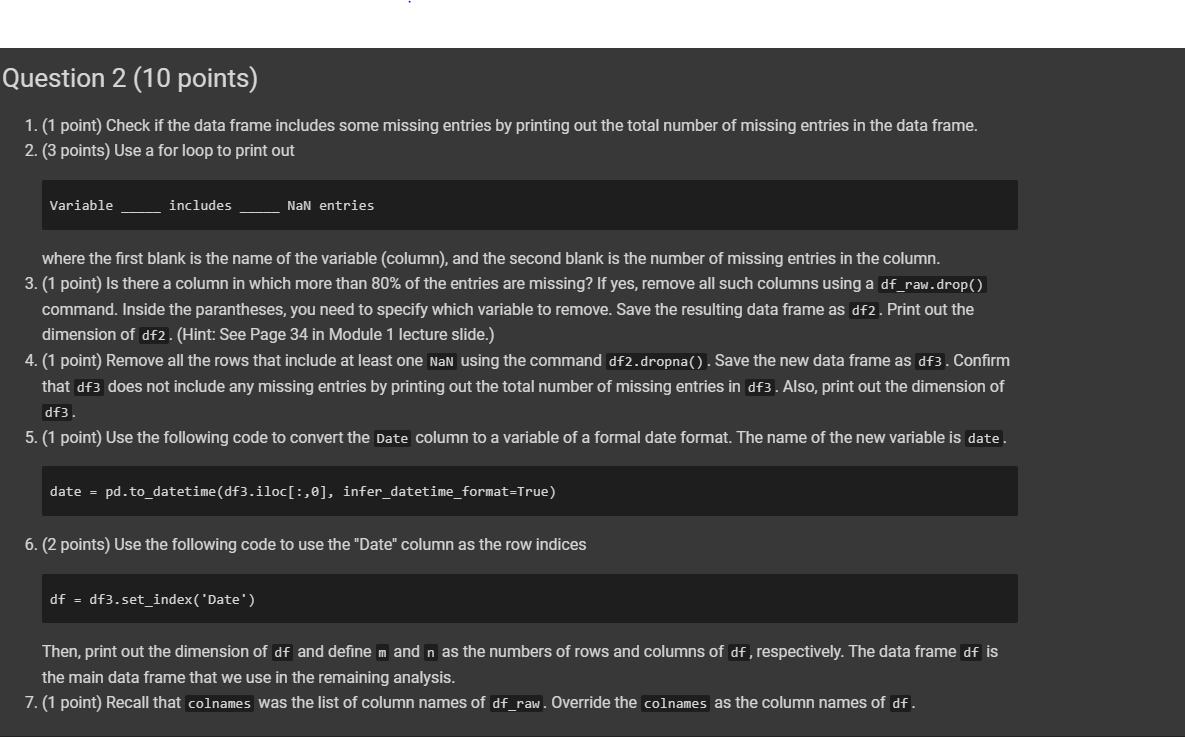
This is my code
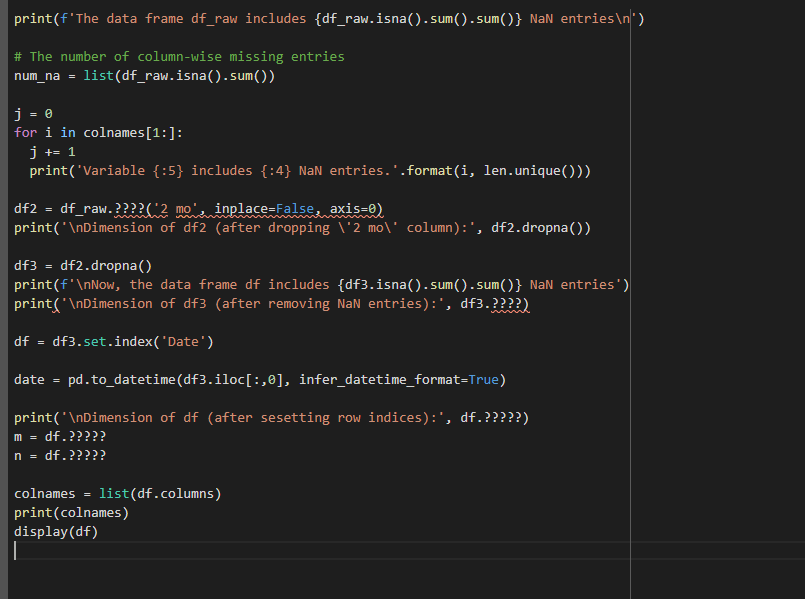
1. (1 point) Check if the data frame includes some missing entries by printing out the total number of missing entries in the data frame. 2. (3 points) Use a for loop to print out Variable ___ includes __ NaN entries where the first blank is the name of the variable (column), and the second blank is the number of missing entries in the column. 3. (1 point) Is there a column in which more than 80% of the entries are missing? If yes, remove all such columns using a df_raw. drop() command. Inside the parantheses, you need to specify which variable to remove. Save the resulting data frame as df2. Print out the dimension of df2. (Hint: See Page 34 in Module 1 lecture slide.) 4. (1 point) Remove all the rows that include at least one NaN using the command df2.dropna() . Save the new data frame as df3. Confirm that df3 does not include any missing entries by printing out the total number of missing entries in df 3 . Also, print out the dimension of df3. 5. (1 point) Use the following code to convert the Date column to a variable of a formal date format. The name of the new variable is date . \[ \text { date }=\text { pd.to_datetime(df3.iloc }[:, \theta] \text {, infer_datetime_format=True) } \] 6. (2 points) Use the following code to use the "Date" column as the row indices \[ \mathrm{df}=\mathrm{df} \text { 3. set_index( 'Date ') } \] Then, print out the dimension of df and define m and n as the numbers of rows and columns of df, respectively. The data frame df is the main data frame that we use in the remaining analysis. 7. (1 point) Recall that colnames was the list of column names of df_raw. Override the colnames as the column names of df
Step by Step Solution
There are 3 Steps involved in it

Get step-by-step solutions from verified subject matter experts
 Study Help