







Question: Write a C program that inputs 9 images, applies the median filter to these images, and then writes a resultant image file to the disk
Write a C program that inputs 9 images, applies the median filter to these images, and then writes a resultant image file to the disk with the noise removed.
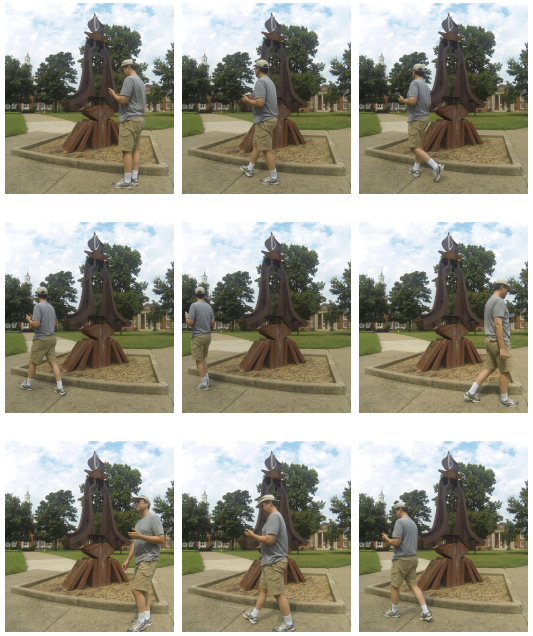
If you look closely, you can see that the most of sculpture is visible in each image. The man walking only blocked part of the sculpture, and since he was in a different position in each photo, he usually blocked a different part of the sculpture each time. Might there be a way to combine all of these photos in such as to remove the man from the overall photo? It turns out that there is using a technique called a median filter. This is a method for removing noise or a man in this case from a set of similar images.
You do not need to write a routine to sort your color data use the one provided in stdlib.h.
The images are all the same height and width. In your code you should open all the image files at the same time for reading, and then open a file for writing called image.ppm (you must use this name!). Create the proper PPM header for this output file; read the header values from one of the input files to determine the correct values. Make sure to skip the header in the other files before you read in the pixel data. Once you at ready to read the pixel color values, read all the values for the red, green, and blue values for a single pixel from the files, one integer at a time. The first value in the first file, the first value in the second file, the first value in the third file, and so on up to the first value in the ninth file. Calculate the median, and write the result to the result image file. Continue on doing this for every red, green, and blue values for every pixel triplet in the file. Your result image should be noise (person) free! Note that you will only ever have to store 9 integer values at a time in an array in your program you do not need to store all of the image data! Once you have inputted all 9 values representing a single color (which will be part of an RGB triplet representing a pixel), you will need to sort this data into ascending order (more on this below) and then write the median value to the output file.
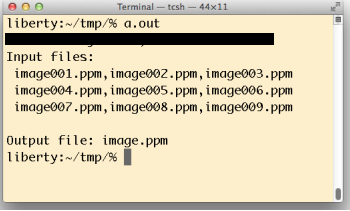
You should assume that the input files are named image001.ppm, image002.ppm, . . . , image009.ppm.
"ener.m A
Step by Step Solution
There are 3 Steps involved in it

Get step-by-step solutions from verified subject matter experts
 Study Help