







Question: Write a C++ program that opens a file named data.txt which contains data written in three lines. Each line starts with a letter followed
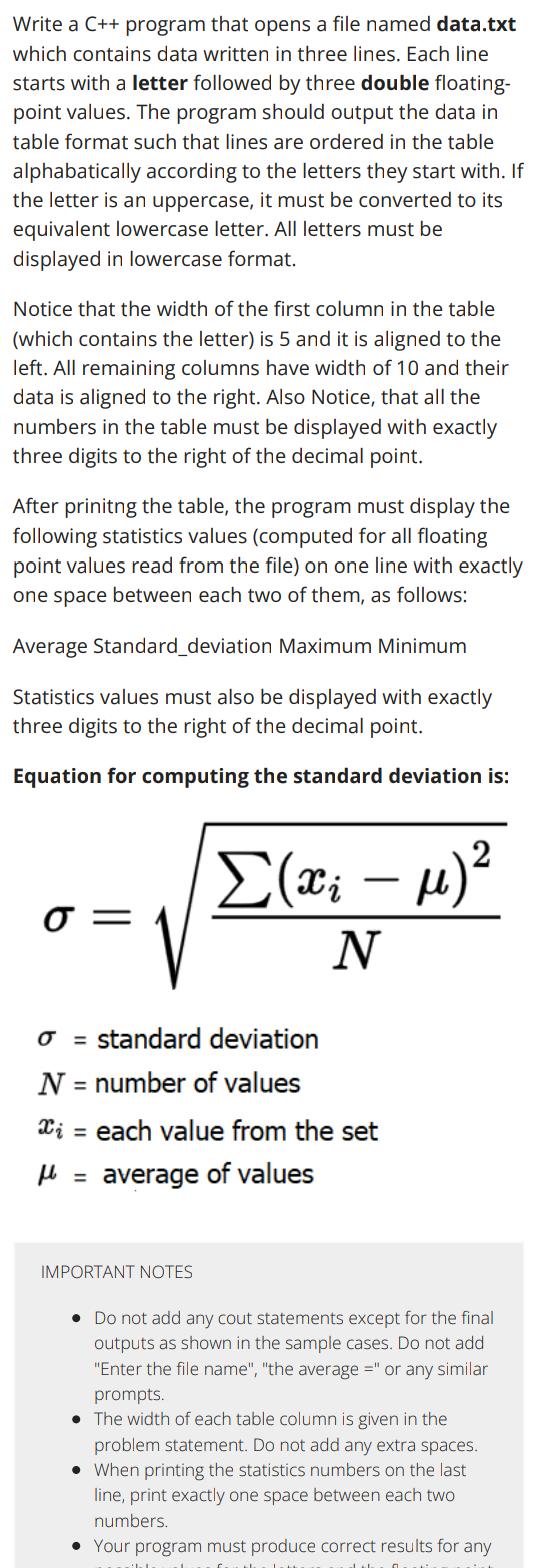
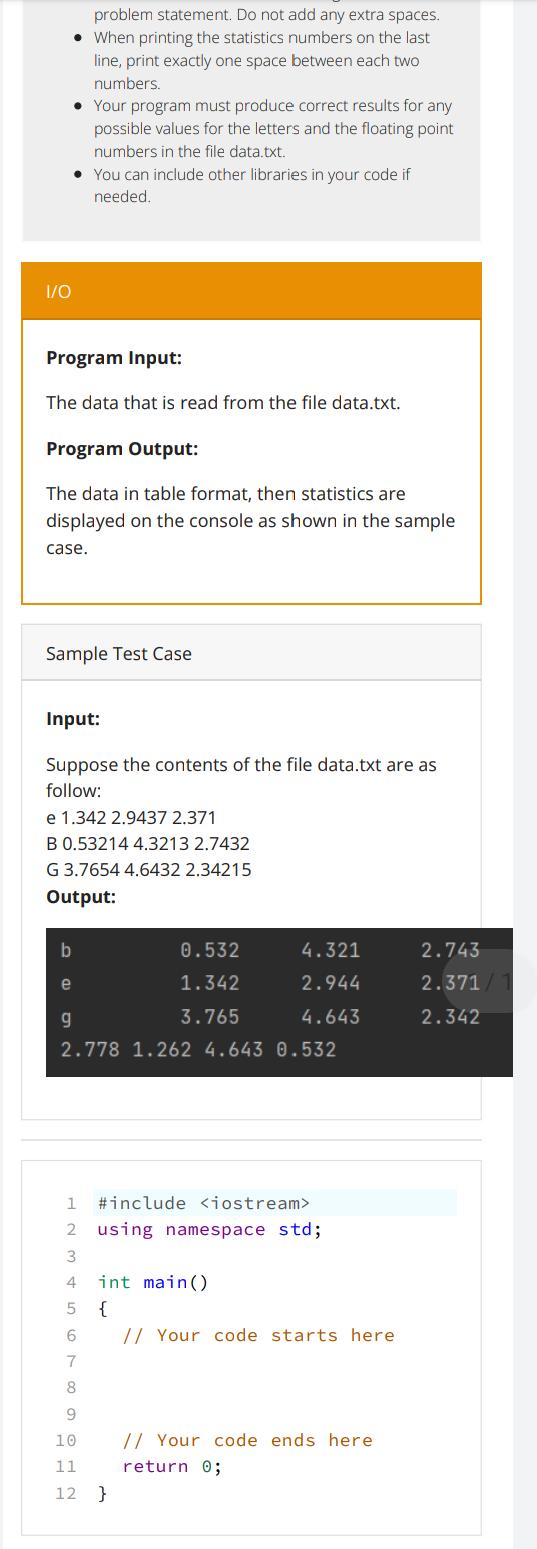
Write a C++ program that opens a file named data.txt which contains data written in three lines. Each line starts with a letter followed by three double floating- point values. The program should output the data in table format such that lines are ordered in the table alphabatically according to the letters they start with. If the letter is an uppercase, it must be converted to its equivalent lowercase letter. All letters must be displayed in lowercase format. Notice that the width of the first column in the table (which contains the letter) is 5 and it is aligned to the left. All remaining columns have width of 10 and their data is aligned to the right. Also Notice, that all the numbers in the table must be displayed with exactly three digits to the right of the decimal point. After prinitng the table, the program must display the following statistics values (computed for all floating point values read from the file) on one line with exactly one space between each two of them, as follows: Average Standard deviation Maximum Minimum Statistics values must also be displayed with exactly three digits to the right of the decimal point. Equation for computing the standard deviation is: (; )2 N o standard deviation N = number of values x = each value from the set average of values l = IMPORTANT NOTES Do not add any cout statements except for the final outputs as shown in the sample cases. Do not add "Enter the file name", "the average =" or any similar prompts. The width of each table column is given in the problem statement. Do not add any extra spaces. When printing the statistics numbers on the last line, print exactly one space between each two numbers. Your program must produce correct results for any 1/0 problem statement. Do not add any extra spaces. When printing the statistics numbers on the last line, print exactly one space between each two numbers. Your program must produce correct results for any possible values for the letters and the floating point numbers in the file data.txt. You can include other libraries in your code if needed. Program Input: The data that is read from the file data.txt. Program Output: The data in table format, then statistics are displayed on the console as shown in the sample case. Sample Test Case Input: Suppose the contents of the file data.txt are as follow: e 1.342 2.9437 2.371 B 0.53214 4.3213 2.7432 G 3.7654 4.6432 2.34215 Output: b e g 2.778 1.262 4.643 0.532 0.532 1.342 3.765 4.321 2.944 4.643 1 #include 2 using namespace std; 3 4 5 6 7 8 9 10 11 12 } int main() { // Your code starts here // Your code ends here return 0; 2.743 2.371/1 2.342
Step by Step Solution
There are 3 Steps involved in it
include include include include include int main stdifstream inputFiledatatxt stdvector letters stdv... View full answer

Get step-by-step solutions from verified subject matter experts
 Study Help