







Question: Write a C program that runs on ocelot for a mini calculator using only the command line options. You must use getopt to parse the
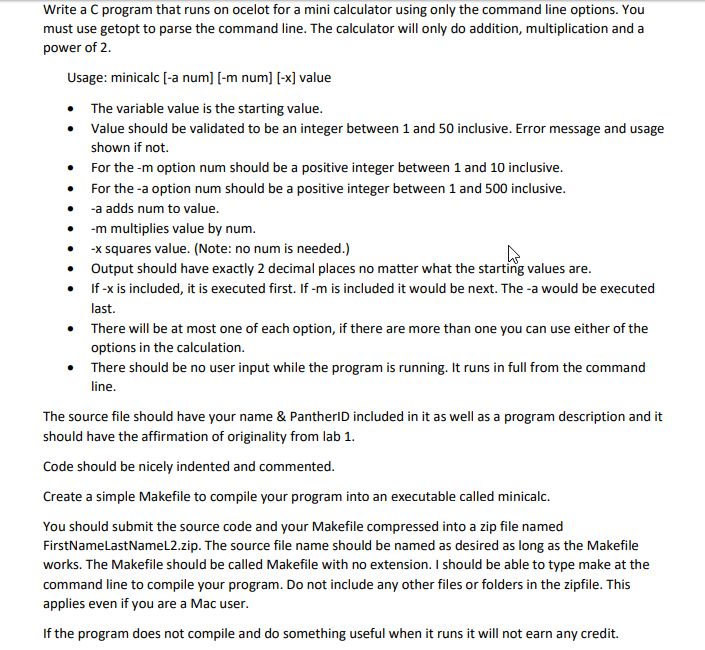
Write a C program that runs on ocelot for a mini calculator using only the command line options. You must use getopt to parse the command line. The calculator will only do addition, multiplication and a power of 2 Usage: minicalc [-a num] [-m num] [-x] value The variable value is the starting value Value should be validated to be an integer between 1 and 50 inclusive. Error message and usage shown if not. For the -m option num should be a positive integer between 1 and 10 inclusive For the -a option num should be a positive integer between 1 and 500 inclusive -a adds num to value . . -m multiplies value by num -x squares value. (Note: no num is needed.) Output should have exactly 2 decimal places no matter what the starting values are If-x is included, it is executed first. lf-m is included it would be next. The-a would be executed last. . There will be at most one of each option, if there are more than one you can use either of the options in the calculation There should be no user input while the program is running. It runs in full from the command line The source file should have your name & PantherlD included in it as well as a program description and it should have the affirmation of originality from lab1. Code should be nicely indented and commented Create a simple Makefile to compile your program into an executable called minicalc. You should submit the source code and your Makefile compressed into a zip file named FirstNameLastNameL2.zip. The source file name should be named as desired as long as the Makefile works. The Makefile should be called Makefile with no extension. I should be able to type make at the command line to compile your program. Do not include any other files or folders in the zipfile. This applies even if you are a Mac user If the program does not compile and do something useful when it runs it will not earn any credit. Write a C program that runs on ocelot for a mini calculator using only the command line options. You must use getopt to parse the command line. The calculator will only do addition, multiplication and a power of 2 Usage: minicalc [-a num] [-m num] [-x] value The variable value is the starting value Value should be validated to be an integer between 1 and 50 inclusive. Error message and usage shown if not. For the -m option num should be a positive integer between 1 and 10 inclusive For the -a option num should be a positive integer between 1 and 500 inclusive -a adds num to value . . -m multiplies value by num -x squares value. (Note: no num is needed.) Output should have exactly 2 decimal places no matter what the starting values are If-x is included, it is executed first. lf-m is included it would be next. The-a would be executed last. . There will be at most one of each option, if there are more than one you can use either of the options in the calculation There should be no user input while the program is running. It runs in full from the command line The source file should have your name & PantherlD included in it as well as a program description and it should have the affirmation of originality from lab1. Code should be nicely indented and commented Create a simple Makefile to compile your program into an executable called minicalc. You should submit the source code and your Makefile compressed into a zip file named FirstNameLastNameL2.zip. The source file name should be named as desired as long as the Makefile works. The Makefile should be called Makefile with no extension. I should be able to type make at the command line to compile your program. Do not include any other files or folders in the zipfile. This applies even if you are a Mac user If the program does not compile and do something useful when it runs it will not earn any credit
Step by Step Solution
There are 3 Steps involved in it

Get step-by-step solutions from verified subject matter experts
 Study Help