







Question: Write a function bisectnew_24(f, x1, x2) and submit the bisectnew_24.m file on canvas. The function bisectnew_24 should work the same as the bisect method function
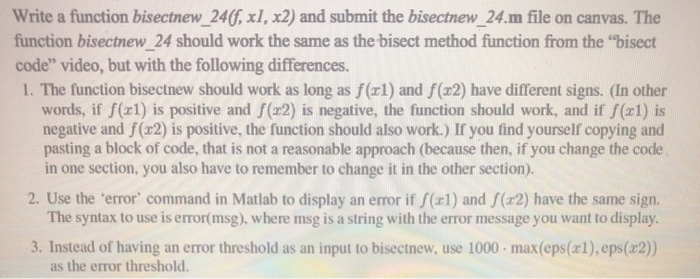
Write a function bisectnew_24(f, x1, x2) and submit the bisectnew_24.m file on canvas. The function bisectnew_24 should work the same as the bisect method function from the "bisect code" video, but with the following differences. 1. The function bisectnew should work as long as f(xl) and f (32) have different signs. (In other words, if f(xl) is positive and f(x2) is negative, the function should work, and if f(x1) is negative and f(32) is positive, the function should also work.) If you find yourself copying and pasting a block of code, that is not a reasonable approach (because then, if you change the code in one section, you also have to remember to change it in the other section). 2. Use the error command in Matlab to display an error if f(x1) and S (x2) have the same sign. The syntax to use is error(msg), where msg is a string with the error message you want to display. 3. Instead of having an error threshold as an input to bisectnew, use 1000 - max(eps(x1),eps(x2)) as the error threshold
Step by Step Solution
There are 3 Steps involved in it

Get step-by-step solutions from verified subject matter experts
 Study Help