







Question: Write a function named applyMask that is able to apply an arbitrary N x N mask to an image I. The function must be able
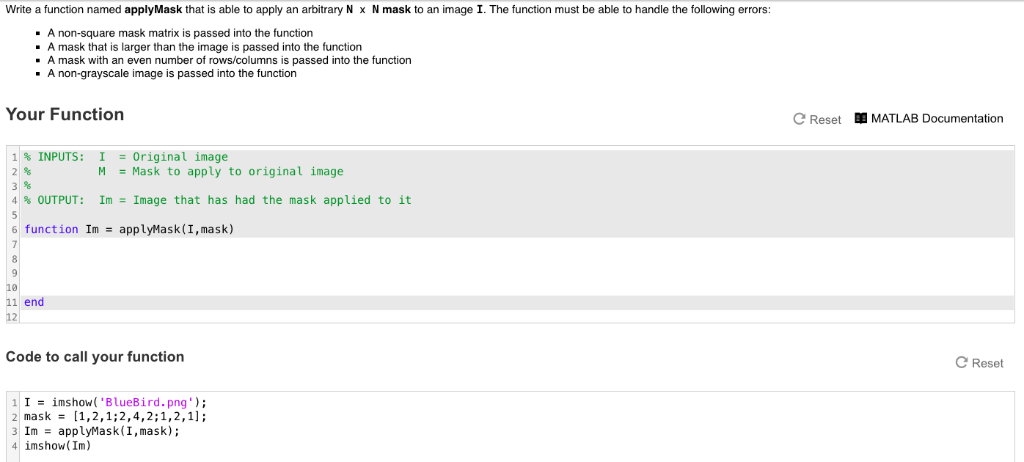
Write a function named applyMask that is able to apply an arbitrary N x N mask to an image I. The function must be able to handle the following errors A non-square mask matrix is passed into the function - A mask that is larger than the image is passed into the function A mask with an even number of rows/columns is passed into the function A non-grayscale image is passed into the function Your Function C Reset MATLAB Documentation 1 % INPUTS: 1 -Original image M = Mask to apply to original image 2/ 4 % OUTPUT: Im- image that has had the mask applied to it 6 function ImapplyMask (I,mask) 10 11 end 12 Code to call your function Reset I-imshow( 'BlueBird.png') 2 mask [1,2,1;2,4,2;1,2,1]; ImapplyMask(I,mask) imshow(Im) Write a function named applyMask that is able to apply an arbitrary N x N mask to an image I. The function must be able to handle the following errors A non-square mask matrix is passed into the function - A mask that is larger than the image is passed into the function A mask with an even number of rows/columns is passed into the function A non-grayscale image is passed into the function Your Function C Reset MATLAB Documentation 1 % INPUTS: 1 -Original image M = Mask to apply to original image 2/ 4 % OUTPUT: Im- image that has had the mask applied to it 6 function ImapplyMask (I,mask) 10 11 end 12 Code to call your function Reset I-imshow( 'BlueBird.png') 2 mask [1,2,1;2,4,2;1,2,1]; ImapplyMask(I,mask) imshow(Im)
Step by Step Solution
There are 3 Steps involved in it

Get step-by-step solutions from verified subject matter experts
 Study Help