







Question: Write a function that takes in two arbitrary sized matrices, multiplies them together, and returns the resulting matrix. Assemble a rotation matrix based on one
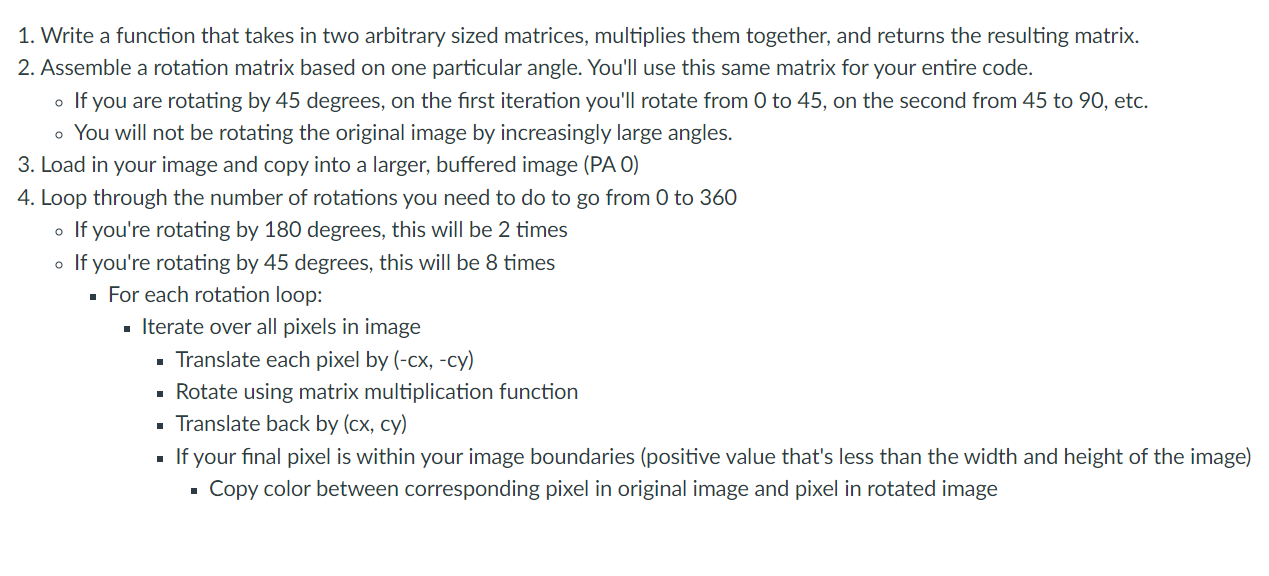
Write a function that takes in two arbitrary sized matrices, multiplies them together, and returns the resulting matrix.
Assemble a rotation matrix based on one particular angle. You'll use this same matrix for your entire code.
If you are rotating by degrees, on the first iteration you'll rotate from to on the second from to etc.
You will not be rotating the original image by increasingly large angles.
Load in your image and copy into a larger, buffered image PA
Loop through the number of rotations you need to do to go from to
If you're rotating by degrees, this will be times
If you're rotating by degrees, this will be times
For each rotation loop:
Iterate over all pixels in image
Translate each pixel by cxcy
Rotate using matrix multiplication function
Translate back by cx cy
If your final pixel is within your image boundaries positive value that's less than the width and height of the image
Copy color between corresponding pixel in original image and pixel in rotated image. Absolute color error calculation: Code to compute the absolute error between the colors
of the original images pixels and the colors of the image after its been rotated
Pixel rounding error calculation: Code to compute the distance between a rotated pixels
actual location float value and the location where it is displayed rounded integer value
This total value should be divided by:
numPixelsInImage numTimesImageWasRotated
You can use the OpenCV and Numpy libraries for opening, displaying, and saving images and to
create empty arraysimages You may also use the math library built into Python for sine cosine,
and PI calculations. You may not use any other builtin functions or libraries.
Step by Step Solution
There are 3 Steps involved in it
1 Expert Approved Answer
Step: 1 Unlock

Question Has Been Solved by an Expert!
Get step-by-step solutions from verified subject matter experts
Step: 2 Unlock
Step: 3 Unlock
 Study Help