







Question: Write a Java class named ScoreStatisticalAnalyzer containing a main () method that reads double-type test scores from a data file into an array. The program
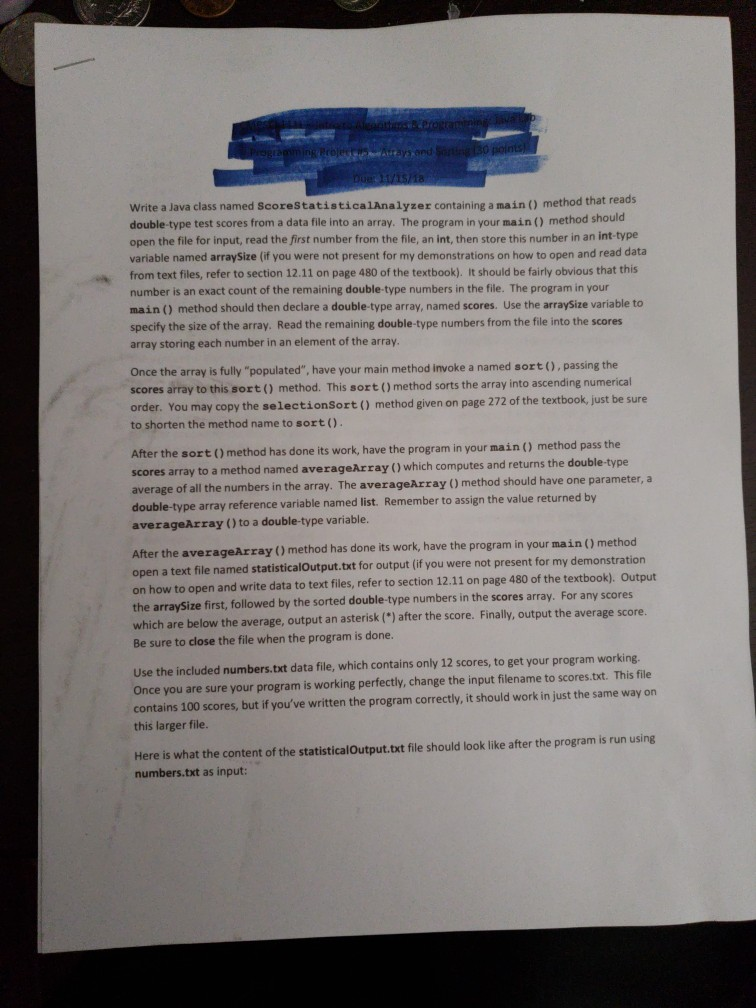
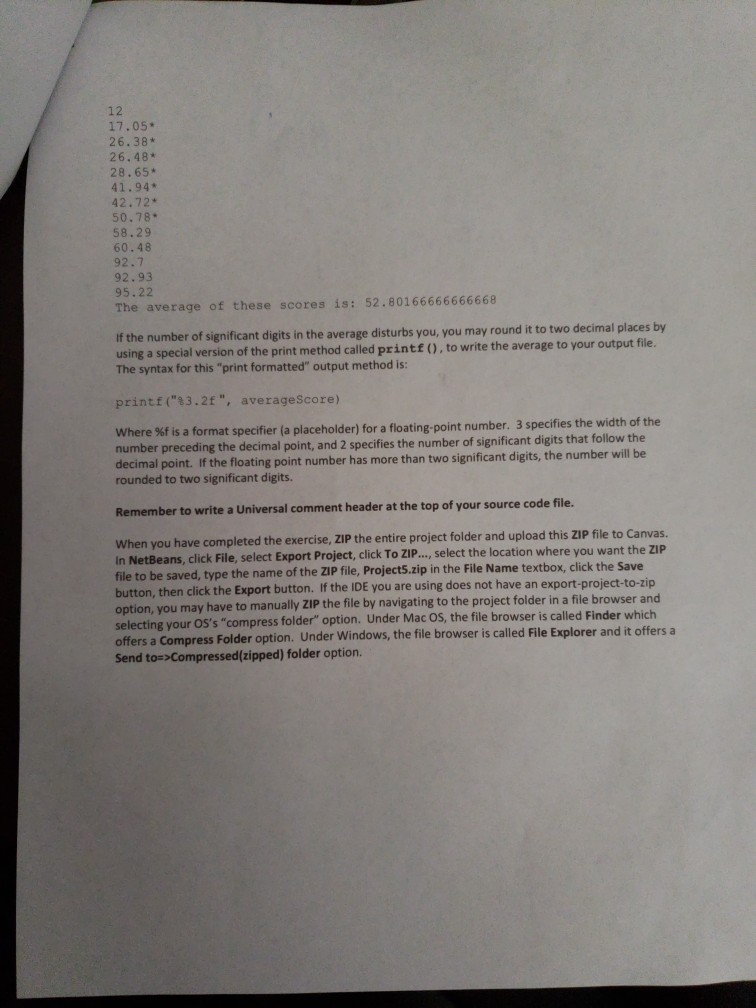
Write a Java class named ScoreStatisticalAnalyzer containing a main () method that reads double-type test scores from a data file into an array. The program in your main () method should open the file for input, read the first number from the file, an int, then store this number in an int-type variable named arraySize (if you were not present for my demonstrations on how to open and read data from text files, refer to section 12.11 on page 480 of the textbook). It should be fairly obvious that this number is an exact count of the remaining double-type numbers in the file. The program in your main () method should then declare a double-type array, named scores. Use the arraySize variable to specify the size of the array. Read the remaining double-type numbers from the file into the scores array storing each number in an element of the array Once the array is fully "populated", have your main method invoke a named sort ), passing the scores array to this sort() method. This sort () method sort s the array into ascending numerical order. You may copy the selectionSort ) method given on page 272 of the textbook, just be sure to shorten the method name to sort() After the sort () method has done its work, have the program in your main () method pass the scores array to a method named averageArray () which computes and returns the double type average of all the numbers in the array. The averageAr double-ty averageArray ()to a double-type variable. ray () method should have one parameter, a pe array reference variable named list. Remember to assign the value returned by After the averageArray ) method has done its work, have the program in your main () method open a text file named statisticalOutput.txt for output (if you were not present for my demonstration on how to open and write data to text files, refer to section 12.11 on page 480 of the textbook). the arraySize first, followed by the sorted double-type numbers in the scores array. For any scores which are below the average, output an asterisk(") after the score. Finally, output the average score. Be sure to close the file when the program is done. Output Use the included numbers.txt data file, which contains only 12 scores, to get your program working. Once you are sure your program is working perfectly, change the input filename to scores.txt. This file contains 100 scores, but if you've written the program correctly, it should work in just the same way on this larger file Here is what the content of the statisticalOutput.txt file should look like after the program is run using numbers.txt as input
Step by Step Solution
There are 3 Steps involved in it

Get step-by-step solutions from verified subject matter experts
 Study Help