







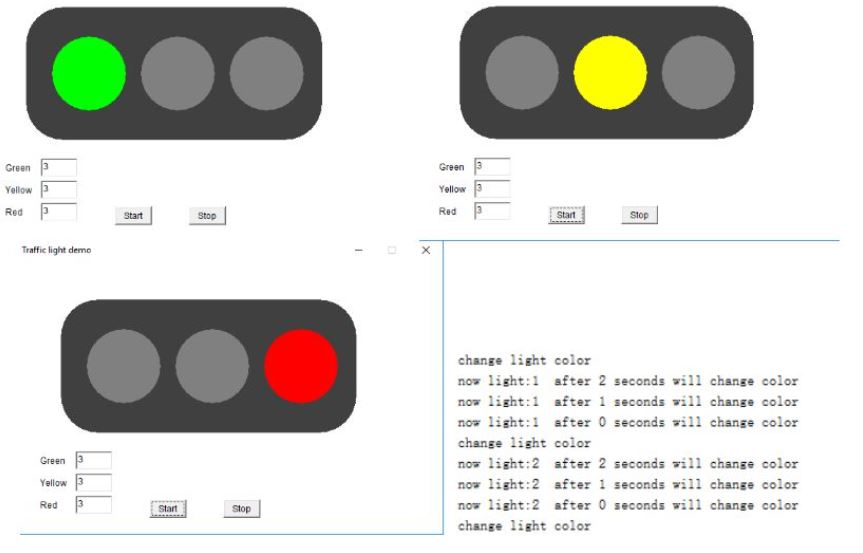
Question: Write a JAVA program that would simulate traffic lights using the concept of Multithreading. One example is shown in the following figure. Each light has
Write a JAVA program that would simulate traffic lights using the concept of Multithreading. One example is shown in the following figure. Each light has two statuses, "on" and "off". Moreover, the time of each light switching status can be set using the text input box beforehand. If the user clicks on the "Start" button, the program starts to work. While if the "End" button is clicked, the program stops working but not terminates. The program terminates only when the "X" button on right-upper corner. Please note that initially the switching time for each light would be set to "3". As shown in the last column of the following figure, you should also display the text indicating the status of the traffic light.
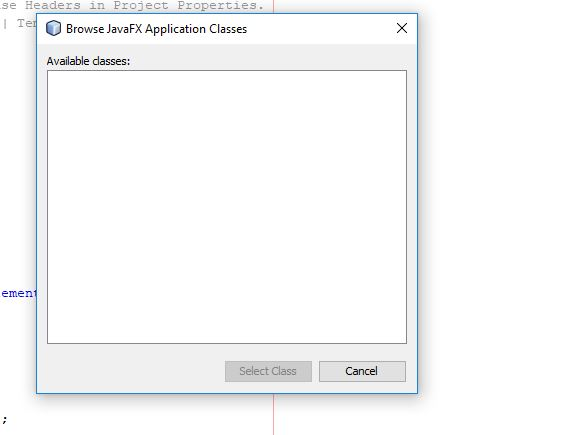
I have found answer of this program but it is not working and you can check the error pop up box image down below. can you please solve this for me?
Green Green Yellow Red Yellow 3 Start Stop stop Traffic light demo change light color now light:l after 2 seconds will change color now light:1 after1 seconds will change color now light :1 after 0 seconds ill change color change lisht color now light:2 after 2 seconds will change color now light:2 after 1 seconds will change color now light:2 after 0 seconds will change color change 1ight color Green Yellow Red Green Green Yellow Red Yellow 3 Start Stop stop Traffic light demo change light color now light:l after 2 seconds will change color now light:1 after1 seconds will change color now light :1 after 0 seconds ill change color change lisht color now light:2 after 2 seconds will change color now light:2 after 1 seconds will change color now light:2 after 0 seconds will change color change 1ight color Green Yellow Red
Step by Step Solution
There are 3 Steps involved in it

Get step-by-step solutions from verified subject matter experts
 Study Help