







Question: Write a matlab code In this lab we will use matlab to compute the Fourier series for several signals, and compare the errors that results
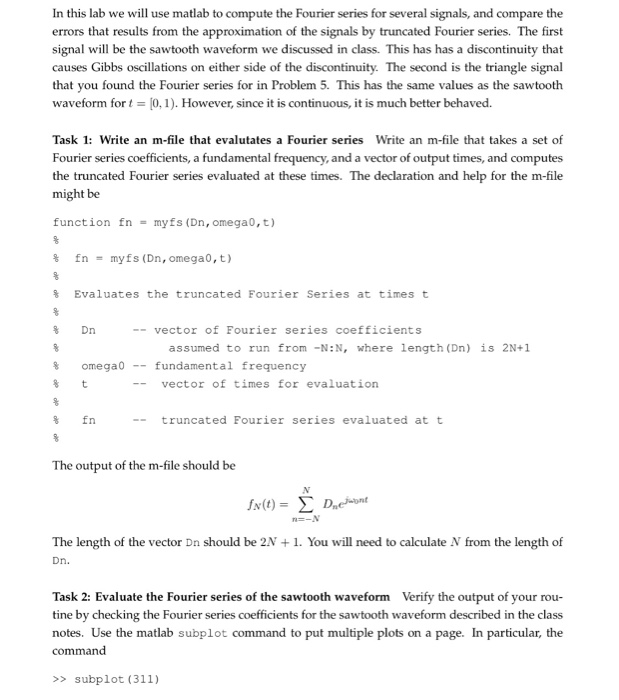
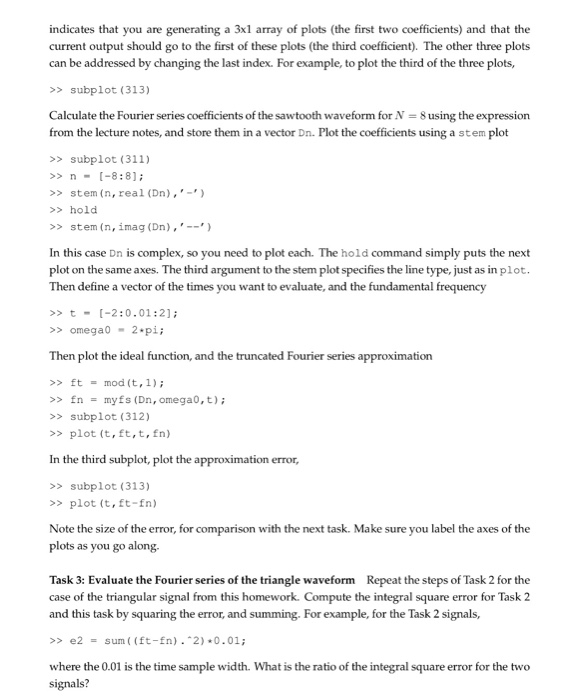
In this lab we will use matlab to compute the Fourier series for several signals, and compare the errors that results from the approximation of the signals by truncated Fourier series. The first signal will be the sawtooth waveform we discussed in class. This has has a discontinuity that causes Gibbs oscillations on either side of the discontinuity. The second is the triangle signal that you found the Fourier series for in Proble 5. This has the same values as the sawtooth waveform for t 10,1 ). However, since it is continuous, it is much better behaved. Task 1: Write an m-file that evalutates a Fourier series Write an m-file that takes a set of Fourier series coefficients, a fundamental frequency, and a vector of output times, and computes the truncated Fourier series evaluated at these times. The declaration and help for the m-file might be function fn = myfs (Dn, omegao,t) fn = myfs (Dn, omegao,t) % Evaluates the truncated Fourier series at times t 8 Dn -- vector of Fourier series coefficients assumed to run from -N:N, where length (Dn) is 2N+1 8 omega0fundamental frequency -vector of times for evaluation 8 fn --truncated Fourier series evaluated at t The output of the m-file should be The length of the vector Dn should be 2N +1. You will need to calculate N from the length of Dn. Task 2: Evaluate the Fourier series of the sawtooth waveform Verify the output of your rou- tine by checking the Fourier series coefficients for the sawtooth waveform described in the class notes. Use the matlab subplot command to put multiple plots on a page. In particular, the command >> subplot (311)
Step by Step Solution
There are 3 Steps involved in it

Get step-by-step solutions from verified subject matter experts
 Study Help